

Посмотрел уже несколько видео, очень хорошо получается, молодцом!
BAS 31.0.0 update: the new interface and everything that changed
-
Prefer to watch? It's all in my youtube video, it's available in English, Hindi and Turkish
and my telegram channel, come join: t.me/mustangbas
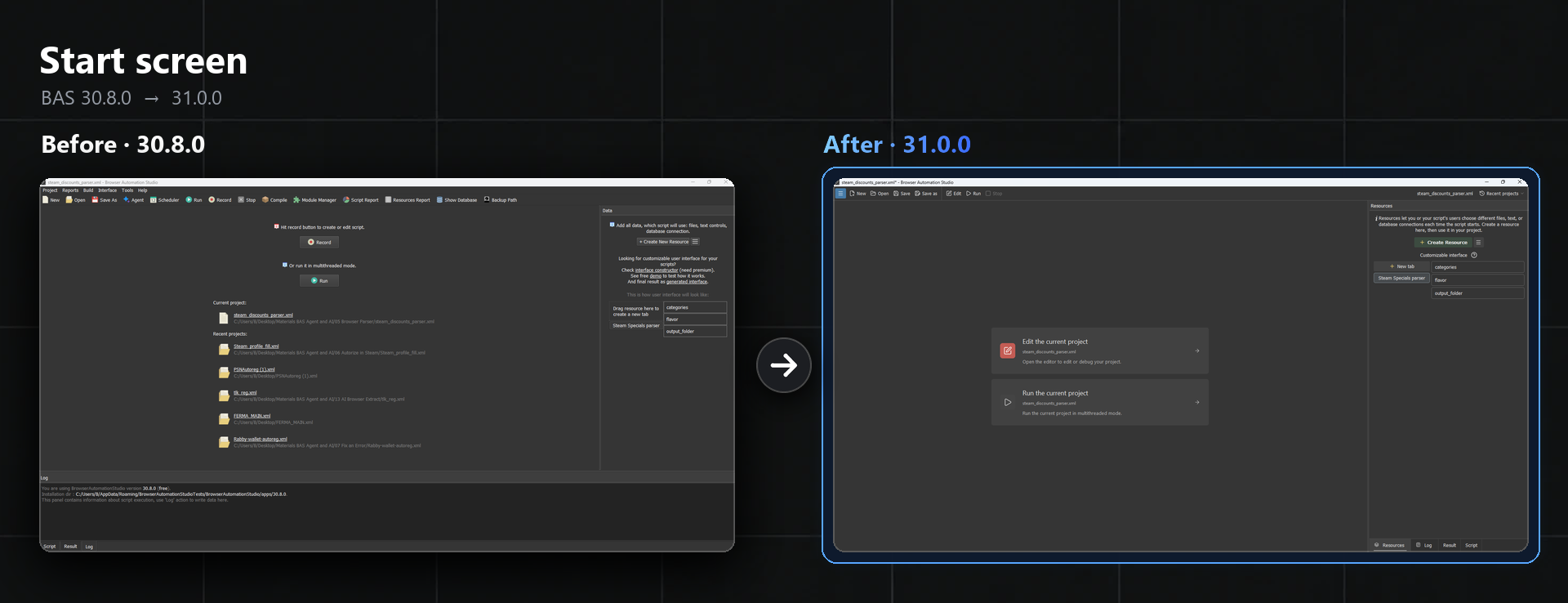
The Record and Run buttons are gone, now there are two big cards instead. Edit is basically the old Record, they just renamed it
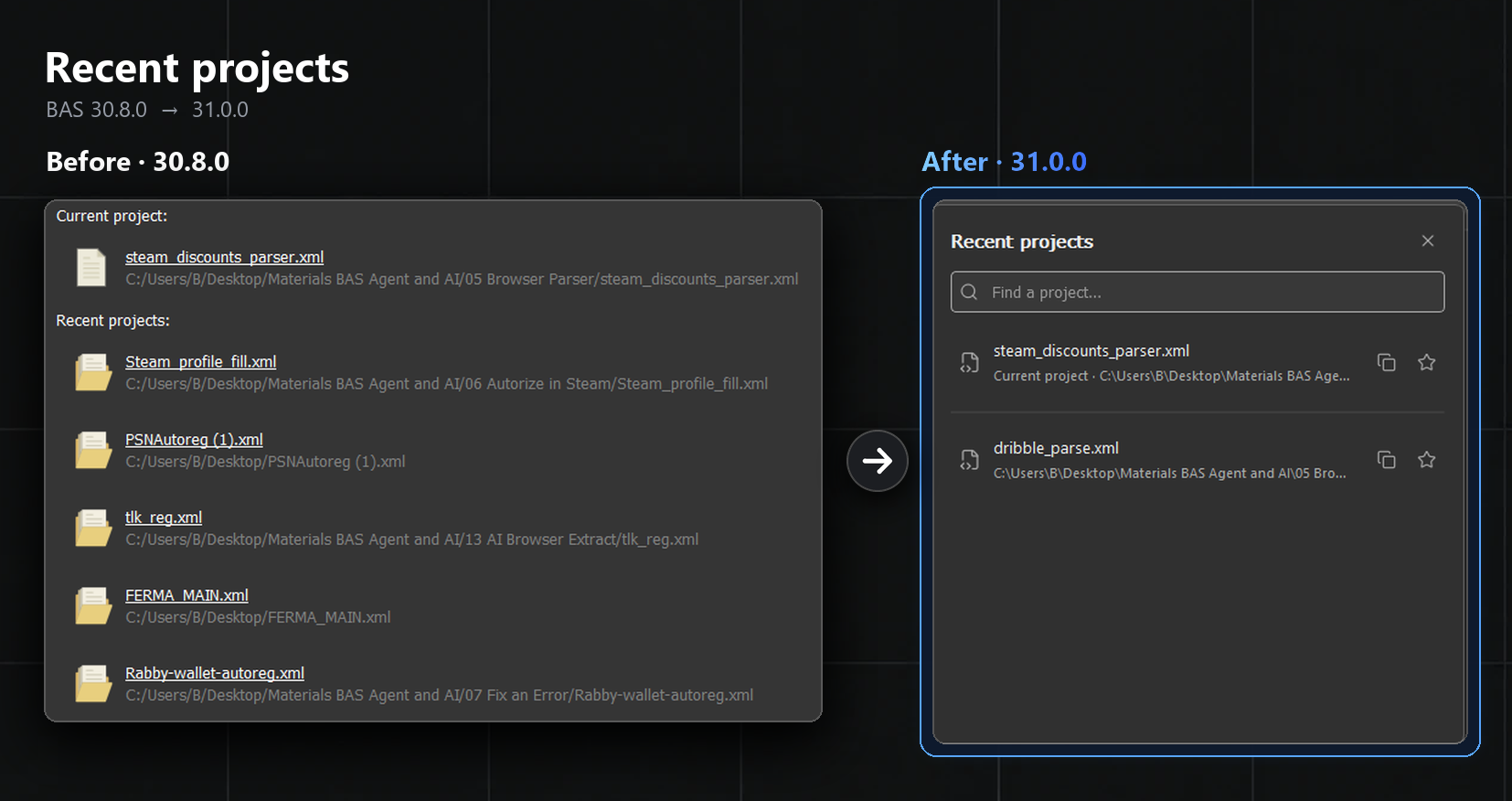
The project list moved into a dropdown, and it got a search box. A star pins a project to the top
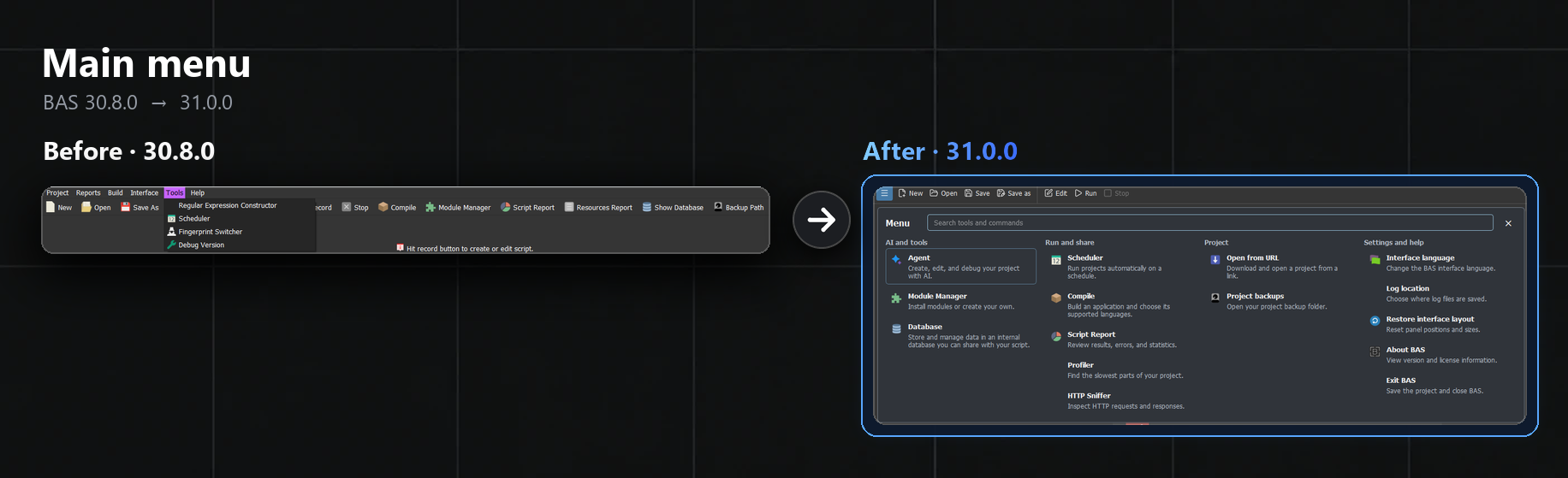
The old menu bar and the toolbar were removed, everything now sits in one menu behind the ☰ button or F10. It also has a search for commands at the top, by the way
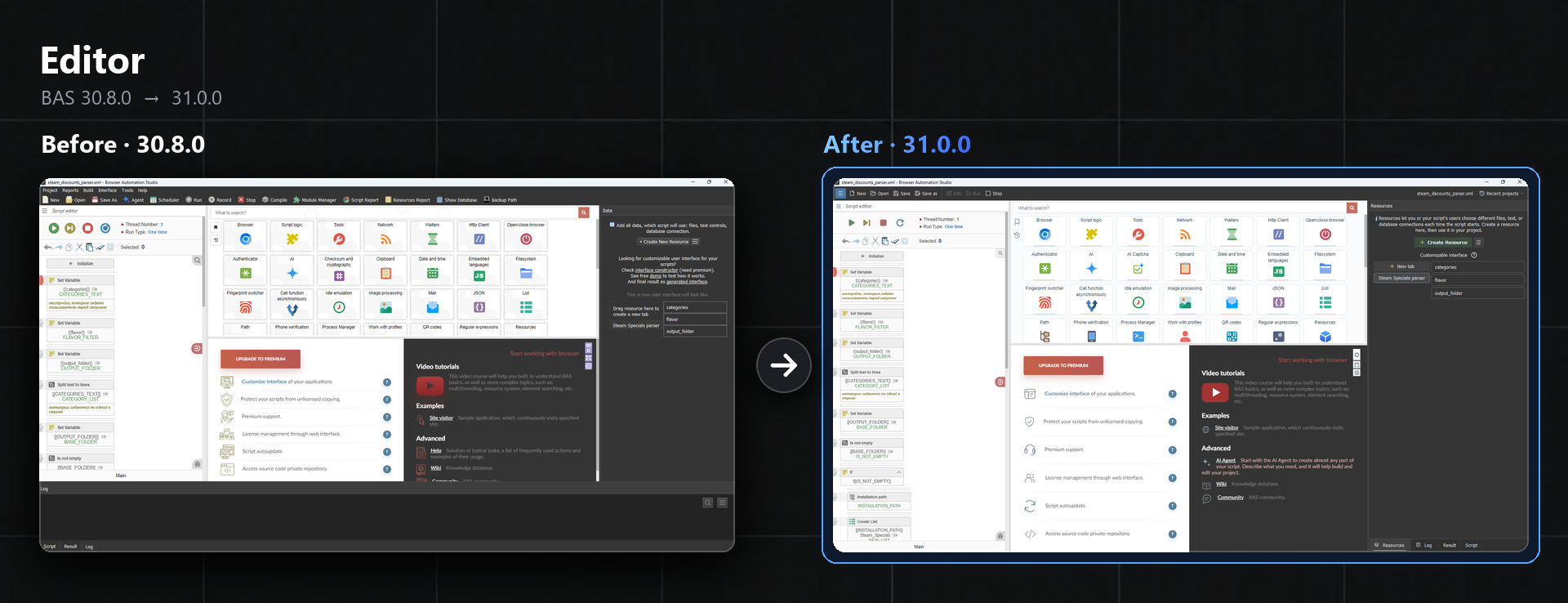
The panel layout in the editor mostly stayed the same. What changed is the look of the toolbox, meaning the modules and the actions inside them, and overall it all became way nicer
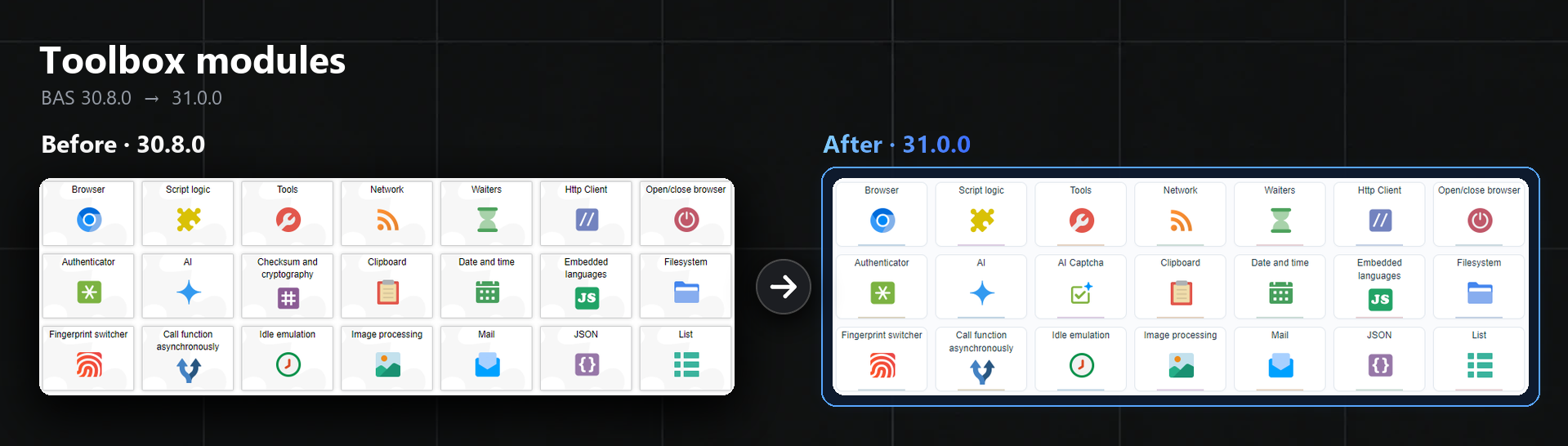
Module tiles got new icons, the puzzle background is gone, the corners are rounded, and every tile now has a colored strip at the bottom. A new AI Captcha module showed up among them, by the way
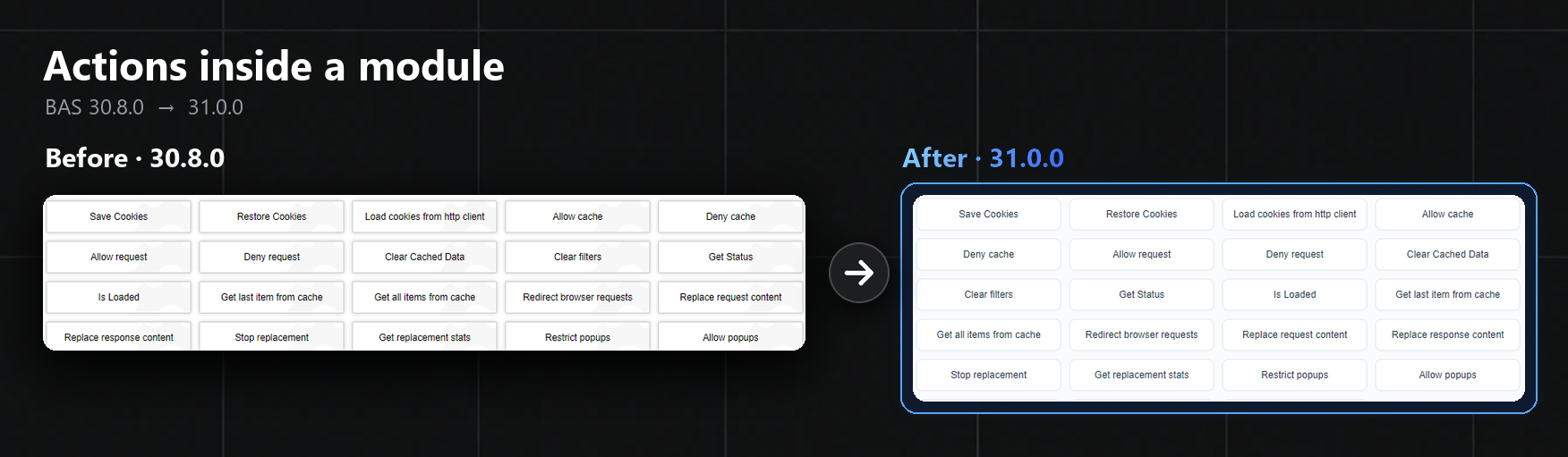
Actions inside a module got really cleaner too: light rounded buttons instead of gray blocks
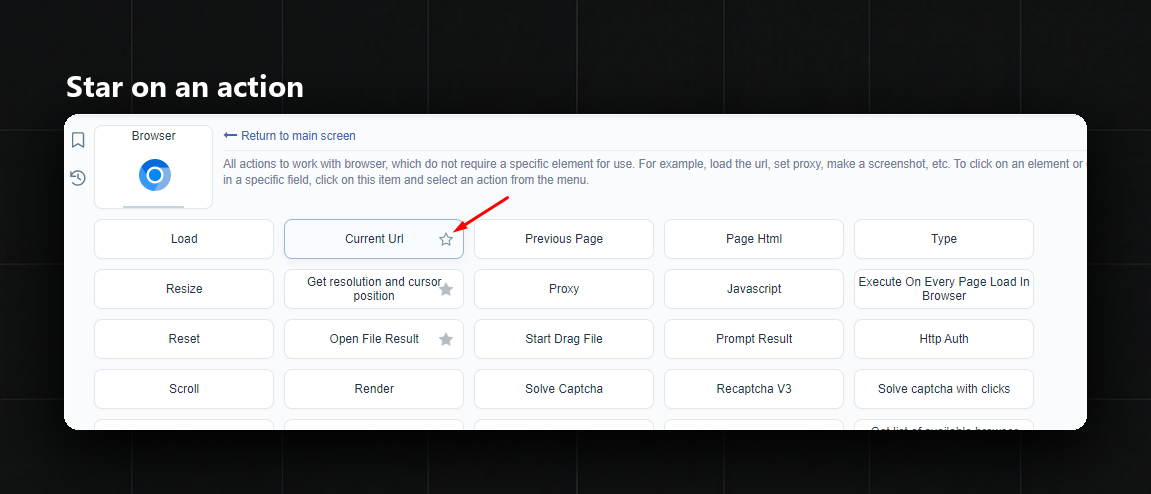
Hovering an action shows a star on the right. One click on it, and the action goes straight into bookmarks
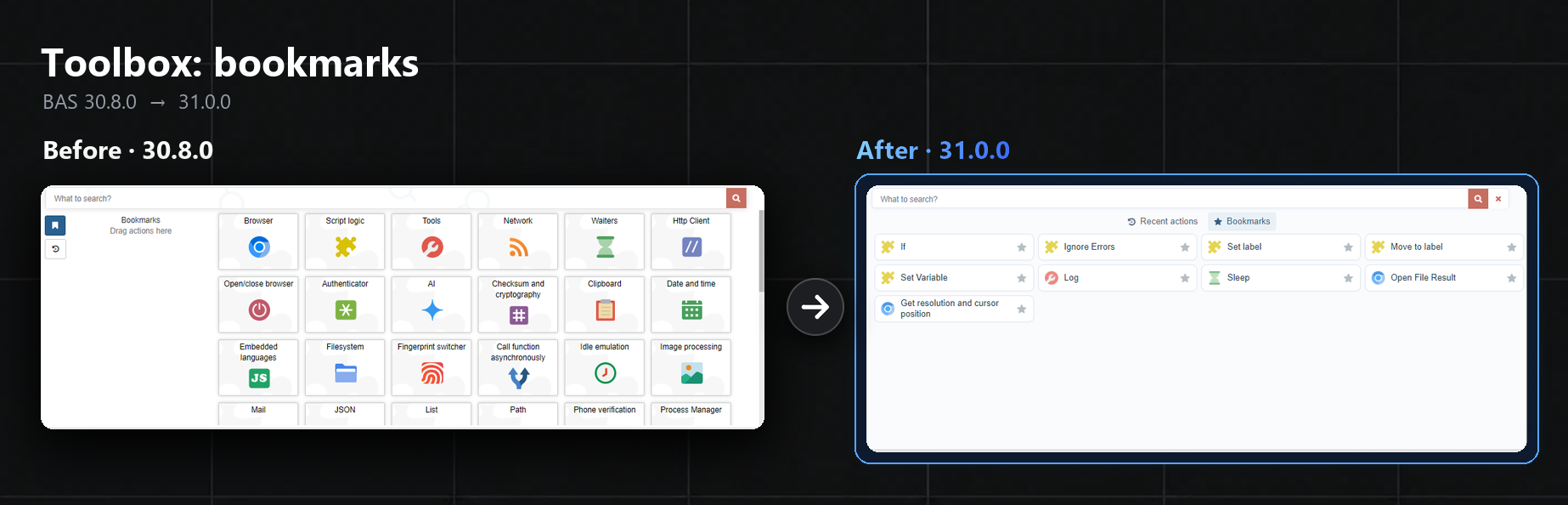
Before, actions had to be dragged into bookmarks by hand. Now everything marked with a star sits in the Bookmarks tab, and right next to it there's a tab with recent actions
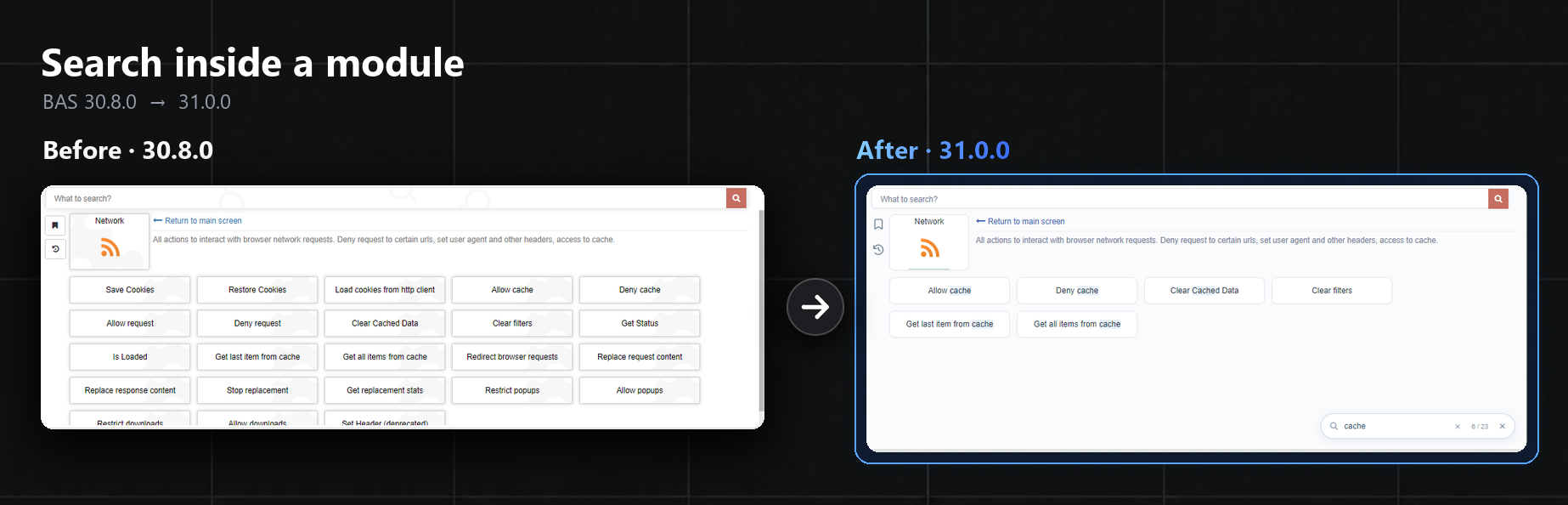
A module now has a magnifier that searches only its own actions. In big modules like Network it really saves time
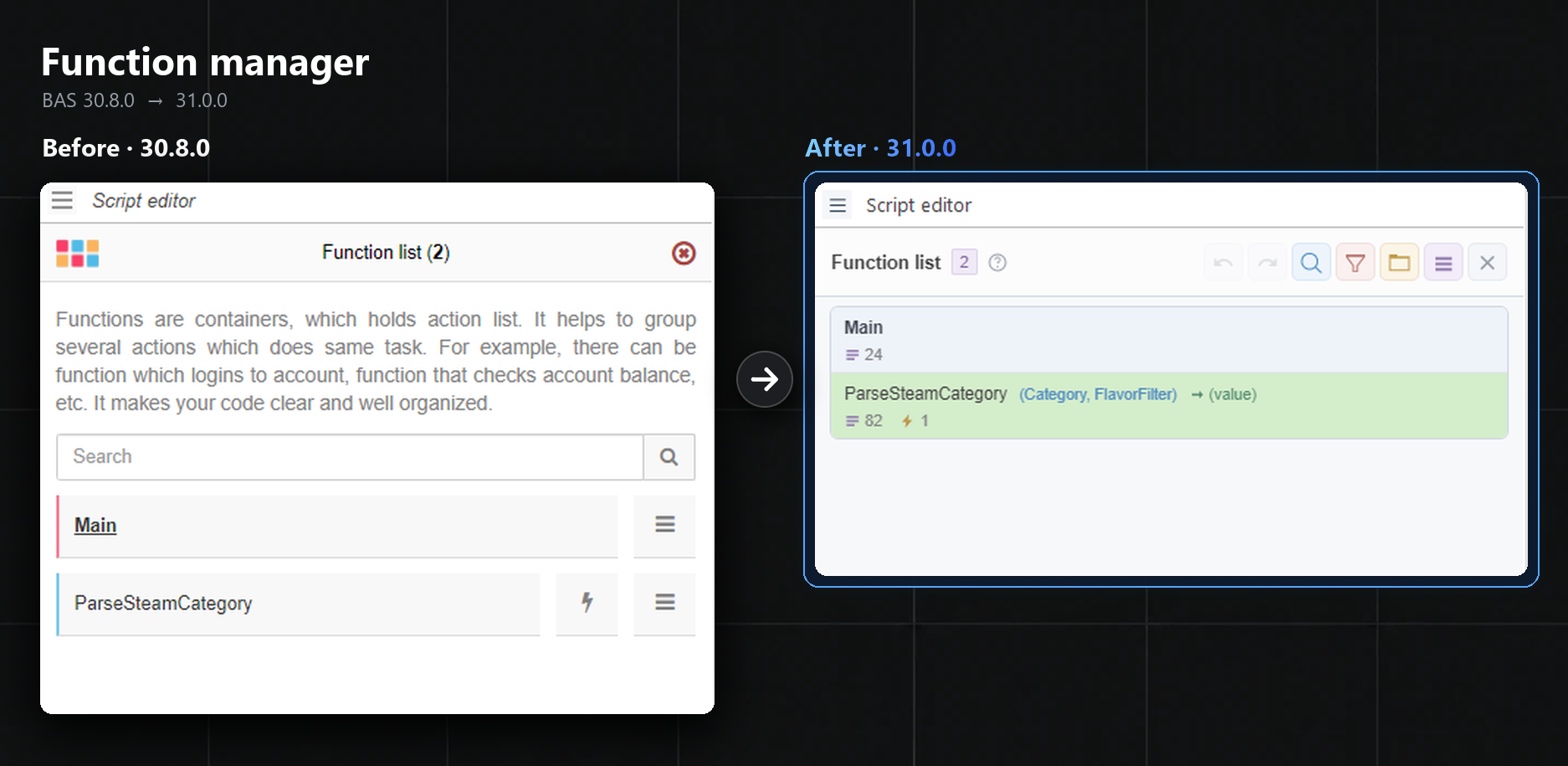
The manager was rebuilt from scratch. There's undo with Ctrl+Z, search, filters and, basically, groups for functions
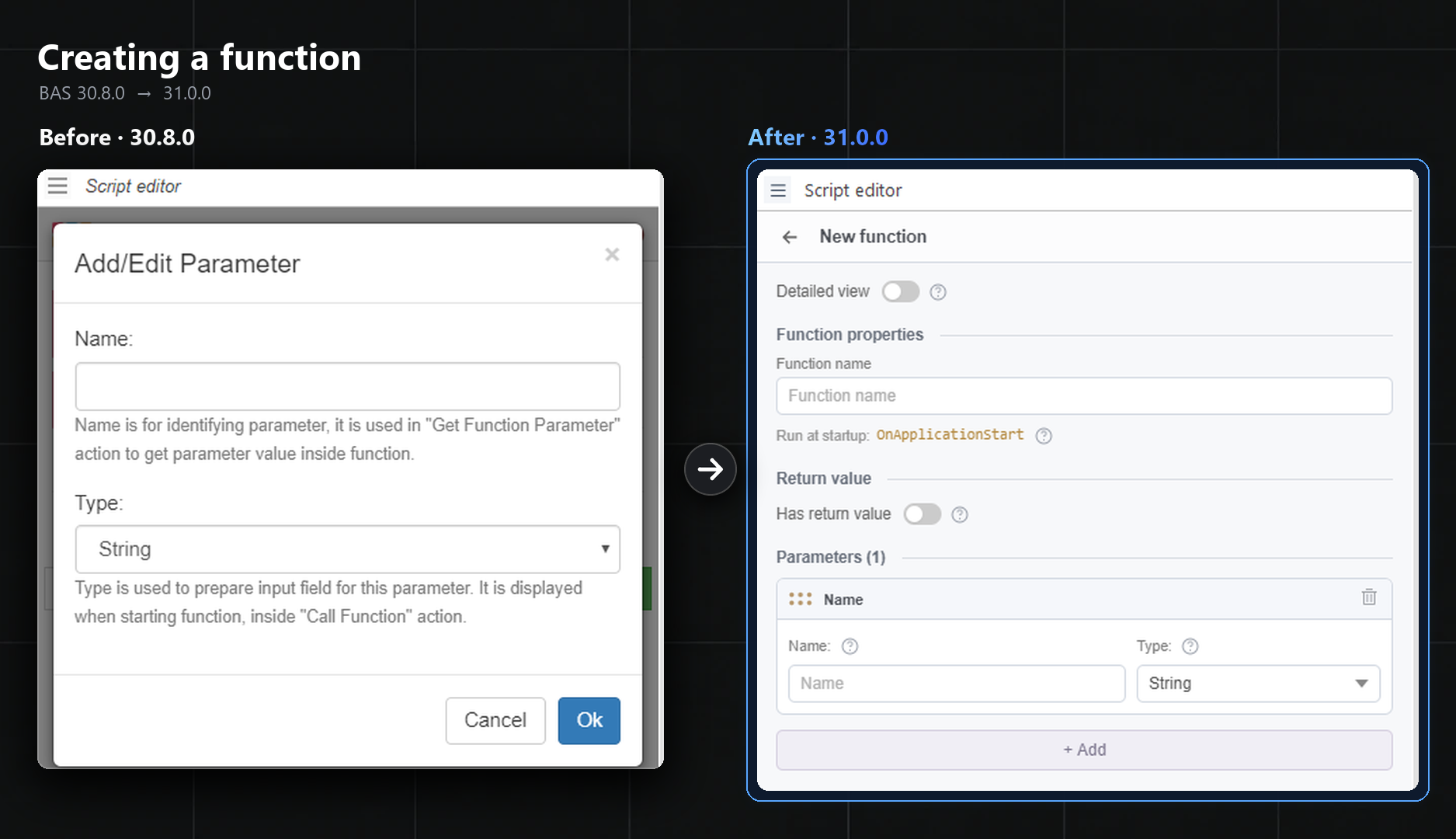
Parameters are now filled in right in the form, without a separate little window for each one. And if a function gets renamed, BAS offers to update all its calls
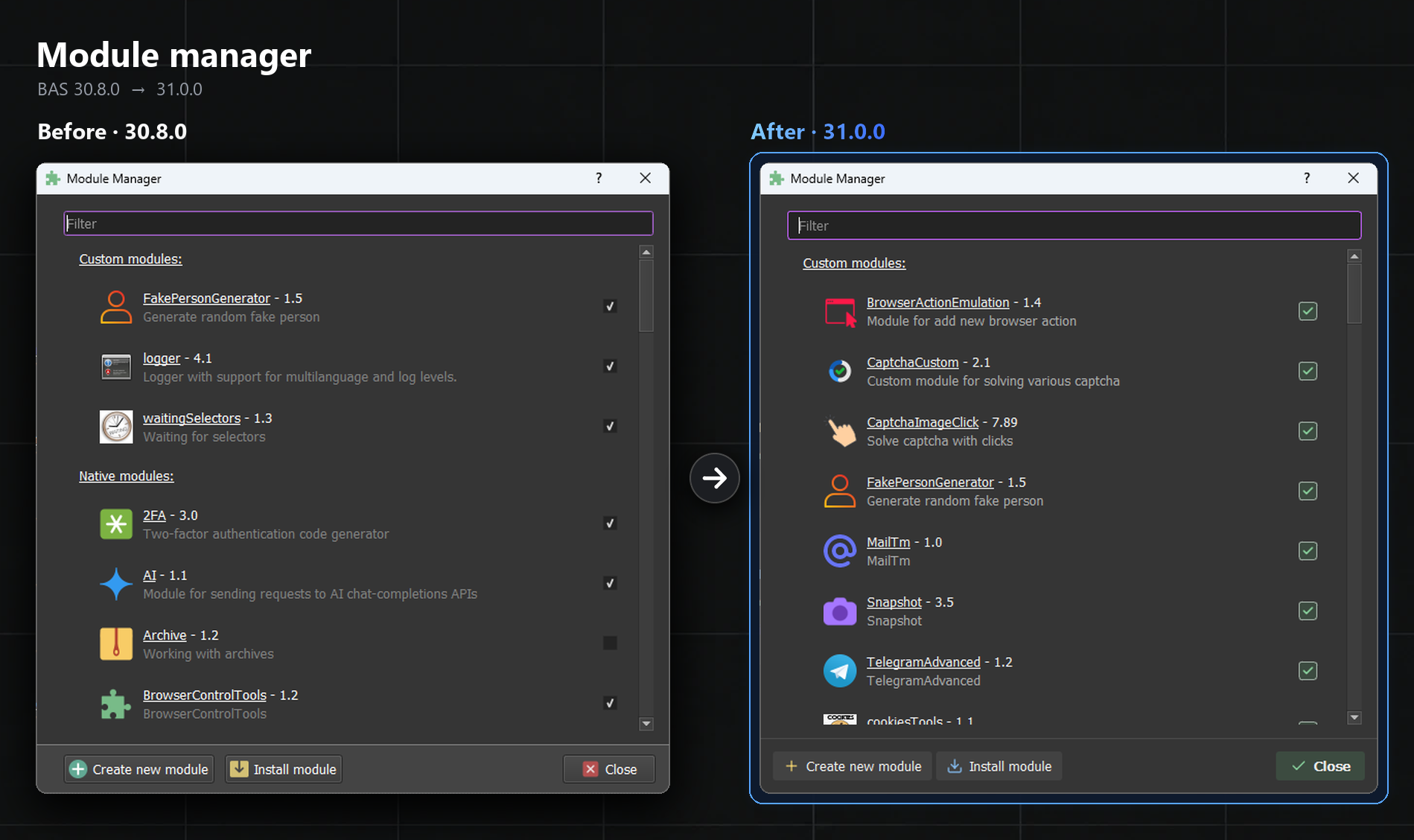
The window got repainted in the new style. According to the code, it also got a list of modules embedded in the project
Resource wizard
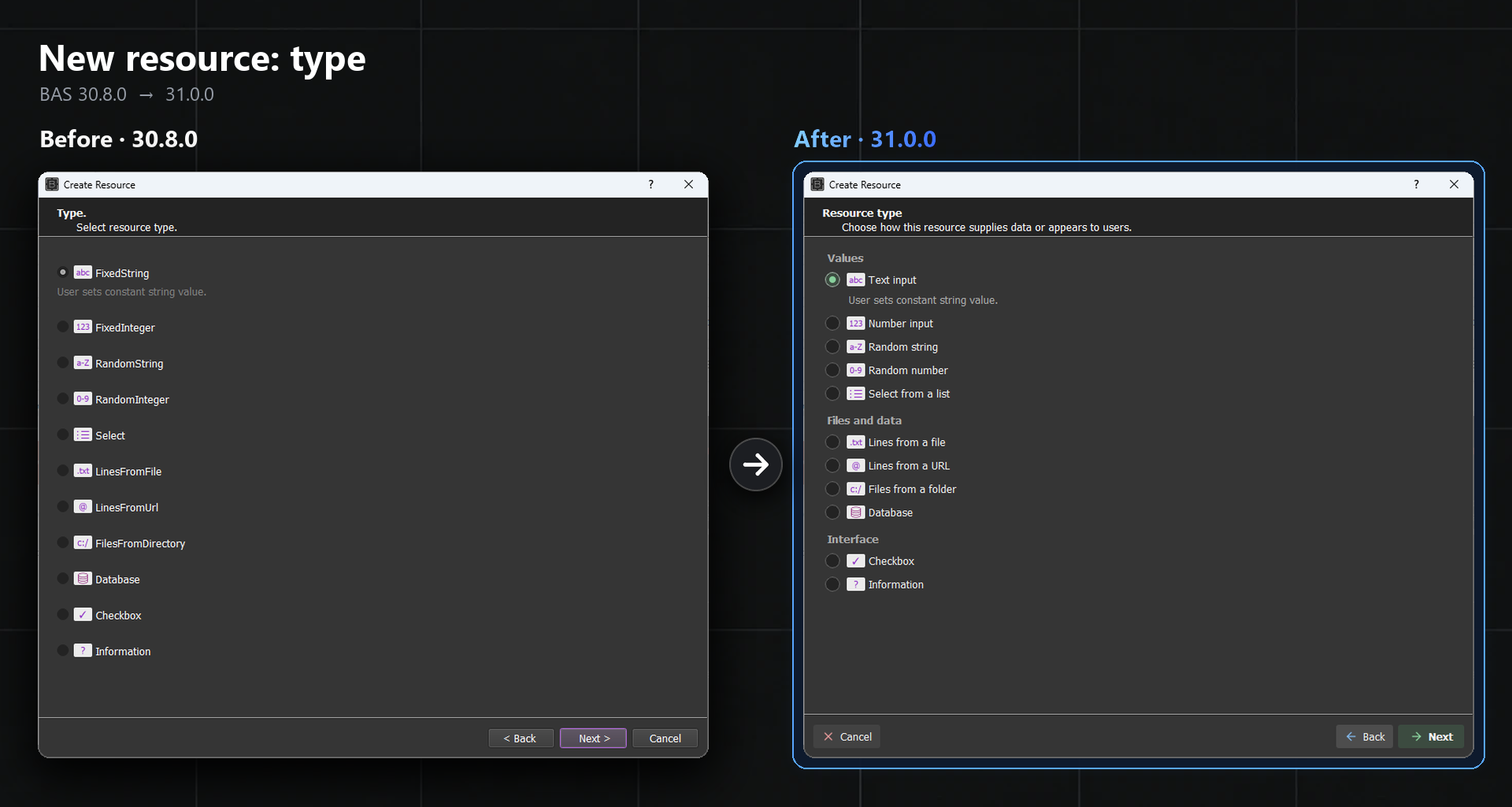
Resource types got human names and were split into groups. So no more guessing what FixedString means, honestly
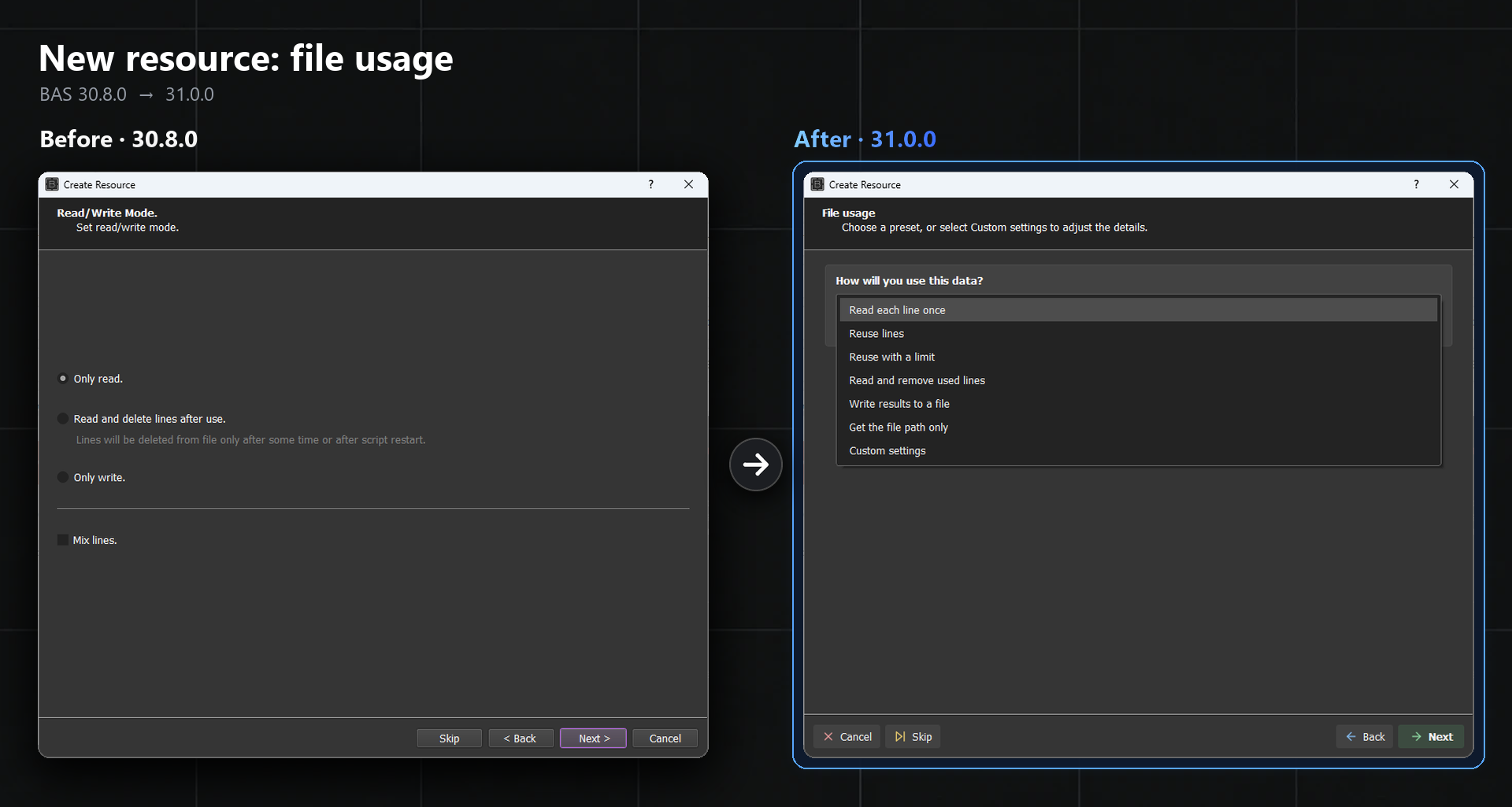
The mode checkboxes were replaced with ready presets. For example, an account queue is now simply Read and remove used lines
What shows up while running
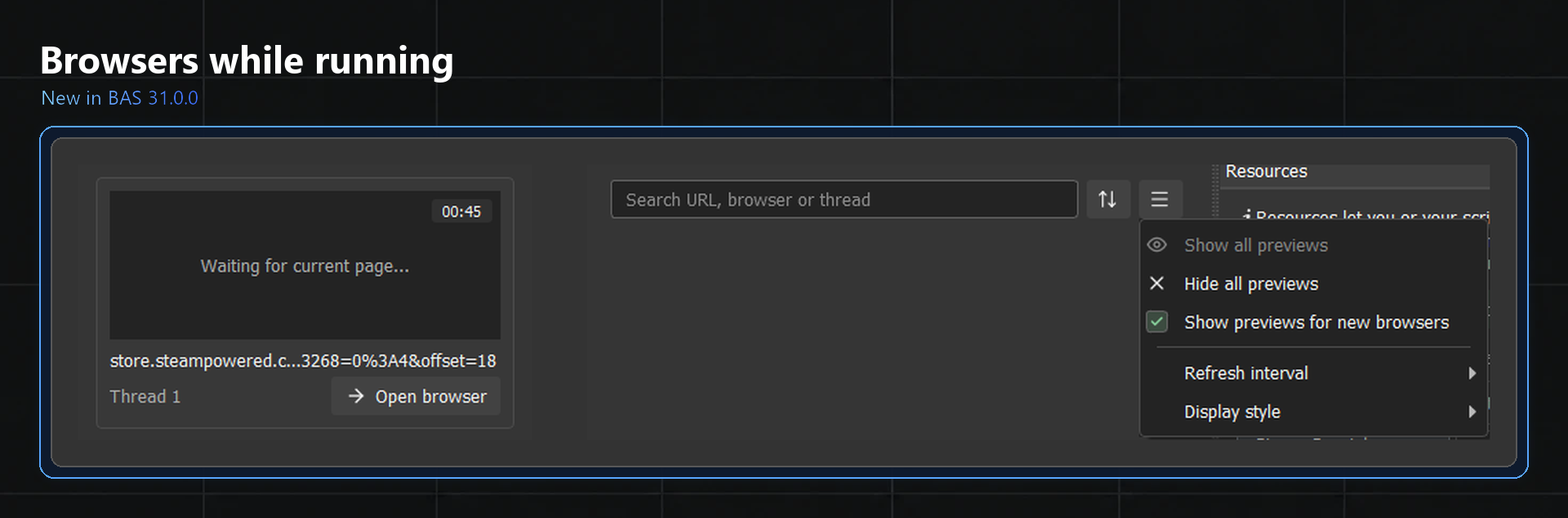
While a project runs, the screen shows browser cards with the address and the thread number. There's a search at the top to find the right browser among like a hundred
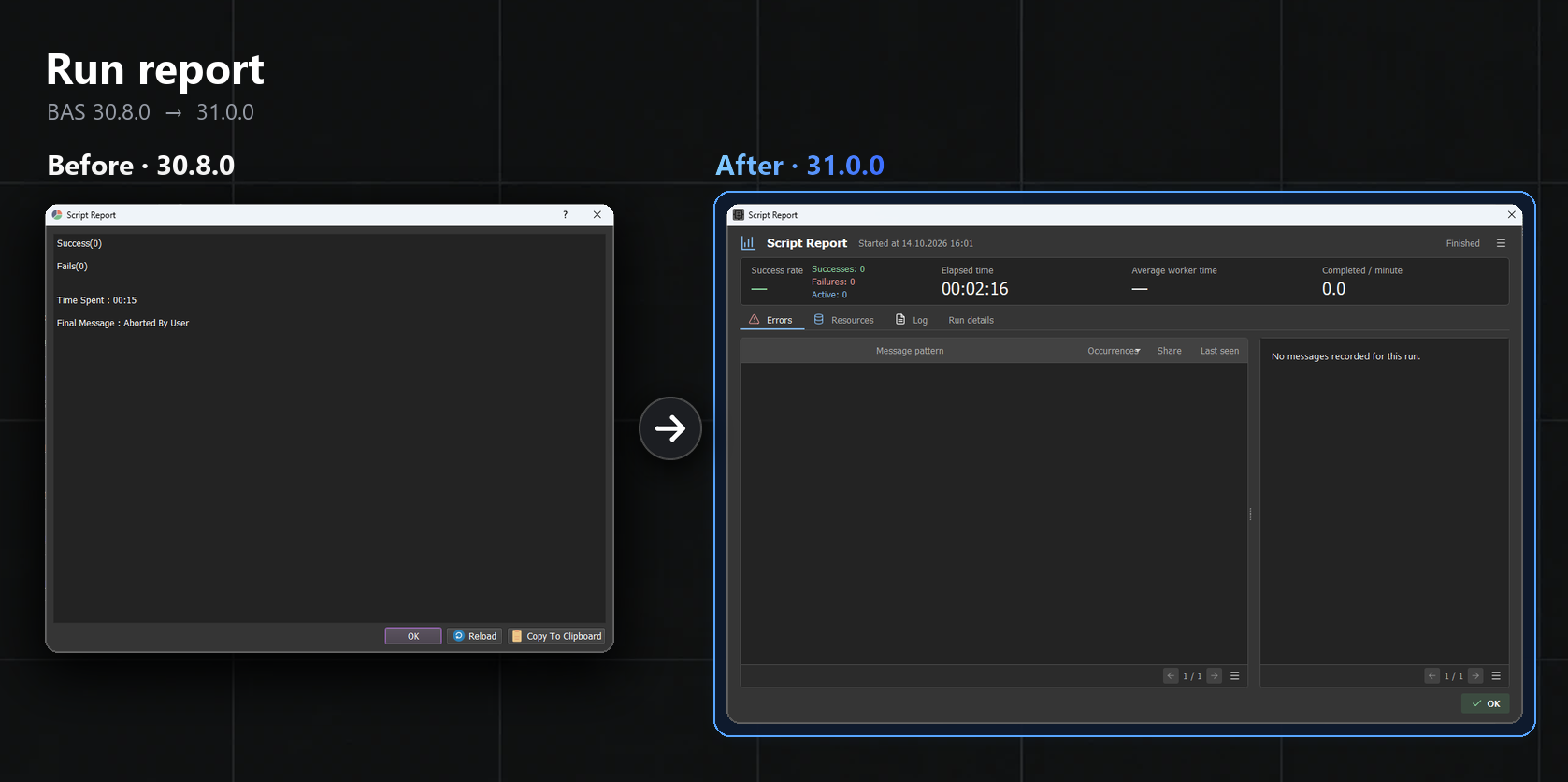
The old report only had successes, fails and time. Now it also shows the success rate, the average time per thread and, overall, the most frequent errors
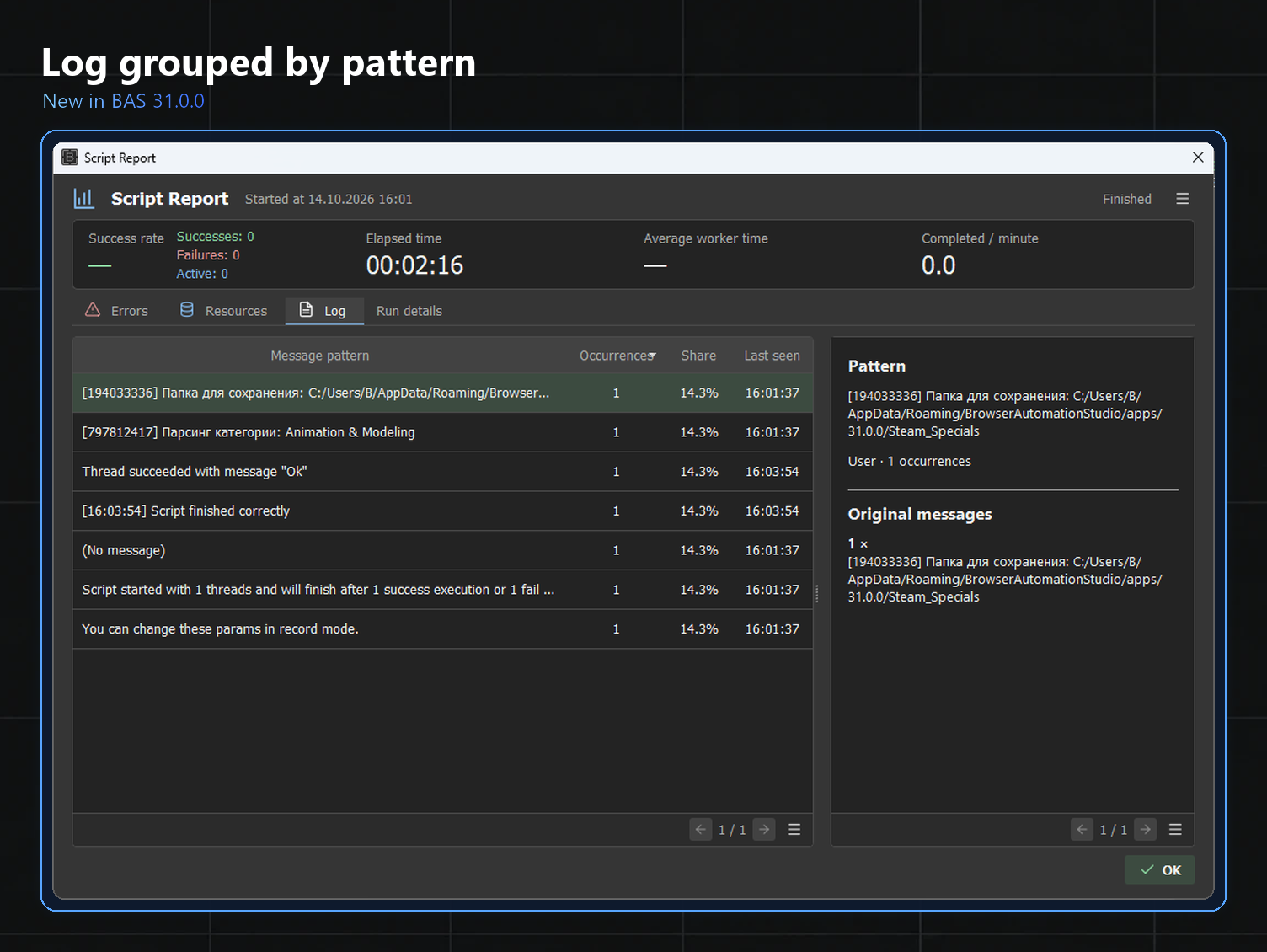
Identical log messages get merged into one line with a counter. With lots of threads this really saves the day, no more wall of the same lines
Network module
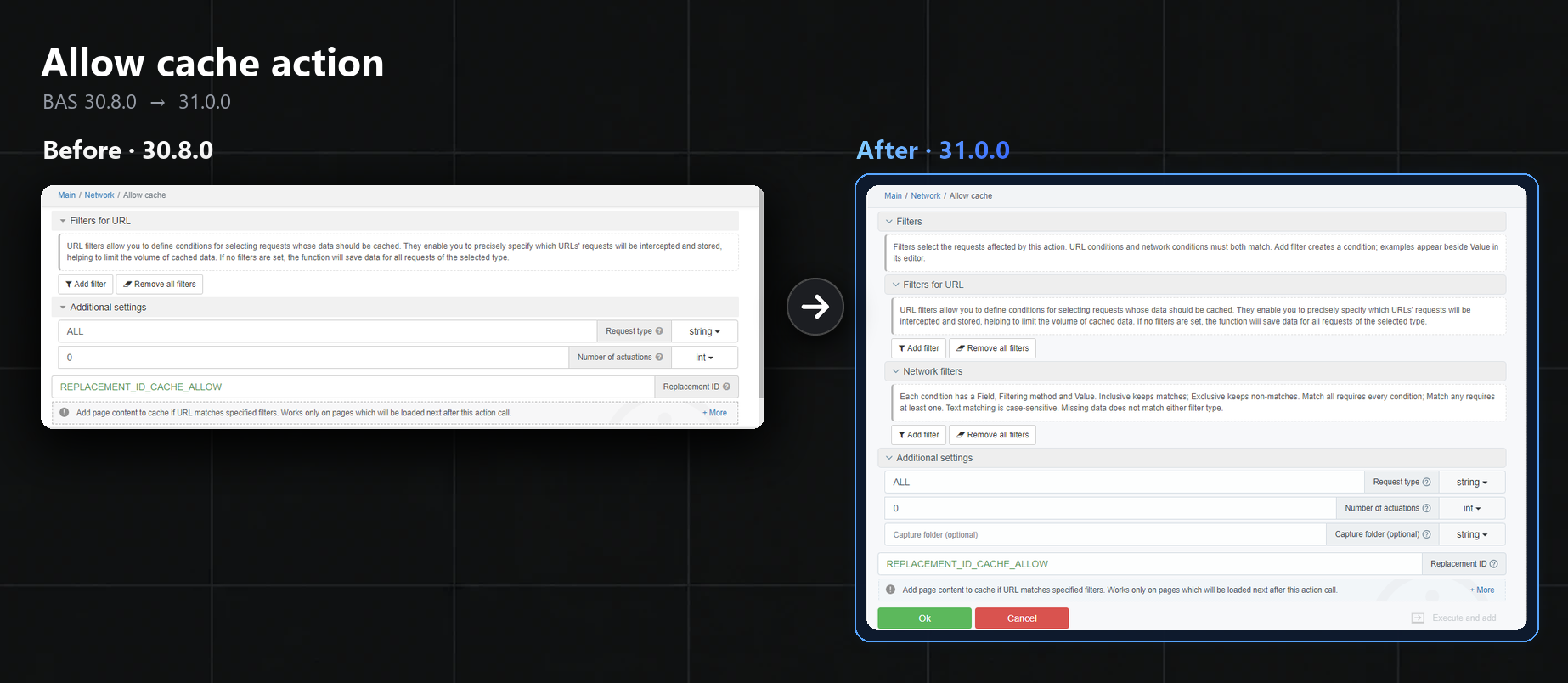
Requests can now be filtered by type, status, headers and content, before it was only the address. Case matters here,
XHRandxhrare different values. Plus traffic can be written straight to disk throughCapture folder
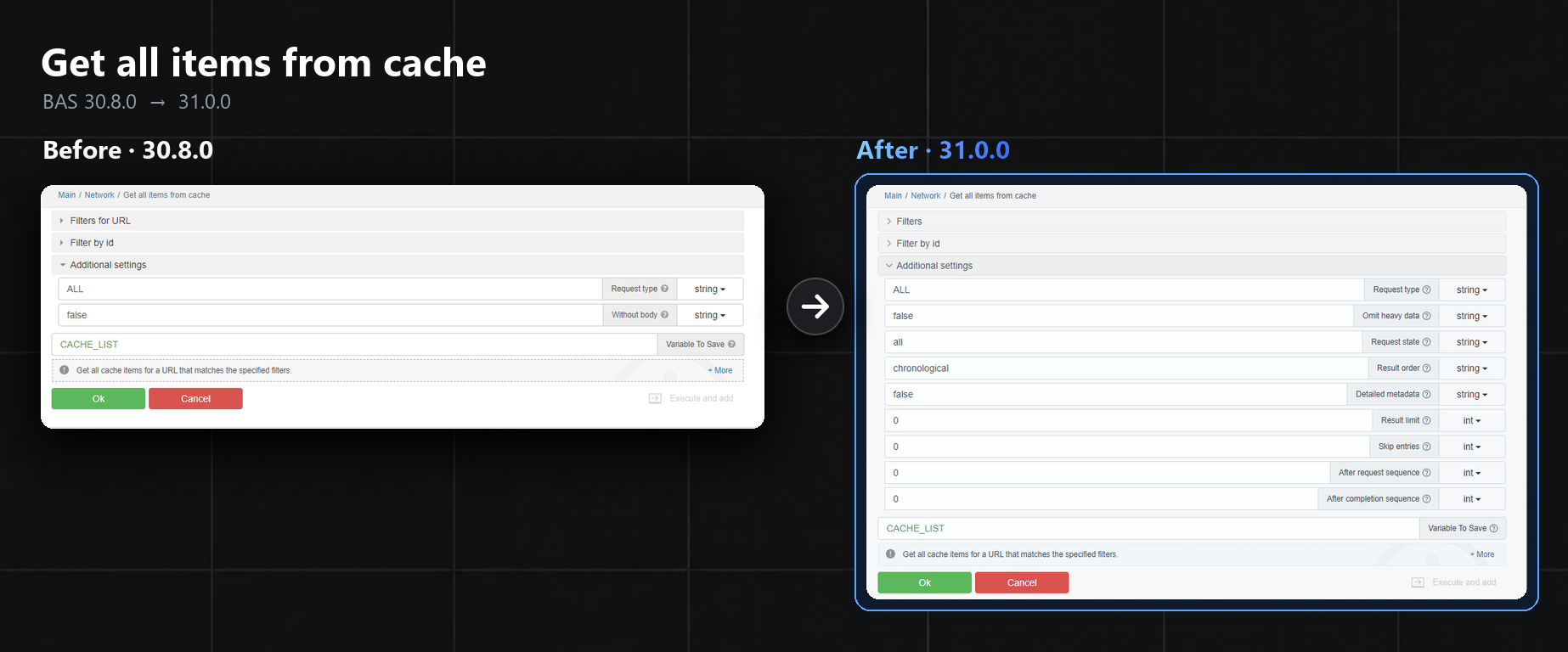
The cache can now be pulled without the heavy data and in chunks, basically page by page
Browser fingerprint in the HTTP client
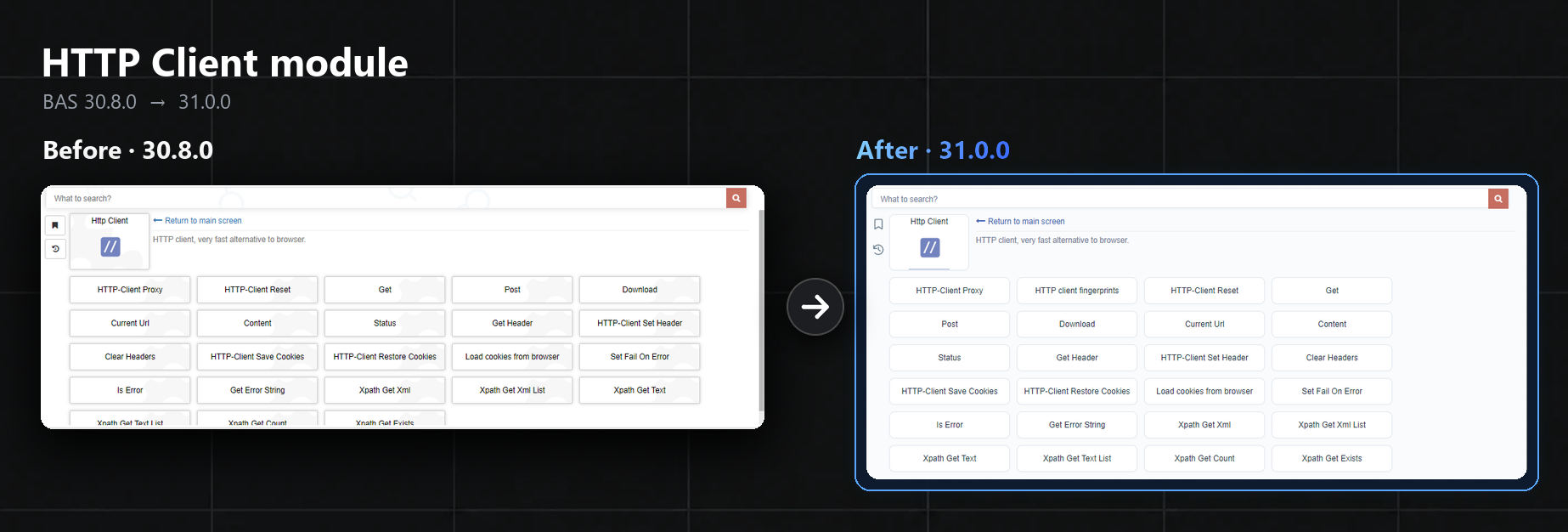
There's a new action called HTTP client fingerprints. It kind of fakes the HTTP client's fingerprint to look like a real browser, so the site doesn't spot the requests
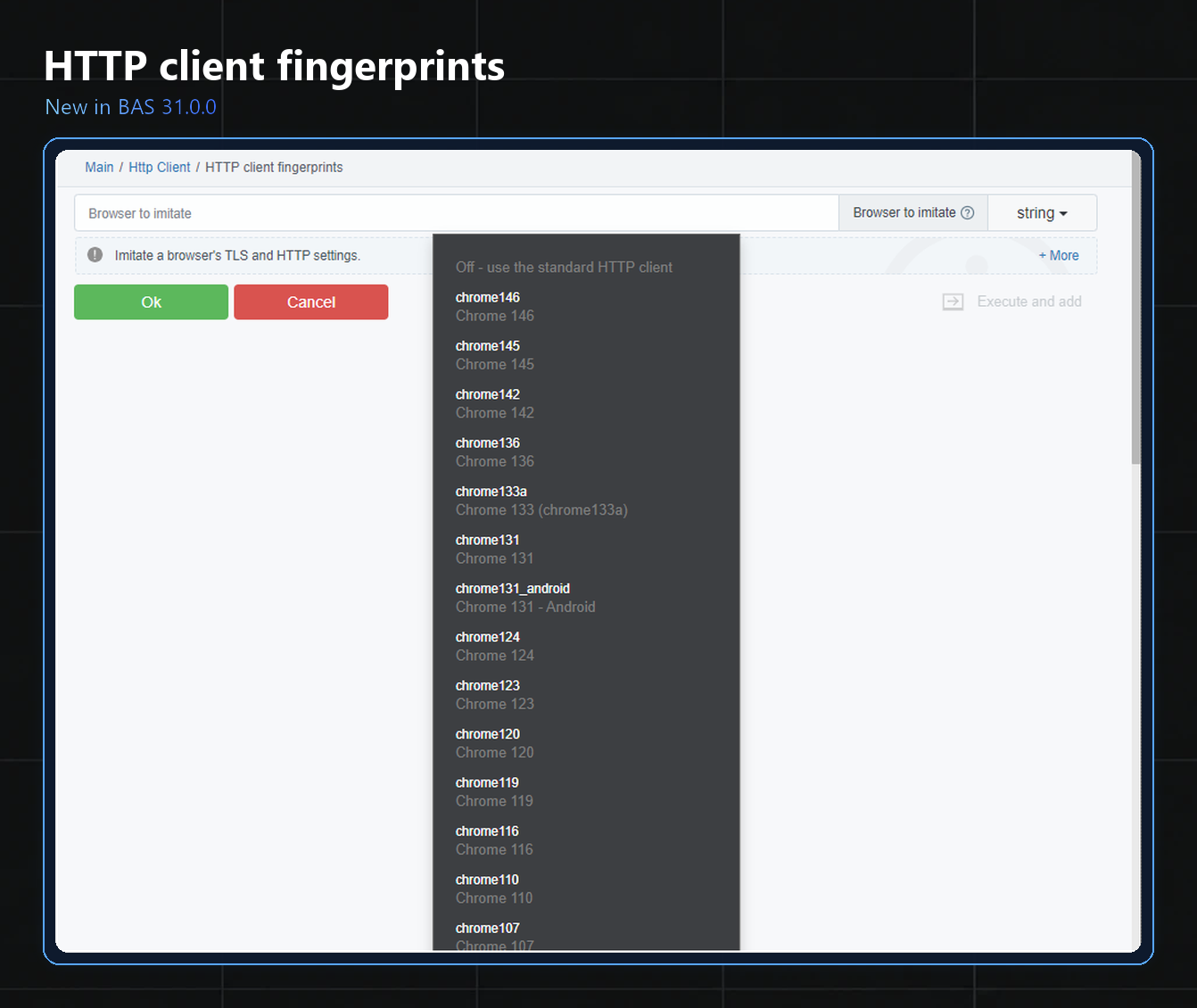
The browser is picked in a single field, and it applies to all the following requests in the thread. The client still doesn't run JavaScript, so the script needs to be tested again
Agent plans
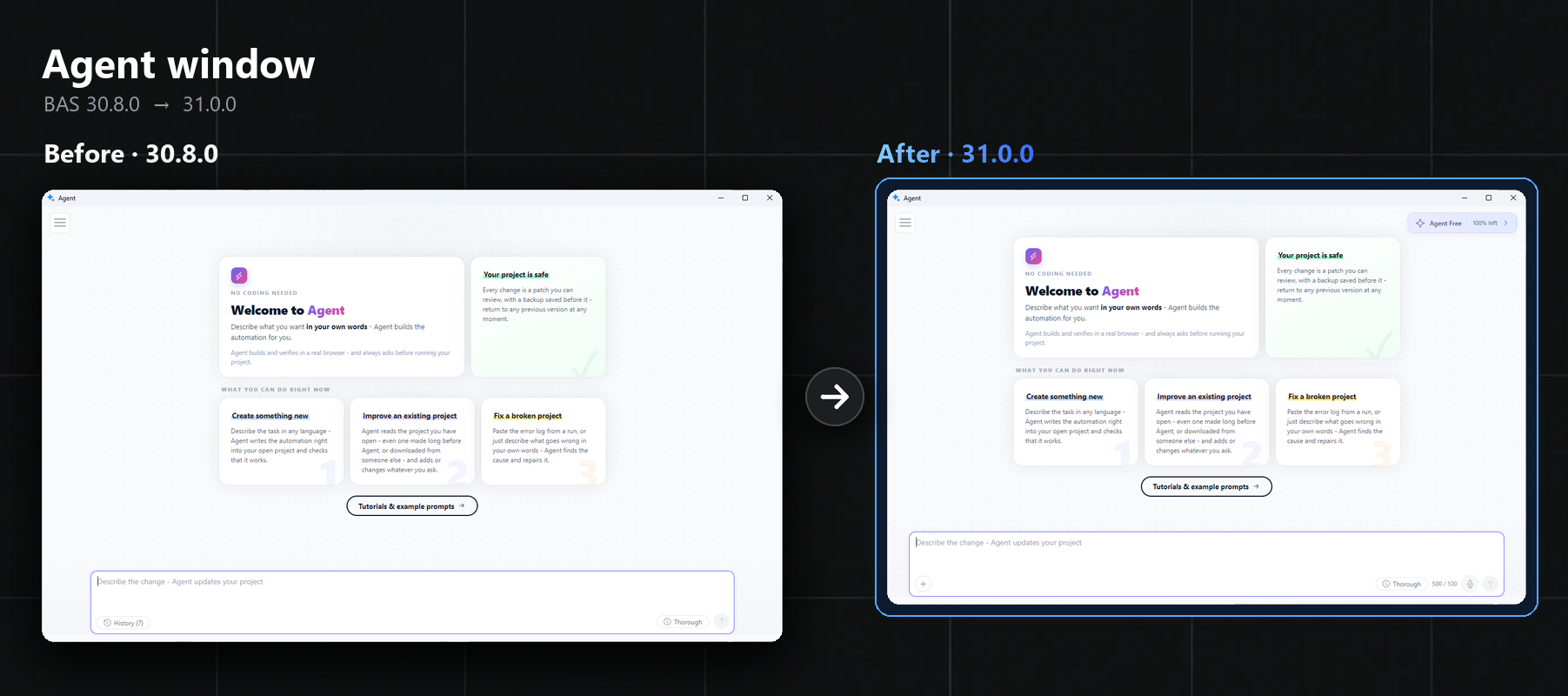
The agent's input box got new buttons. The plus on the left attaches a picture, and the microphone on the right lets me dictate a task by voice. There's also a plan badge at the top, by the way
The agent now has three plans, basically:
- Free: no cost, 500 credits a week, works without an account
- Plus: $30 a month, 10 times more credits, plus voice, screen screenshots with arrows and image upload
- Max: $99 a month, 40 times more credits and pretty much everything from Plus
So pictures and voice only work on a paid plan, Free doesn't have them. For Max they also promise the agent working on a project in the background. It's not available yet though
What else changed
- the browser was updated to Chromium 155
- fixes in antidetect and, by the way, in HTTPS proxies
- debugging, according to the devs, became 3 times faster
Conclusion
The update is really big, almost everything changed. The most useful parts for everyday work, overall, are the resource presets, the report after a run and the browser fingerprint in the HTTP client
