

@blueeorx said in New version can't open popup page:
@wufeng i face same problem did you find the issue ?
https://community.bablosoft.com/topic/30156/bas-new-tap-button/4
Hi
I wonder how to parse variable which delimiter is new line into list?
Example list:
2aitautomation.com
adcor.com.bd
adl-bd.com
adnclouds.com
adndigital.com.bd
adnemail.com
adnepay.com
adnservers.com
Tried regex but not working 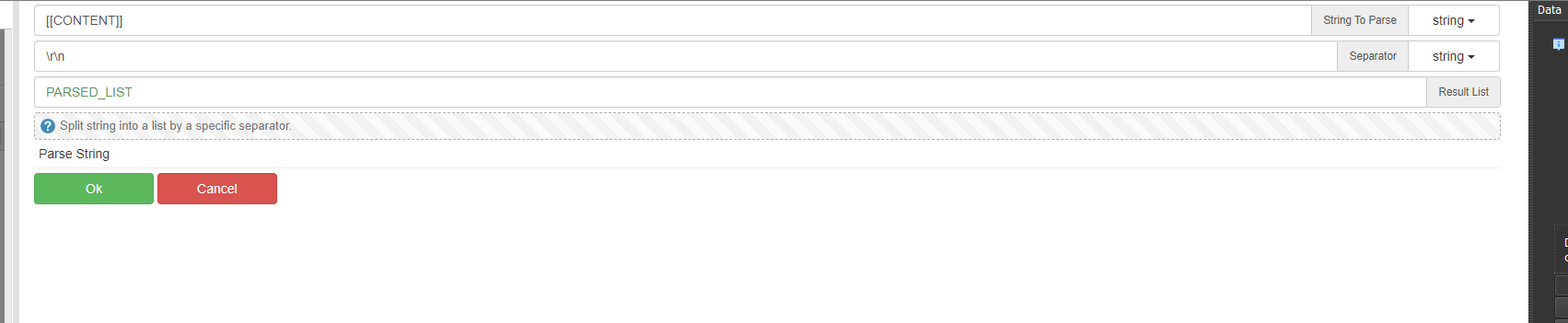
And other question
How to scrape them in multi thread after as they are not coming from Resource and can't use noreuse :/
Scenario would like
Thread 1 -> Get request -> 2aitautomation.com
Thread 2 -> Get request -> adcor.com.bd
and so on... Every thread different site
You can just save that variable into file for example, with
"Filesystem" module using "Write file" action. That way you
will get standard text list saved on desired place on your local
hard drive.
After that you can simply use that same module and action
"Read file to list" and that will be your list variable in the script.
But since you need to use it in multithreaded mode, you should
do it within special function "OnAplicationStart", which will be
executed only once. So inside that function use "Resources" module
action "Create resource" to define new resource outside of user interface.
Than use "List to resource" action to load that resource you just created.
That way you can achieve what you described in your questions.
@GaG Thanks for the idea, but i will have like 50 variables, its bit hassle to save 50 files then read every one one by one, my idea was to parse them into list with command then merge them into 1 list and remove duplicates, i'm not clear with "OnAplicationStart" but will dig videos about it to understand it better.
@gudolik said in Parse new line to list?:
@GaG Thanks for the idea, but i will have like 50 variables, its bit hassle to save 50 files then read every one one by one, my idea was to parse them into list with command then merge them into 1 list and remove duplicates, i'm not clear with "OnAplicationStart" but will dig videos about it to understand it better
According to your previous description I thought that you already have that
variable with 50 or so lines, like on your picture. But if you obtain them 1 by 1
than it is easy to put them in the list variable 1by 1. Just use "List" module - create
new empty list firstly, than simply add elements with apropriate "Add list element"
command. Usually you will be getting elements in some kind of the loop, so
create empty list before that loop, and inside the loop you can add elements
(variable - site address) to that new lycreated list variable which is outside the
loop, so it will hold all elements as a list variable, so no need for any conversions.