

bandicam 2025-12-23 12-10-45-474.mp4
Sample video
AccountProfileMaker: Simplify Account Creation with Pre-Generated Data (Very Early Alpha Version)
-
@FastSpace said in AccountProfileMaker: Simplify Account Creation with Pre-Generated Data (Very Early Alpha Version):
2)Почему true - false как строка передает из меню?
3)Я поставил false (не использовать спец. символы) и мой пароль всю равно получился с ними - баг.Пофиксил через одно место, присваивая тип после получения параметров функции. Вероятно, это баг/багофича/фича в BAS, который я настолько привык обходить, что перестал его уже замечать. Когда при вызове функции автоматически клацал на тип параметра, выбирая expression.
var desiredLength = parseInt(_function_argument("length")) || 10; // Change this to your desired password length var useDigits = _function_argument("useDigits") === "true" || _function_argument("useDigits") === true; // Include digits in the password (true or false) var useSpecialChars = _function_argument("useSpecialChars") === "true" || _function_argument("useSpecialChars") === true; // Include special characters in the password (true or false) -
@sergerdn
При автоматическом создании скрипта даже если присвоен параметру тип Boolean автоматически в интерфейсе создаст как строку defaultЭто так решается в интерфейсе.
default_selector: "expression", variants: [true, false], disable_int:true, disable_string:true, value_string: false -
@FastSpace said in AccountProfileMaker: Simplify Account Creation with Pre-Generated Data (Very Early Alpha Version):
default_selector: "expression", variants: [true, false], disable_int:true, disable_string:true, value_string: false
Вероятно, пока оставлю, как есть. Внутри функции буду приводить к нужному типу.
Потом придется написать скрипт, который после автоматического билда будет изменять результат. Это совсем последний этап.
-
At the moment, I have implemented a few ready-to-use functions:
randomPassword: Generates a random password based on specified options such as length, useDigits, and useSpecialChars.randomFirstNameByCountry: Generates a random name based on the specified country and gender. Currently available for the US and RU countries, and for both male and female genders.randomLastNameByCountry: Similar torandomFirstNameByCountry.
The latest version are available on Github.
-
Introducing the
generatePronounceableUsernamefunction!This new feature generates pronounceable usernames, making it easy to remember or read login credentials.
How it works:
new username generated: dedasisuqo
new username generated: nujevonebugolucocavi
new username generated: gatohonayu
new username generated: zihibokibaroxejiwafe
new username generated: hujijabiwa
new username generated: dumeciqawexesilanoki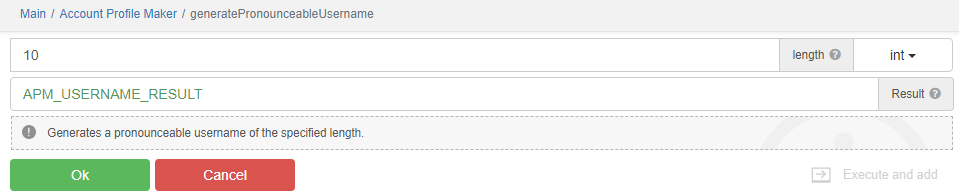
The latest version are available on Github.
-
Introducing the new
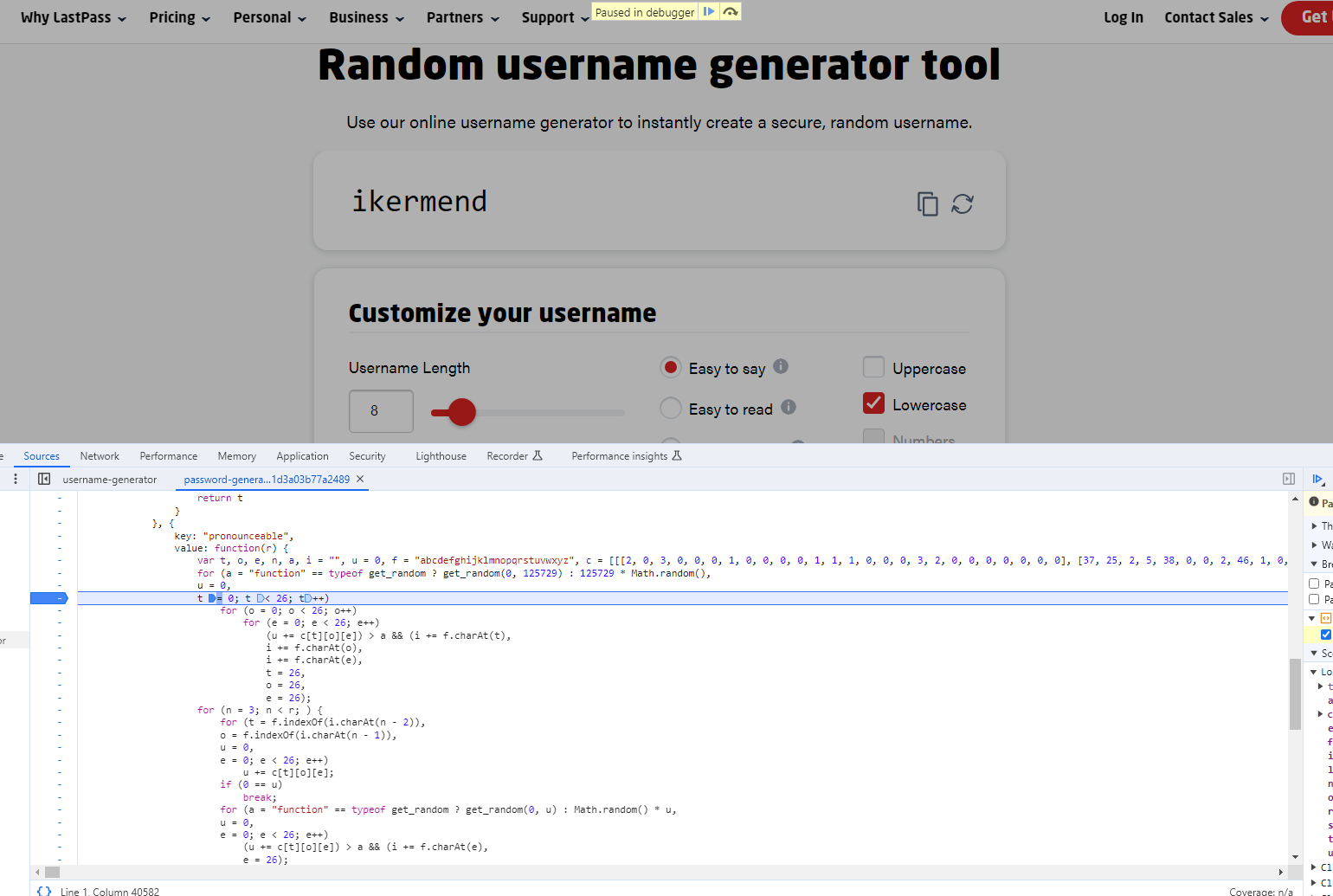
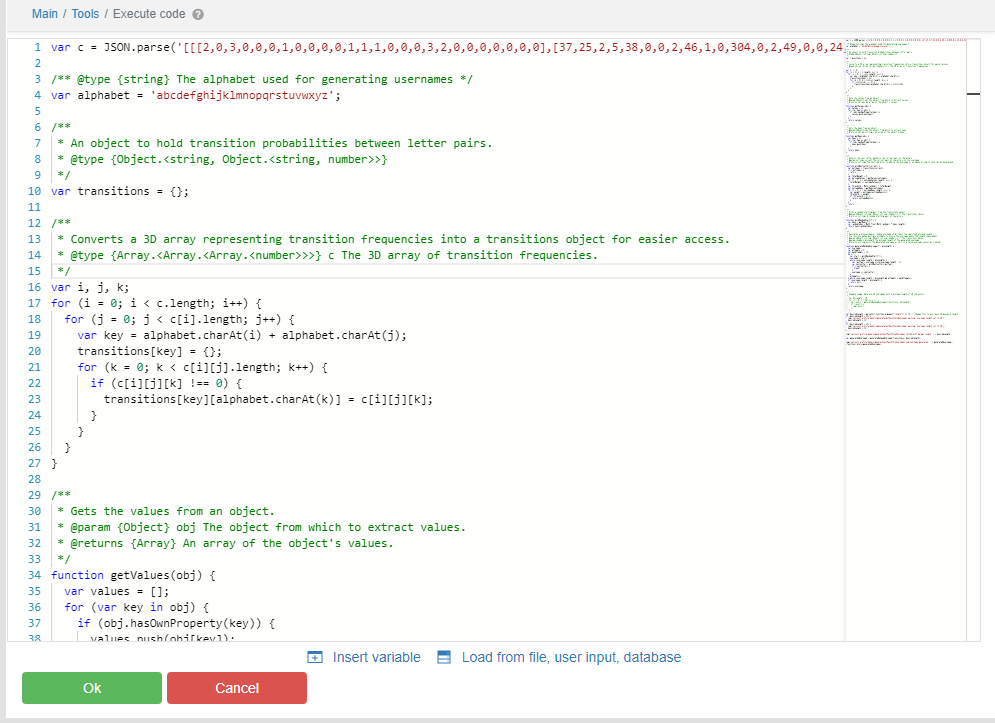
generateLastPassStyleUsernamefunction!This nifty function was reverse-engineered from the popular https://www.lastpass.com/features/username-generator, aiming to create pronounceable usernames.
Why use generateLastPassStyleUsername?
- It emulates the logic of LastPass's username generator to create memorable yet secure usernames.
- Generates usernames that are easy to remember and pronounce, just like the ones you might get from LastPass.
- Provides a way to create unique login credentials that are both user-friendly and secure.
🚀 Features:
- Pronounceable Usernames: Say goodbye to forgettable alphanumeric strings.
- Inspired by LastPass: Designed to mimic the LastPass approach for familiarity and security.
- Custom Lengths: Tailor the username length to your requirements.
Sample generated usernames:
spiegicler
wigangenut
vancapsigh
xlengeakyl
kentallatr
yoncomenic
rridickeyb
nsonveniti
jakiarypor
xfoutorbas
llutersiss
pbriusoner
pfiagehrit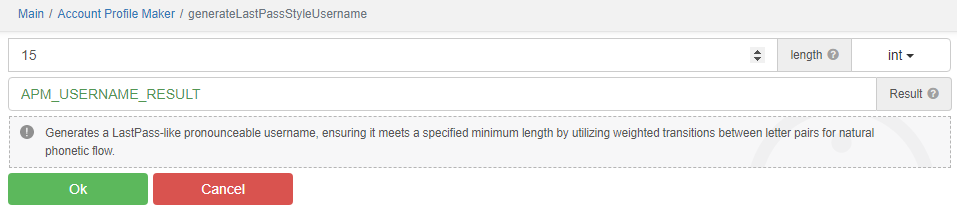
Original LastPass function
Reverse-engineered LastPass function
The latest version are available on Github.
-
🌟 Introducing New
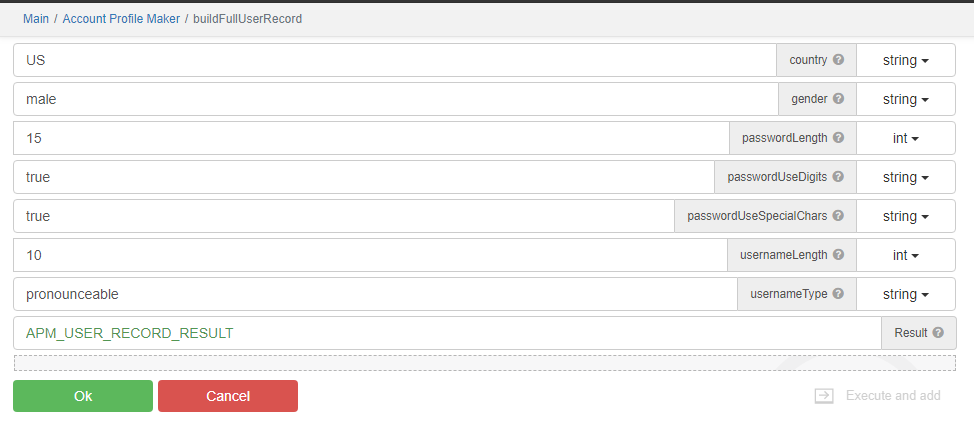
buildFullUserRecordFunction!I'm thrilled to share with you all the latest addition to my suite of development tools - the
buildFullUserRecordfunction! This all-in-one function is crafted to facilitate the creation of detailed user profiles, ideal for integration into forums, social platforms, and membership-oriented websites.Discover the
buildFullUserRecordFunctionOur
buildFullUserRecordfunction is a comprehensive solution for generating complete user profiles with ease. It combines sophisticated sub-functions to produce names tailored to specific countries and genders, alongside secure passwords and accessible usernames, following the best recommendations from security enthusiasts.🚀 Features at a Glance:
- Comprehensive Profiles: Auto-generate a user's first and last names, username, and password in unison.
- Culturally Adaptive: Personalize usernames with the help of a country's ISO code and gender input.
- Prioritised Security: Embrace top-notch password security standards.
- Memorable Usernames: Opt for either easy-to-remember or extra-secure usernames to suit user preferences.
📝 Example of a Generated Profile:
A sample profile created using this function might look something like this:
{
	"country": "US",
	"gender": "male",
	"first_name": "Len",
	"last_name": "Nitta",
	"username": "nomurkrami",
	"password": "P<5g5Me?SdMDP3W"
}
{
	"country": "RU",
	"gender": "male",
	"first_name": "Александр",
	"last_name": "Савельев",
	"username": "ysperynces",
	"password": "lbWA<y_$Ub%z0a)"
}
The latest version are available on Github.
-
Hello everyone,
I'm excited to share an urgent update regarding the AccountProfileMaker module.
We encountered an issue where the function call parameters in the module were not displaying correctly when the module was not installed separately in BAS.
This was particularly evident after BAS updates.The Issue:
We identified that the function call parameters in the module would erroneously revert to their default values within the BAS IDE, even though the script code was accurate.
After thorough investigation, we traced the root of this problem to the dynamic generation of random ID values for the module's parameter fields.The Fix:
I am delighted to inform you that we have successfully implemented a robust solution by transitioning to static IDs for these parameter fields.
This strategic change ensures consistent ID values, effectively preventing any default value overrides on the actual parameters defined in the script.Impact of the Fix:
The introduction of static IDs has resolved the display inconsistencies in the BAS IDE.
Now, the module's parameters are correctly shown, irrespective of whether the module is installed separately.
Importantly, this solution is resilient to BAS updates, offering a more stable and dependable development experience.Next Steps:
To take advantage of this improvement, we strongly encourage users to update their scripts with the latest iteration of the AccountProfileMaker module.
Please note, you will need to adjust the parameters of the called function in your script and save it again to ensure the code and display in BAS are synchronised and consistent.Your feedback is invaluable to us. Should you encounter any further issues or if you have suggestions for enhancements, please do not hesitate to share.
Your input is crucial for continuous improvement.Thank you for your ongoing support and engagement with the AccountProfileMaker module.
The latest version are available on Github.