Hi everyone, I know the title isn't very explicit.
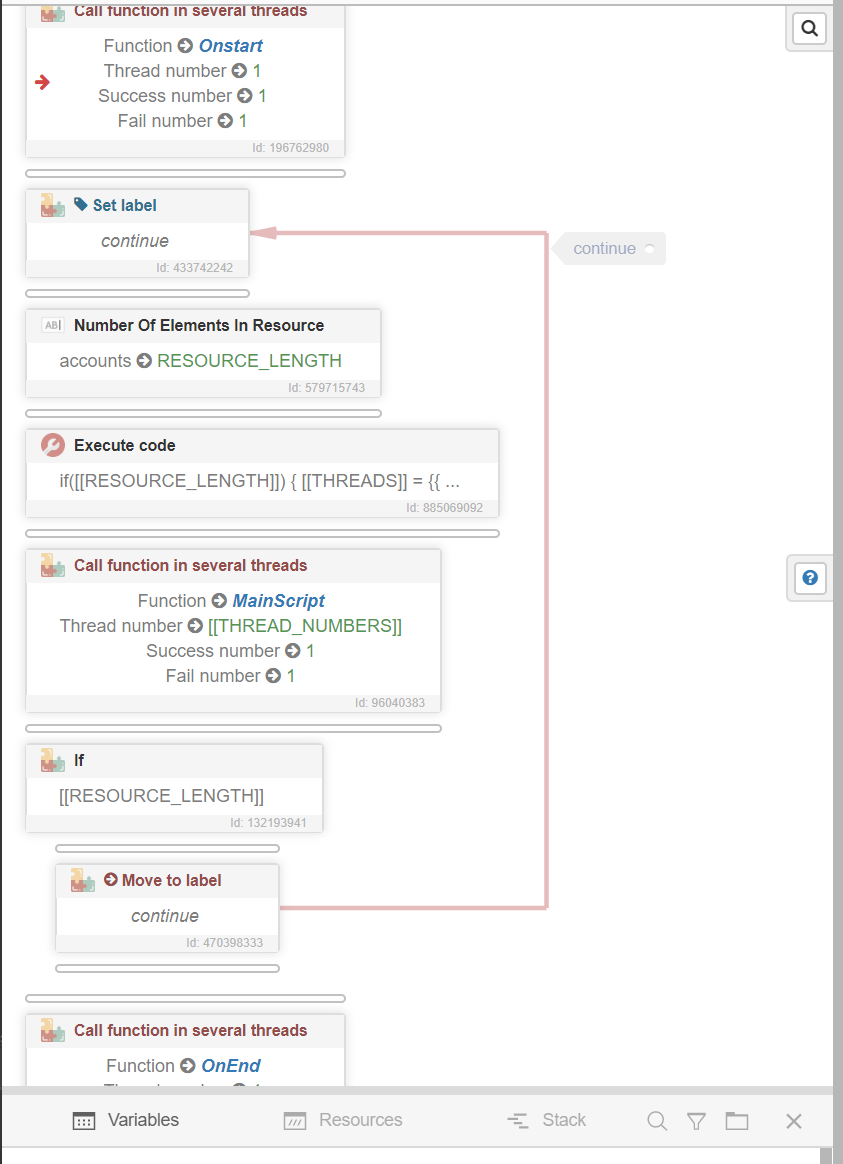
I'm sharing with you a script that has a start main and end function.
In fact it allows you to process a data or you want a success until it is successful compared to the fail allowed all by changing data on one resource and not on the other until success.
If you have a list of proxies, it may happen that the proxies fail or something goes wrong, but you still want to process the data without moving on to the next resources.
I don't know if there are any easier ways of doing this right now.
I haven't included an example of changing proxies, but all you have to do is create a resource and when you select one, make sure it's the right one.
You'll also need to manage the case where you have more accounts than proxies.
The script ends when the account resource is exhausted.
See you soon
onstart_onend.xml