




bandicam 2025-12-23 12-10-45-474.mp4
Sample video
AndroidManager - module for managing android emulators
-
@dongkun508 Yes my problem is solved, need some configuration update and upgrade in appium drivers.
-
the module connected to phone also can click on coordinates, but the command to get app list, and current activity is not working and showing error. anyone has a solution for this, looks like something to do with permissions. not sure what to do..
SubprocessError: Subprocess finished with code 255. Error: Exception occurred while executing 'list': java.lang.SecurityException: Shell does not have permission to access user 999
-
@spa3212 said in AndroidManager - module for managing android emulators:
the module connected to phone also can click on coordinates, but the command to get app list, and current activity is not working and showing error
That means appium server couldn't connect to device. Other commands work directly via adb. The module supports MEmu without additional settings. In other cases, you should take care of the device settings yourself. Look in appium issues for more details.
-
@spa3212 said in AndroidManager - module for managing android emulators:
java.lang.SecurityException: Shell does not have permission to access user 999
I think, this error can occur as a result of the shell command execution. Shell is available on the rooted devices only.
-
This post is deleted!
-
This post is deleted!
-
@mohthepro2 said in AndroidManager - module for managing android emulators:
.... if someone could help me I would greatly appreciate it.
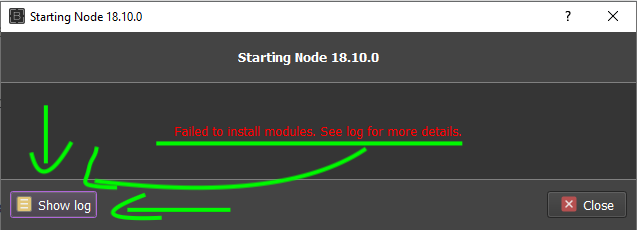
-
This post is deleted!
-
This post is deleted!
-
This post is deleted!
-
how to avoid run connect device every time thread restart in multi thread
and how to get pid to taskkill errorconnrefused error @thepappo -
after few hours of running script give error 1 - unknown error: An unknown server-side error occurred while processing the command. Original error: Could not proxy. Proxy error: Could not proxy command to the remote server. Original error: connect ECONNREFUSED 127.0.0.1:8222
can anyone have found how to solve it and why it appear -
-
Thread #1 : DeviceIsNotRunningError: Device RWUGHMXCMV not found or offline
I Am Connecting A Real Device In Bas Through Android Module,I Have Set-up All The Necessary Thing,My Device Is Connected Through Adb And adb rebot Is Also working , device showing in android studio but then also I am facing this issue anyone can help who has already done this stuff can message me it's too urgent. My Telegram:- @nova_noob
-
@novadaddy said in AndroidManager - module for managing android emulators:
I Am Connecting A Real Device In Bas Through Android Module,I Have Set-up All The Necessary Thing,My Device Is Connected Through Adb And adb rebot Is Also working , device showing in android studio but then also I am facing this issue anyone can help who has already done this stuff can message me it's too urgent. My Telegram:- @nova_noob
Check the connection using this command:
adb devicesIf
offlinewill appear, you have to send this one before BAS actions:
adb connect DEVICE_NAME