






@oplixstar no
very hard
and it's a whole project that will need to be supported later
[FREE XML]Bablosoft/BAS server User creation API/Telegram, with script assignment/destroy and more
-
Hi everyone, today I'm sharing one of my scripts which allows you to create users, give them a script, revoke their access, get all your scripts or all your users.
If you like the project please give me a point of reputation.
You can use the bot/server with telegram or api or both.
Please note that the connection to bablosoft is necessary in the program. Every 1 month the bot must reconnect to keep an active connection to bablosoft.
You have the choice either in auto mode with captcha resolution so that this is done autonomously and without intervention.
Or in manual mode, you will have to enter your identifiers and pass the captcha manually.BasUsersAPI

This is unofficial and not supported by bablosoft.
To avoid spam, you can only generate 1 generation per second.You can download the xml project it at the bottom of the post
Telegram:

First create your bot and get your bot token
Setup
-
After starting the bot, if you try to start you will receive its normal:

-
Then type the command
/trustto add access to the commands for your account. -
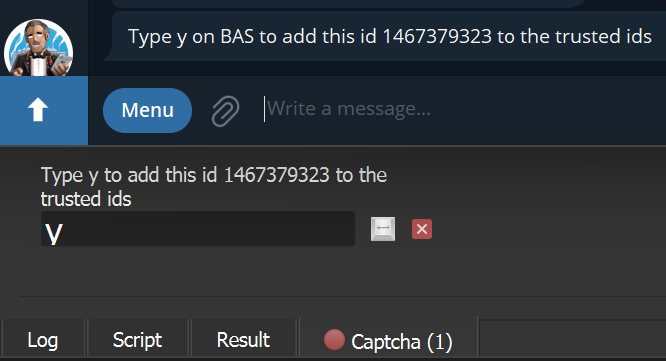
Then the bot asks you to confirm on the script in browser automation studio to type
yto add your user ID.
-
Setup success
Commands
/start
- 🏠 Home - All commands
/full
-
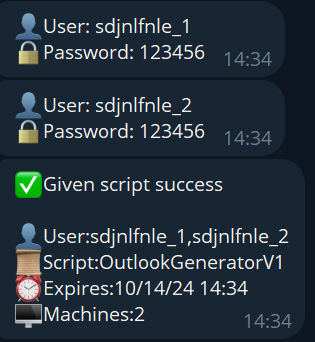
➕🤖 To create a user and give a script.
-
Example:
/full- /full
Users: Random
Password:Random
Count:1 -
Example:
/full 3- /full [counts]
Users: Random, Random, Random
Password:Random
Counts:3 -
Example:
/full bascook 3- /full [user] [counts]
Users:bascook_1,bascook_2,bascook_3
Password:Random
Counts:3 -
Example:
/full bascook 123456 3- /full [user] [password] [counts]
Users:bascook_1,bascook_2,bascook_3
Password:123456
Counts:3 -
-
/create
-
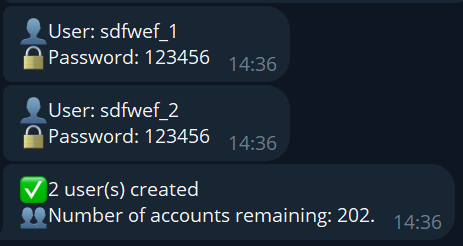
➕ To create a user only.
-
Example:
/create- /create
Users: Random
Password:Random
Count:1 -
Example:
/create 3- /create [counts]
Users: Random, Random, Random
Password:Random
Counts:3 -
Example:
/create bascook 3- /create [user] [counts]
Users:bascook_1,bascook_2,bascook_3
Password:Random
Counts:3 -
Example:
/create bascook 123456 3- /create [user] [password] [counts]
Users:bascook_1,bascook_2,bascook_3
Password:123456
Counts:3 -
-
/give
- 👤➡️🤖 To give a script to a user.
- Example:
/give bascook- /give [user]
- Example:
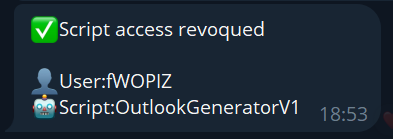
/destroy
- 🤖➡️🗑️ Revoke script access.
-
Example:
/destroy bascook- /destroy [user]
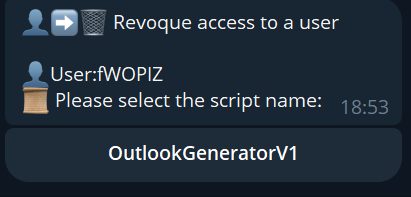
The scripts given to the user will appear, select the script you wish to revoke.
-
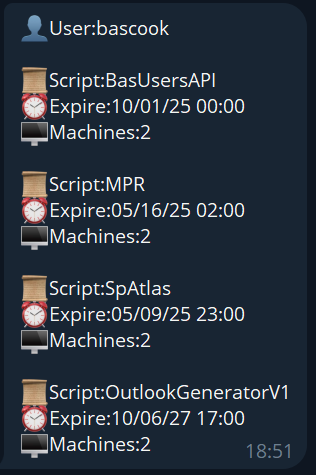
/user
- 👤❓ Get information about user.
- Example:
/user bascook- /user [user]
- Example:
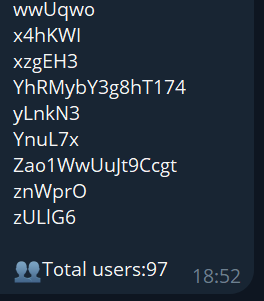
/users
- 👥 To get all users
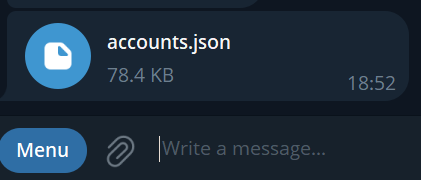
/down
- 💾 Download accounts as JSON file
/reboot
- ♻️ Reboot server
/reset
- 🗑️ Reset admin (Confirm by Type y in bas)
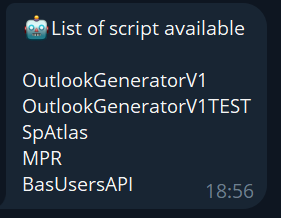
/scripts
- 🤖 To get all scripts available
/contact
- 📱 Contact Admin
Step Full & Give
-
- Select script you want to give (All yours scripts published as been loaded in)
-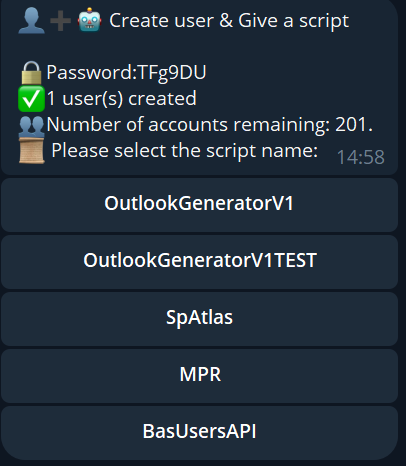
- Select script you want to give (All yours scripts published as been loaded in)
-
-
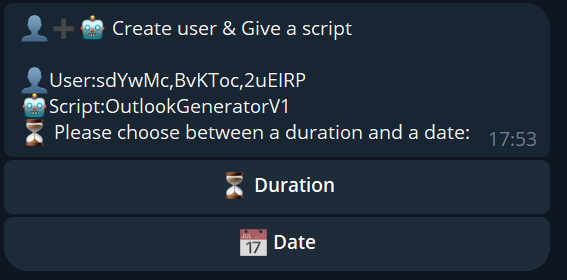
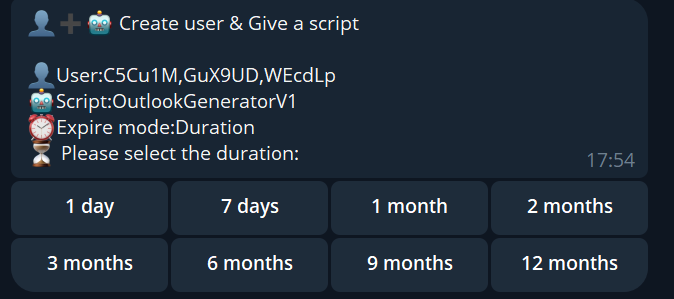
Select duration or date for expiration
-
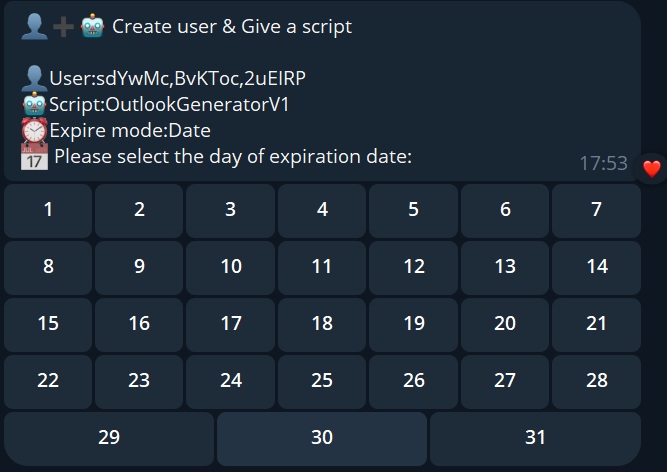
Date: Choose day,month,year and hours
-
Duration
-
-
-
- Select numbers of machines authorized
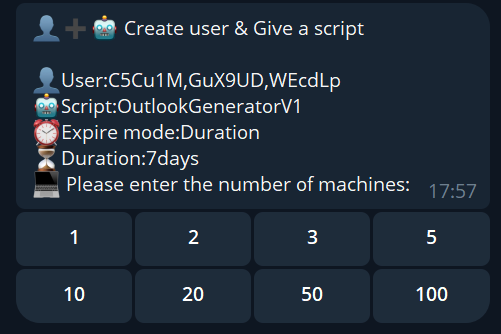
- Select numbers of machines authorized
-
- Done
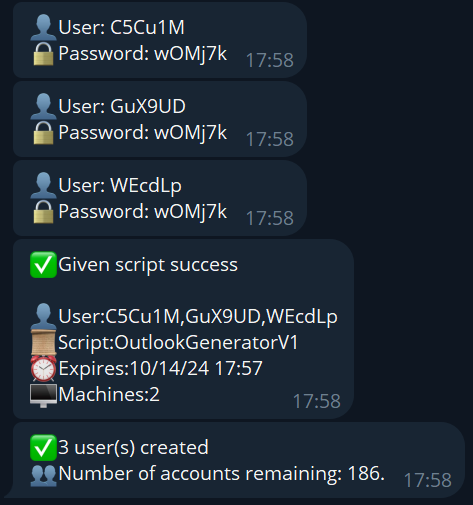
- Done
API

Default port 8000 (you can change)
Url:http://127.0.0.1:8000When you start the script and the API is activated you get the token to secure your requests

Routes
Create user
Example request:
POSThttps://127.0.0.1:8000/create{ "key":"TOKEN", "user":"bascook", "password":"", "count":3, }Request Parameters:
String:key (required)String:user(optional)String:password (optional)Int:count (optional)
Example response:
{
  "data": [
    {
      "user": "bascook_1",
      "password": "buOvka"
    },
    {
      "user": "bascook_2",
      "password": "Xexv3K"
    },
    {
      "user": "bascook_3",
      "password": "87i7bq"
    }
  ],
  "success": "true",
  "message": "All users created",
  "max_users_create": 186
}
Example fail response:
{
  "data": [],
  "success": "false",
  "message": "Email has already been taken"
}
Create & Give script
Example request:
POSThttps://127.0.0.1:8000/full{ "count" : 2, "script" : "OutlookGeneratorV1", "key" : "TOKEN", "duration" : 30, "machines" : 1 , "expire" : 1758928600, "is_duration" : false }Request Parameters:
String:script (required)String:key (required)Int:machines(required)String:duration(required)Int:expire(required)Bool:is_duration(optional)String:user(optional)String:password (optional)Int:count (optional)
Example success response:
{
  "data": [
    {
      "user": "arFFt9",
      "password": "x9yAO9",
      "script": "OutlookGeneratorV1",
      "expire": 1758928600,
      "machines": 1,
      "duration": 30,
      "is_duration": false
    },
    {
      "user": "sDh5hJ",
      "password": "bfusnK",
      "script": "OutlookGeneratorV1",
      "expire": 1758928600,
      "machines": 1,
      "duration": 30,
      "is_duration": false
    }
  ],
  "success": "true",
  "message": "All users created and script given"
}
Example fail response:
{
  "data": [],
  "success": "false",
  "message": "User not found"
}
Give script
You can user same route for update expire or another
Example request:
POSThttps://127.0.0.1:8000/give{ "script" : "OutlookGeneratorV1", "key" : "TOKEN", "duration" : 30, "machines" : 1 , "expire" : 1758928600, "is_duration" : false, "user" : "bascook" }Request Parameters:
String:script (required)String:key (required)Int:machines(required)String:duration(required)Int:expire(required)String:user(required)Bool:is_duration(optional)
Example success response:
{
  "success": "true",
  "message": "Script OutlookGeneratorV1 given at bascook",
  "user": "bascook",
  "script": "OutlookGeneratorV1",
  "expire": 1758928600,
  "machines": 1,
  "duration": 30,
  "is_duration": false
}
Example fail response:
{
  "success": "false",
  "message": "User not found",
  "user": "bascook",
  "script": "OutlookGeneratorV1",
  "expire": 1758928600,
  "machines": 1,
  "duration": 30,
  "is_duration": false
}
Destroy
Example request:
POSThttps://127.0.0.1:8000/destroy{ "script" : "OutlookGeneratorV1", "key" : "TOKEN", "user" : "bascook" }Request Parameters:
String:script (required)String:key (required)String:user(required)
Example success response:
{
  "success": "true",
  "message": "user destroyed 356747",
  "user_id": 356747,
  "script_id": 62343,
  "expires": 1758928600,
  "machines": 1,
  "user": "bascook",
  "script": "OutlookGeneratorV1",
  "logo": "/uploads/245487a093f251ccb3560b543cd92bfb.jpg",
  "period_days": -1,
  "is_period": false
}
Example fail response:
{
  "success": "false",
  "message": "Script not found",
}
User
Example request:
POSThttps://127.0.0.1:8000/user{ "key" : "TOKEN", "user" : "bascook", "script" : "", "search" : false, }Request Parameters:
String:key (required)String:user(required)String:script (optional)Bool:search (optional)
if search = true;
All users starting with [user] will be returnedExample success response:
{
  "success": "true",
  "data": [
    {
      "user_id": 356747,
      "script_id": 62343,
      "expires": 1759431600,
      "machines": 2,
      "user": "bascook",
      "script": "OutlookGeneratorV1",
      "logo": "/uploads/245487a093f251ccb3560b543cd92bfb.jpg",
      "period_days": -1,
      "is_period": false
    },
    {
      "user_id": 356747,
      "script_id": 70372,
      "expires": 1759269600,
      "machines": 2,
      "user": "bascook",
      "script": "BasUsersAPI",
      "logo": "/uploads/ba0e6f6a03baac3d80edaa84bce2a804.jpg",
      "period_days": -1,
      "is_period": false
    },
    {
      "user_id": 356747,
      "script_id": 64516,
      "expires": 1747353600,
      "machines": 2,
      "user": "bascook",
      "script": "MPR",
      "logo": "https://bablosoft.com/uploads/IGCRGDUNPQOYXKFO_Logo.png",
      "period_days": -1,
      "is_period": false
    },
    {
      "user_id": 356747,
      "script_id": 64226,
      "expires": 1746824400,
      "machines": 2,
      "user": "bascook",
      "script": "SpAtlas",
      "logo": "https://bablosoft.com/uploads/IGCRGDUNPQOYXKFO_Logo.png",
      "period_days": -1,
      "is_period": false
    }
  ],
  "length": 4,
  "message": "user info for bascook",
  "user": "bascook",
  "script": "",
  "search": false
}
Example fail response:
{
  "success": "false",
  "data": [],
  "length": 0,
  "message": "User or script not exist ",
  "user": "bascooks",
  "script": "",
  "search": false
}
Users
Example request:
POSThttps://127.0.0.1:8000/users{ "key" : "TOKEN" }Request Parameters:
String:key (required)
Example success response:
{
  "users": [
    "0ZBXxm",
    "4lJtwv",
    "5vnt1N",
    "6iNtA0",
    "7EwUjF"
  ],
  "totalUsers": 5,
  "success": "true"
}
Example fail response:
{
  "success": "false",
  "message": "Error on get users",
}
Users
Example request:
POSThttps://127.0.0.1:8000/scripts{ "key" : "TOKEN" }Request Parameters:
String:key (required)
Example success response:
{
  "success": "true",
  "message": "scripts found",
  "scripts": [
    "OutlookGeneratorV1",
    "OutlookGeneratorV1TEST",
    "SpAtlas",
    "MPR",
    "BasUsersAPI"
  ]
}
Example fail response:
{
  "success": "false",
  "message": "no script found"
}
If you like the project please give me a point of reputation.
Thanks :)
Download project here BasUsersAPI.xml -
-
@Bascook It's hardly a good idea to give access (via cookie) to your personal account to a closed script that can pass that data to the owner.
-
so.... its basically what you would do on the premium panel ...?
-
@CashOut1337 What more do you want him to do?
It simplifies account creation/management, from your phone, from an api.
This way, you can automate the creation of an account during a sale, for example, and deliver it to the user. -
@Bascook WOAH WOAH WOAH!
I was simply just asking
-
@CashOut1337 No worries... I answered you simply...
-
-