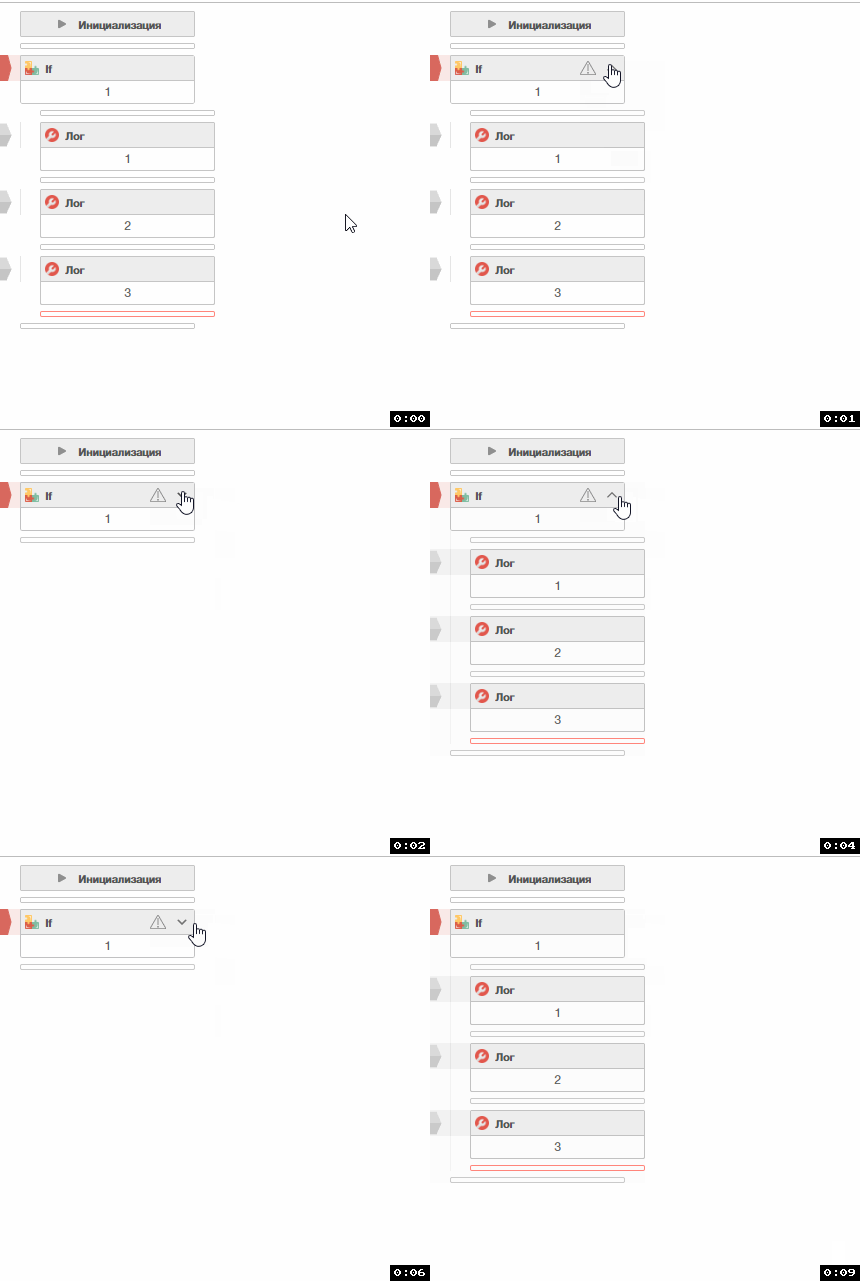
@Fox oh nice, didn't see thanks
Grouping Multiple Blocks
-
It would be a nice solution to increase code readability and cleanliness.
For example, let these blocks I selected do a certain job.

a “- button” is created on the first block I mark, when I click it, all these blocks are hidden in the first block.

then the - button turns into a + button and if the + button is clicked again the blocks are revealed again.
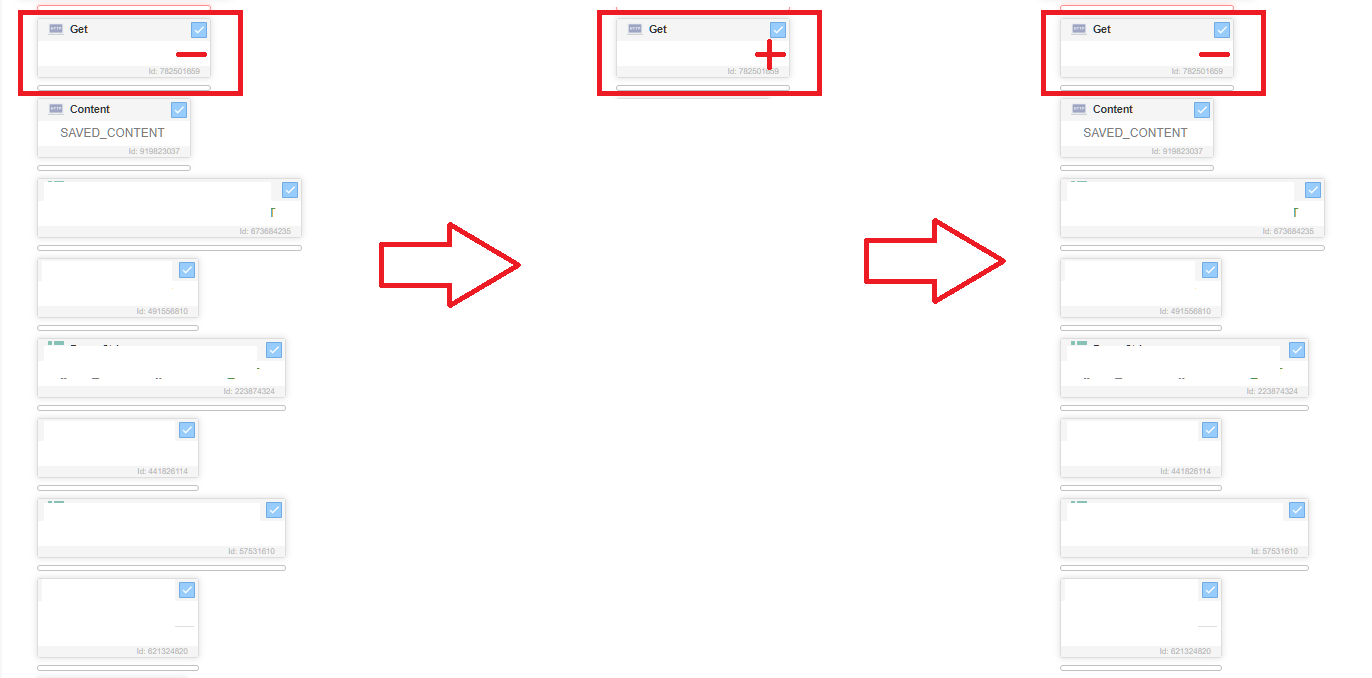
At the end of all this work, long and complex blocks of code are grouped in a very simple way, making it easier to access and use the relevant code.
-
@fr0121 said in Grouping Multiple Blocks:
It would be a nice solution to increase code readability and cleanliness.
For example, let these blocks I selected do a certain job.
a “- button” is created on the first block I mark, when I click it, all these blocks are hidden in the first block.
then the - button turns into a + button and if the + button is clicked again the blocks are revealed again.
At the end of all this work, long and complex blocks of code are grouped in a very simple way, making it easier to access and use the relevant code.
Try using the "if" action with code 1