
It does not work if I do this:
const OpenAI = require('openai'); const openai = new OpenAI({ apiKey: [[CHATGPTAPIKEY]] }); async function main() { const completion = await openai.chat.completions.create({ model: [[MODEL]], messages: [ {"role": "system", "content": "You are a "+[[COMMENTSTYLE]]+" assistant."}, {"role": "user", "content": [[SAVED_TEXT]]} ], temperature: [[TEMPERATURE2]], max_tokens: 150, stop: ["\n", "User:"], n: 1 }); [[OUTPUT]] = completion.choices[0]; } main();Paste the text of a variable
-
-
@to-nice said in Paste the text of a variable:
I need to paste the value of a variable into an input, I've tried everything. <CONTROL>V[[VARIABLE] clipboars..... nothing result
thankyou for help
<CONTROL>v
-
@to-nice said in Paste the text of a variable:
@Fox TESTING BUT NOT WORKING,
Why do you use capslock? To insert data from the clipboard, just use
<CONTROL>vand it works: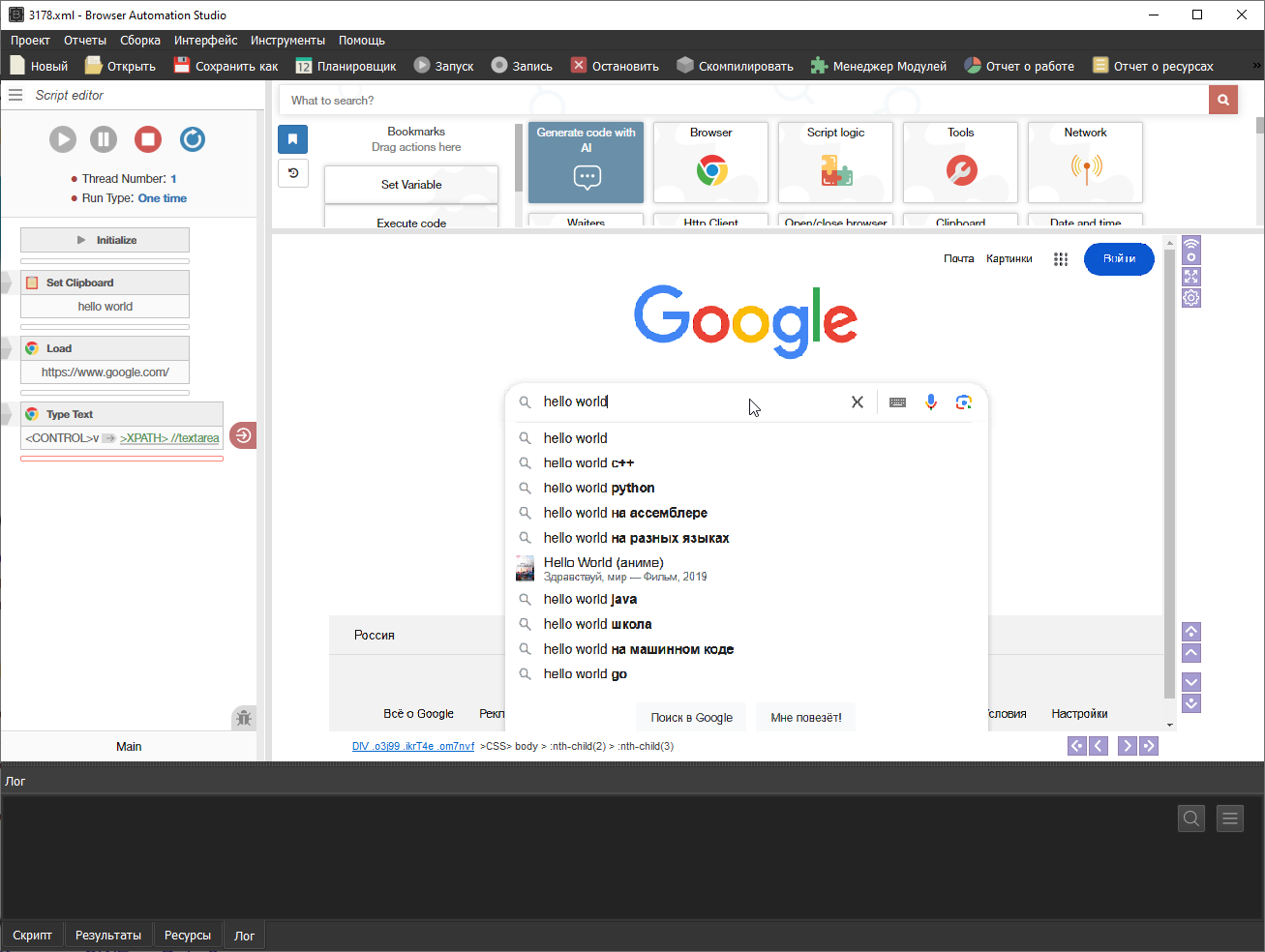
-
-
@to-nice said in Paste the text of a variable:
@Fox Nooooo I have the variable text saved in the database, I use parse CSV to get a different text each time.
Pay attention to the screenshot that I have attached and try to repeat my script
-
@to-nice said in Paste the text of a variable:
other solutions ?
Search on the forum, I posted an example script with the implementation of thread blocking, so that only 1 thread would work with the clipboard at the same time.