
Решил проблему подменой мобильными отпечатками, капча по-прежнему появляется, но спокойно решается.
new proxy Custom DNS settings options - clarification (after 28.6.0 version) of "Directly" and "Through proxy"
-
to the GURUS
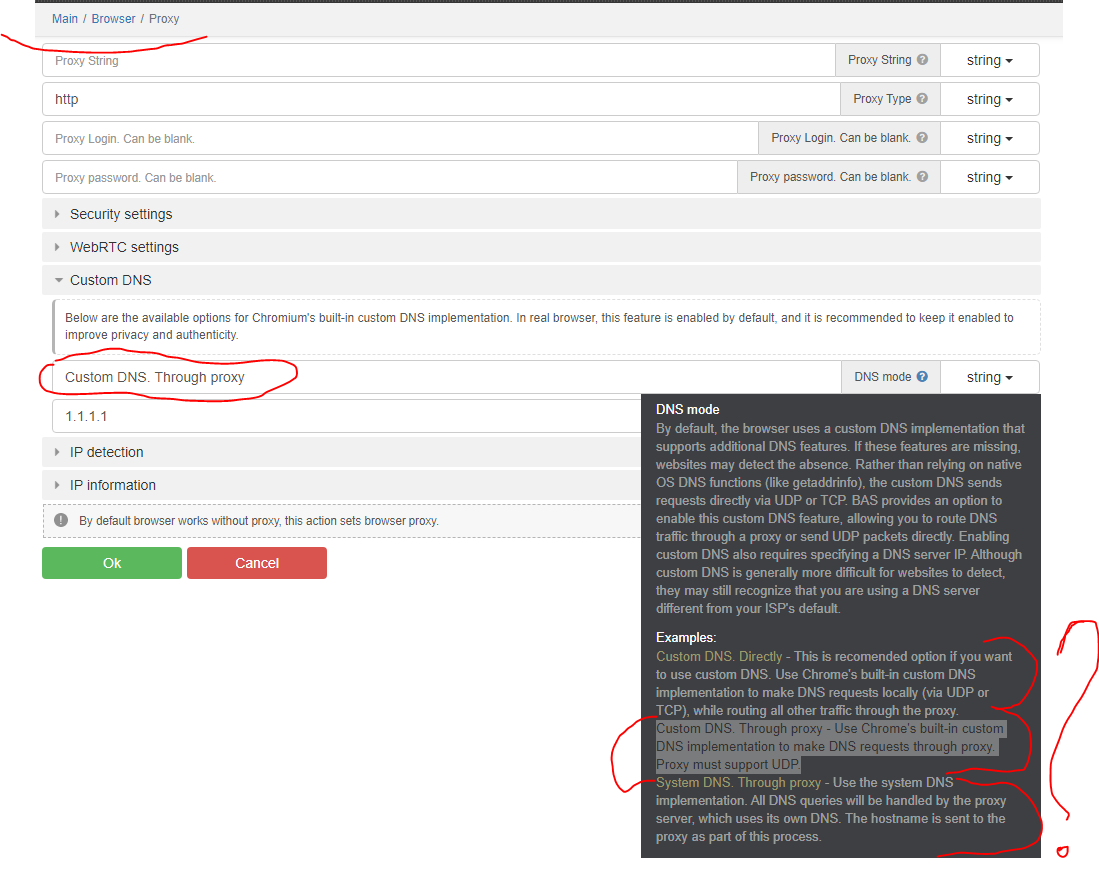
If we read carefully the description of DNS mode and examples there is some unclarity for somebody who doesn't know much about traffic protocols DNS etc., but to be short I''ll just ask practical question.
What is the difference and what is preferable to use from first 2 options of the mode setting in case the proxy is my own and it supports QUIC(udp) (using SOCKS5)?
Is it still better to use "Custom DNS.Directly" (maybe because less demand on proxy or so)? Or it is recommended option only for cases that don't have proxy with UDP?
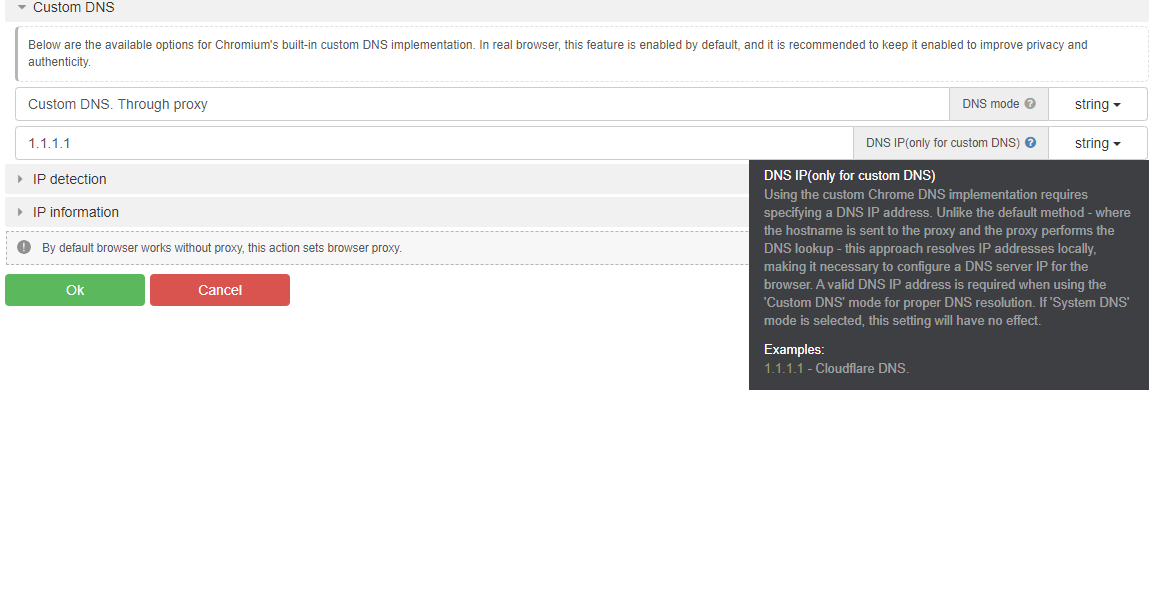
And secondary question: When using "Custom DNS.Through proxy" what should be the settings for the DNS IP? If i understand correctly in this case everything even DNS is resolved by proxy? What is the point in this setting?
"Using the custom Chrome DNS implementation requires specifying a DNS IP address. Unlike the default method - where the hostname is sent to the proxy and the proxy performs the DNS lookup - this approach resolves IP addresses locally, making it necessary to configure a DNS server IP for the browser. A valid DNS IP address is required when using the 'Custom DNS' mode for proper DNS resolution. If 'System DNS' mode is selected, this setting will have no effect." -
is this description and explanation correct for "Custom DNS.Through proxy"?In any case 1.1.1.1 will be good?
-
-
-
@mthuyet98 @FastSpace thanks for useful advice, and at least a response, but "Custom DNS.Through proxy" or "Custom DNS.Directly"?