
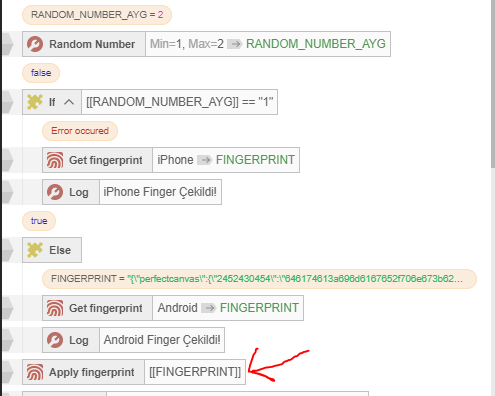
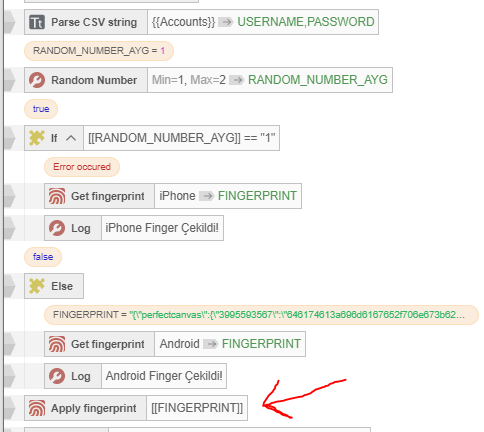


Вопрос закрыт, решение получено. Всем спасибо!
Callback is empty. Did you forget to use '!' after function?
-
-
@freejamp said in Callback is empty. Did you forget to use '!' after function?:
Callback is empty. Did you forget to use '!' after function?
Что это за ошибка?У вас в функции Main есть действие с типом
expressionи значением содержащим фигурные скобки, например"{". Либо поместите это действие в другую функцию (не Main), либо замените{на{и}на} -
@freejamp takje pri perenose script'a mojet bit takaya huynya, nado vruchnuyu kajdiy kubik peresozdavat v novoy versii
-
yes module update process should have covered such thing, now every script you must manually edit. a time consuming measure
-
@clarabellerising said in Callback is empty. Did you forget to use '!' after function?:
@freejamp takje pri perenose script'a mojet bit takaya huynya, nado vruchnuyu kajdiy kubik peresozdavat v novoy versii
При сохранении действия, оно пересоздаётся, то есть буквально удаляется и создаётся заново. Попробуйте открыть действие "Парсить строку (устаревшее)", найти в описании ссылку на действие "Парсить CSV строку" и кликнуть на него. Текущее действие в тулбоксе заменится на "Парсить CSV строку", если сохранить его, то действие на панели сценария также будет заменено.
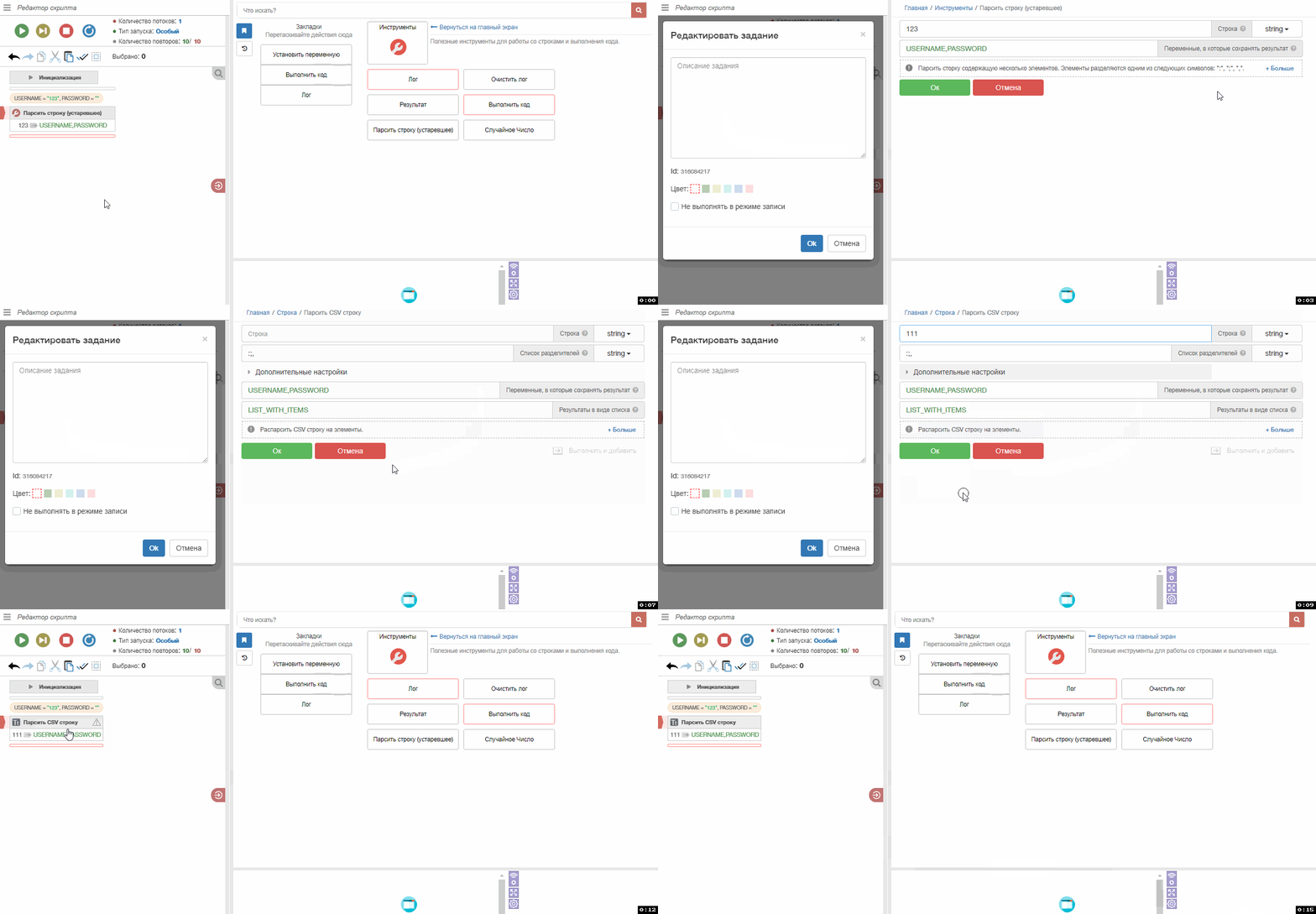
Если проблема существует проблема, то приложите здесь или отправьте мне в личных сообщениях проект, действия которого не могут быть обновлены автоматическим инструментом и необходимо пересоздавать действия в ручную
@genericname1 said in Callback is empty. Did you forget to use '!' after function?:
yes module update process should have covered such thing, now every script you must manually edit. a time consuming measure
When you save an action, it is recreated, that is, it is literally deleted and created a new. Try to open the action "Parse Line (deprecated)", find a link to another action in the description of the action "Parse CSV string" and click on it. The current action in the toolbox will be replaced with "Parse CSV string", if you save it, the action on the scenario panel will also be replaced.
If there is a problem, then attach here or send me in private messages a project whose actions cannot be updated by an automatic tool and it is necessary to recreate the actions manually.
-
-
@freejamp said in Callback is empty. Did you forget to use '!' after function?:
@Fox Ошибку выдает на активации функции сенсорный экран,при всем остальном проблем нету
Эту ошибку исправили 8 октября
-
-
@freejamp said in Callback is empty. Did you forget to use '!' after function?:
@Fox Установлена версия 29.4.0 и проблема именно в этой версии на включение сенсорного экран.
4 дня назад был создан тикет по этой проблеме и в тот же день разработчик написал в этом тикете, что проблему исправил
-
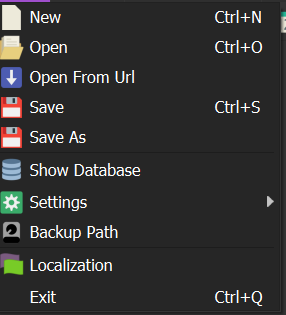
Click the Save As button to save it as a different file. Then, when you look at the modules section of the project you saved as a different file, you will see that the fingerprint switcher module is not there.
In order:
Install the module
In the file field,
type %APPDATA%
Find BrowserAutomationStudio in the folder that opens
Enter the apps folder and enter the folder with the latest version.
Enter the modules folder, right-click on the FingerPrintSwicher module, zip it, install the zipped module, and after starting the project, delete the fingerprint and recreate it.
Then, don't forget to perform the update project action.If you don't perform the project action update, you will get the same error when you compile.
Also, if you'd like to join, I have a Telegram group where I try to help everyone:
We'd be happy if you join :)
-
-
@usertrue said in Callback is empty. Did you forget to use '!' after function?:
@Fox said in Callback is empty. Did you forget to use '!' after function?:
4 дня назад был создан тикет по этой проблеме и в тот же день разработчик написал в этом тикете, что проблему исправил
В 29.4.1 она осталась
Опишите подробнее, не могу повторить, действие "Режим сенсорного экрана" выполняется в любом виде и с любыми настройками без ошибки. Тоже самое касается действия "Применить отпечаток"
-
applying touch mode triggers the issue
-
@genericname1 said in Callback is empty. Did you forget to use '!' after function?:
applying touch mode triggers the issue
Which version of BAS are you using? In version 29.4.1, the problem does not recur.