

I Can't find that url nodemail.store it doesnt open
ReaperTelegram - Telegram Advanced
-
📱 ReaperTelegram - Advanced Telegram Bot Automation Module
Professional Telegram Bot Functions for Browser Automation Studio
Github Link - https://github.com/doomsdayprod1337-ops/ReaperTelegram/tree/main
Release Link - https://github.com/doomsdayprod1337-ops/ReaperTelegram/releases/tag/Release
🌟 Overview
ReaperTelegram is a powerful automation module designed for Browser Automation Studio that provides comprehensive Telegram Bot API integration. With 12 specialized functions, you can automate messaging, media sharing, user management, and create interactive bot experiences.
Version: 1.27
Developer: @LogCaching
Marketplace: reaper-market.com
✨ Key Features
- ✅ Rich Text Formatting - HTML, Markdown, and MarkdownV2 support
- ✅ Media Support - Photos, stickers, documents with captions
- ✅ Interactive Elements - Inline keyboards and button layouts
- ✅ Group Management - Ban users, moderate chats
- ✅ Message Waiting - Real-time message monitoring
- ✅ Multi-Photo Support - Send photo groups (up to 10 photos)
- ✅ Flexible Formats - Base64 encoding for all media types
📋 Available Functions
1. 📤 SendText
Send formatted text messages to Telegram chats
Features:
- Text formatting with HTML, Markdown, or MarkdownV2
- Dropdown parse mode selector
- Variable storage for API responses
Use Cases:
- Automated notifications
- Formatted announcements
- Rich text messaging
2. 📸 SendPhoto
Send photos without captions
Features:
- Base64 encoded photo support
- Simple photo sharing
- Fast image delivery
Use Cases:
- Quick photo sharing
- Automated image posting
- Media forwarding
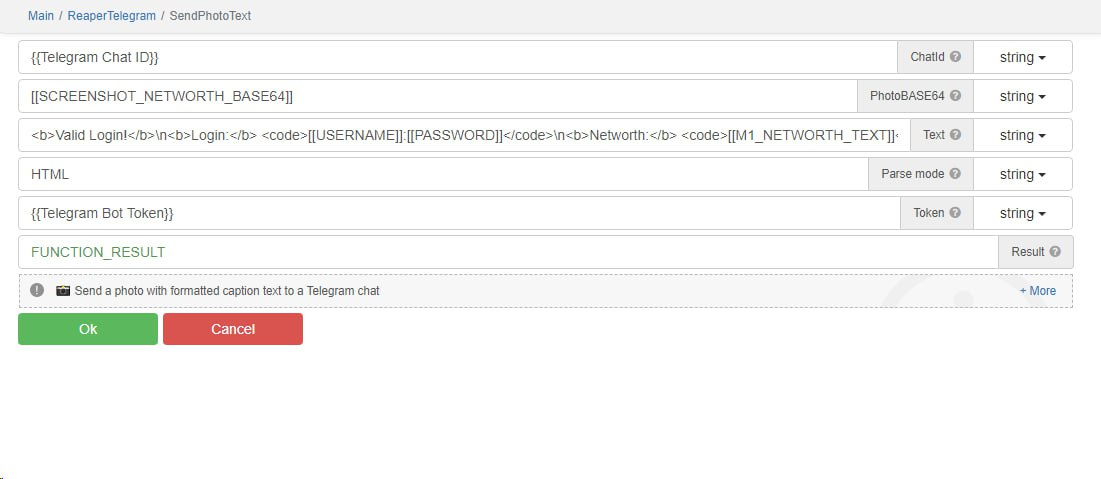
3. 📷 SendPhotoText
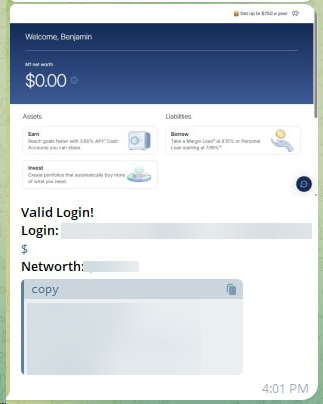
Send photos with formatted caption text ⭐ ENHANCED
Features:
- Multi-photo support (up to 10 photos per message)
- Rich text formatting in captions
- HTML/Markdown/MarkdownV2 parse modes
- Dropdown format selector
- Automatic photo grouping with media groups API
Formatting Options:
HTML Mode:
<b>bold text</b>→ bold text<i>italic text</i>→ italic text<u>underline</u>→ <u>underline</u><s>strikethrough</s>→strikethrough<code>inline code</code>→inline code<pre>pre-formatted</pre>→ Code blocks<a href="URL">link text</a>→ Clickable links
MarkdownV2 Mode:
*bold text*→ bold text_italic text_→ italic text__underline__→ <u>underline</u>~strikethrough~→strikethrough`inline code`→inline code- ````pre-formatted``` → Code blocks
[link text](URL)→ Clickable links
Example:
<b>Amazing Photo!</b>\n
Check out this <i>beautiful</i> picture.\n
Visit our <a href="https://example.com">website</a> 🌟
Use Cases:
- Product showcases with descriptions
- News posts with images
- Marketing campaigns
- Photo galleries with captions
4. 🔲 SendPhotoTextButtons
Send photos with caption and inline keyboard buttons
Features:
- Photo with formatted caption
- Two inline buttons
- Simple button configuration
- Perfect for quick interactions
Use Cases:
- Call-to-action images
- Menu navigation
- Quick response buttons
5. ⌨️ SendPhotoInlineKeyboard
Send photos with custom inline keyboard layouts
Features:
- Full JSON keyboard configuration
- Multiple button types (callback, URL, inline query)
- Flexible button arrangements
- Professional bot interfaces
Button Types:
callback_data- Sends callback data when pressedurl- Opens a URL when pressedswitch_inline_query- Switches to inline modeswitch_inline_query_current_chat- Inline mode in current chat
Keyboard JSON Example:
{
  "inline_keyboard": [
    [
      {"text": "Button 1", "callback_data": "data1"},
      {"text": "Button 2", "callback_data": "data2"}
    ],
    [
      {"text": "Visit Website", "url": "https://example.com"},
      {"text": "Search", "switch_inline_query": "query"}
    ]
  ]
}
Use Cases:
- Interactive product catalogs
- Complex menu systems
- Custom bot interfaces
- E-commerce integrations
6. 💬 SendMessageInlineKeyboard
Send text messages with inline keyboard buttons
Features:
- Formatted text messages
- Custom inline keyboards
- Multiple parse modes
- Flexible layouts
Use Cases:
- Interactive commands
- Navigation menus
- Game controls
- Survey forms
7. 📝 SendMultilineText
Send multi-line formatted text messages
Features:
- Line break support (
\n) - Rich text formatting
- HTML/Markdown/MarkdownV2 support
- Perfect for structured content
Use Cases:
- Formatted reports
- Multi-paragraph messages
- Structured announcements
- Code snippets
8. 📎 SendDocument
Send document files to chats
Features:
- Base64 encoded documents
- File sharing
- Supports all file types
Use Cases:
- File delivery automation
- Document sharing
- Media file distribution
9. 😀 SendSticker
Send Telegram stickers
Features:
- Sticker ID support
- Quick sticker sharing
- Entertainment and reactions
Use Cases:
- Automated reactions
- Engagement tools
- Fun interactions
10. 🔘 SendButton
Send messages with keyboard buttons
Features:
- Custom button layouts
- Reply keyboard support
- User interaction
Use Cases:
- Menu systems
- Quick replies
- Command interfaces
11. ⏳ WaitMessage
Wait for and receive messages
Features:
- Real-time message monitoring
- Message polling
- Event waiting
Use Cases:
- Bot automation workflows
- Message listeners
- Interactive conversations
- Response handlers
12. 🚫 GroupKickUser
Ban or kick users from Telegram groups
Features:
- User banning
- Group moderation
- Delete messages option
Use Cases:
- Automated moderation
- Spam control
- Group management
- Bot administration
🎨 Text Formatting Guide
HTML Formatting
Simple and intuitive HTML tags:
Syntax Result <b>text</b>bold text <i>text</i>italic text <u>text</u><u>underline</u> <s>text</s>strikethrough<code>text</code>inline code<pre>text</pre>Code block MarkdownV2 Formatting
Advanced formatting with escape characters:
Syntax Result *text*bold text _text_italic text __text__<u>underline</u> ~text~strikethrough`text`inline code````text``` Code block [text](URL)Clickable link Important: In MarkdownV2, special characters must be escaped:
{ } - + = ~< >`Examples
HTML Example:
<b>Welcome!</b>\n
This is <i>important</i> news.\n
Visit <a href="https://example.com">our site</a>
MarkdownV2 Example:
*Welcome\!*\n
This is _important_ news\.\n
Visit [our site](https://example\.com)
🚀 Advanced Features
Multi-Photo Support (SendPhotoText)
Send up to 10 photos in a single media group:
Input Format Options:
- Single photo: One base64 string
- Multiple photos:
- New line separated:
photo1\nphoto2\nphoto3 - Pipe separated:
photo1|photo2|photo3
- New line separated:
Features:
- Automatic media group creation
- Single caption for all photos
- Formatting support in captions
- API-optimized delivery
Inline Keyboard Configuration
Create sophisticated bot interfaces with custom keyboards:
Layout Options:
- Single row:
[Button1] [Button2] - Multiple rows: Vertical stacking
- Mixed layouts: Combine button types
Button Configuration:
{
  "text": "Click Me",
  "callback_data": "action_123"
}
💡 Use Case Examples
E-Commerce Bot
- SendPhotoText - Product listings with formatted descriptions
- SendMessageInlineKeyboard - Product selection menus
- SendPhotoInlineKeyboard - Image catalogs with "Buy Now" buttons
News Automation
- SendMultilineText - Formatted news articles
- SendPhotoText - News images with caption