


Awesome implementation! Missing a refresh button (F5)
BrowserAutomationStudio 22.0.0 has been released
-
Functions can have parameters and return value.
Added actions "Get Function Parameter" and "Return".
You can specify a list of parameters and their description in the function manager.
Same function can be called with different parameters, which will help to reuse code.
New actions contain interactive documentation, more details can be found there.

Function Manager.
You can now work with functions in a separate window called the function manager.
All controls, namely: creating, editing, deleting functions, were moved there.
Added the ability to search for functions and set parameters.
Main window:

Set function parameters:

The actions "Get Function Parameter" and "Return" are added to the script editor automatically.
API extension for the web interface.
Added a lot of methods that can be called from the web interface.
Methods for interacting with the system window:
-
MoveWindow - change the position of the window.
-
ResizeWindow - resizing an native window.
-
Api.OpenFileDialog, Api.SaveFileDialog - call the system file selection dialog.
-
ShowNotification - show system notifications in the tray.
-
OpenUrl - visiting the given url, opening a file or program.
More details can be found here:
https://wiki.bablosoft.com/web-interface/#/interactingnativewindow
All generated dialogs for file selection were replaced with native ones.

Added synchronous API for working with the file system. This includes: reading / writing files, working with folders.
More details can be found here:
https://wiki.bablosoft.com/web-interface/#/filesystem
The initial window sizes can be set directly on interface settings page:

You can create bot interface from scratch.
This could have been done before, but now there are additional improvements for this method.
When creating and generating an interface, you can select its type:

Now you can save changes directly from the code editor and not use the visual interface editor at all.
The new type of interface makes BAS work in a fundamentally new way, instead of launching one script immediately, as it was before, you can now respond to events on the page (for example, clicking buttons) by invoking BAS functions, and parameters for these functions can be taken directly from web interface.
Call BAS functions and create threads from web interface.
After update, an unlimited number of threads can be created directly from the web interface, and also you can call functions with the specified parameters in a thread.
You can use the Promise object or the await keyword to get the results.
// Create a thread
var Thread = new BASThread()

// Set proxy
await Thread.RunFunction("SetProxy", {"ProxyLine": "socks5://127.0.0.1:11185"})

// Call the function for parsing
var LinksList = await Thread.RunFunction("MakeGoogleQuery", {"Query": "cats"})

// Stop thread
Thread.StopThread()
This API can handle errors and has a special extension to the Promise object, which stops the thread.
More details are available here:
https://wiki.bablosoft.com/web-interface/#/callbasfunction
It is possible to debug the execution of functions directly in BAS:
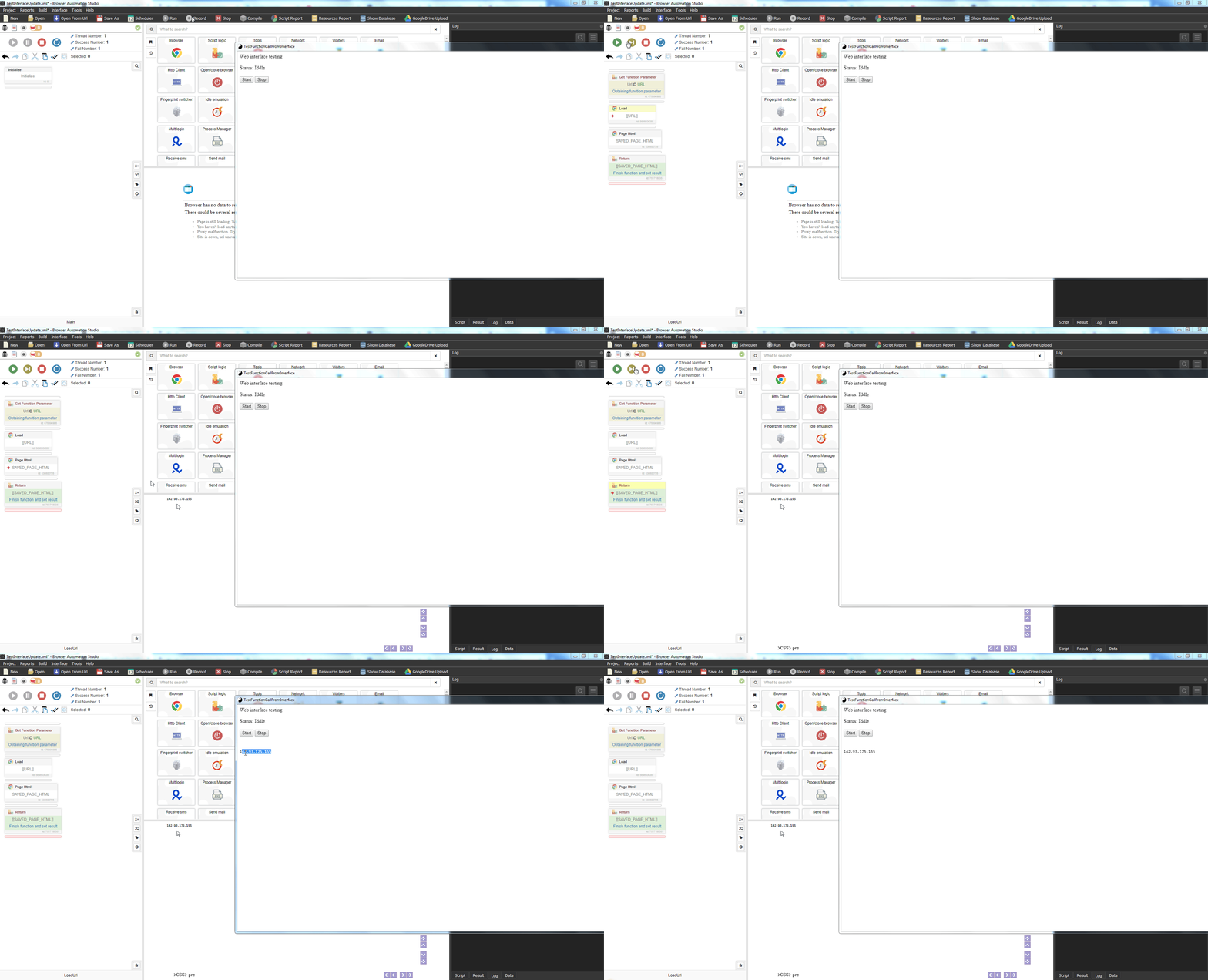
ParseGoogle app. Demonstration of the new functionality.
A new ParseGoogle application has been created. It parses the output for a given query.
The application is quite primitive in terms of functionality, but it has a nice interface and demonstrates new features very well.
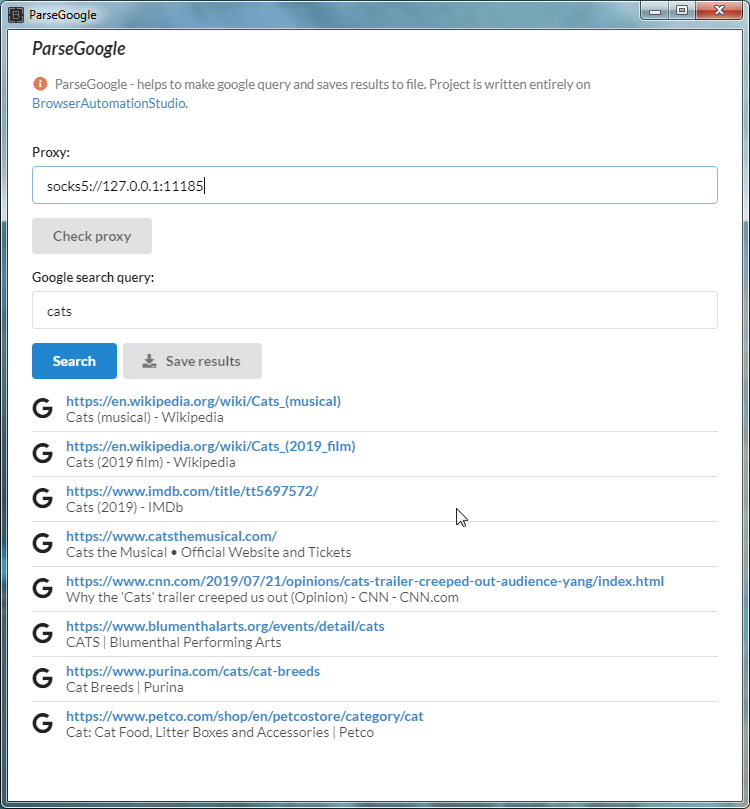
Of course, all this is done with BAS.
Compiled application
https://bablosoft.com/distr/ParseGoogleDistr/ParseGoogle.zip
BAS Project
https://bablosoft.com/distr/ParseGoogleDistr/ParseGoogle.xml
Web interface
https://bablosoft.com/distr/ParseGoogleDistr/ParseGoogle.main.interface.txt
Calling BAS functions and creating threads from node.js.
BAS functions can be called from node.js.
And just like for the web interface, it is possible to wait for results and handle errors.
var Result = await BAS_FUNCTION(
	"FunctionName",
	{ParamName1: "ParamValue1", ParamName2: "ParamValue2"}
)
More details here:
https://wiki.bablosoft.com/doku.php?id=node.js#calling_bas_functions
This method greatly simplifies interaction with the browser and with BAS from node.js
Interface improvements
The appearance of the script editor has been redesigned.
Added visualization of labels, labels can be created by dragging and dropping a special control:

Help center was added, it covers main BAS features:

You can open it by clicking on the button in the center-right of script editor.
Help center contains a description for each group(cycles, conditions, parsing, etc.), with some basic things specific for that group.
There are also list of most used actions and usage examples.
The variable inspector has been updated - now it visualize resources, also its size can be changed by drag and drop.

"Call Function" contains link, opens function upon clicking.
The place for action active insertion does not change when editing the script.
The action description is saved along with action data.
The top panel in the script editor has been replaced with a menu.
Instead of setting the number of successful and unsuccessful executions, you can now select 'Repeat'. That thing was very confusing for many users.
Bug fixing
Scheduler is not stopping on running laptop in battery mode.
Fix recaptcha injection with function as string.
Fix crush on show tooltip from web interface on Windows 10.
Fixing some issues with mail parsing.
Fix mixing resources when tasks with same projects starts simultaneously from scheduler. -
-
@support Napster.com fail with error: "Verified media path has been tampered". This is due to missing widevinecdm.dll.sig which can't just be copied as it is a signature of the compiled app using widevinecdm plugin https://github.com/electron/electron/issues/12427. Babs will need to be registered for it to work. This will also affect Netflix, Hulu and PrimeVideo
