

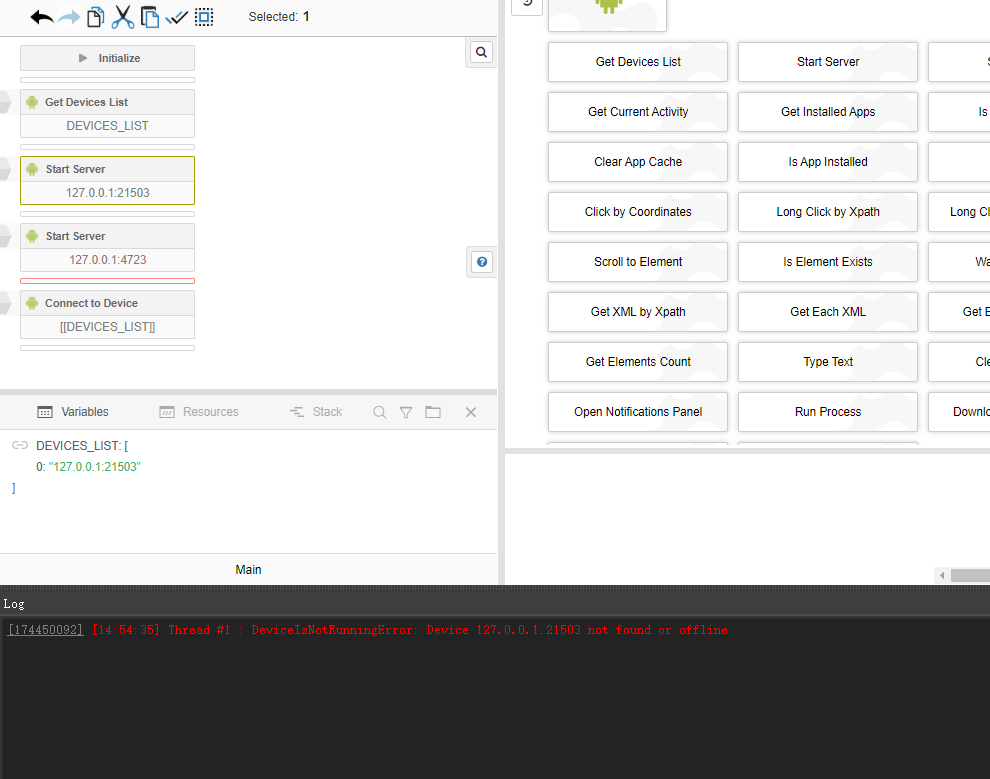



I Can't find that url nodemail.store it doesnt open
AndroidManager - module for managing android emulators
-
This post is deleted!
-
This post is deleted!
-
@MAB-Tech said in AndroidManager - module for managing android emulators:
但我遇到了这
Бро, эта проблема решена? Что вызывает
-
@Fox 老哥,这个问题解决了吗?是什么原因导致DeviceIsNotRunningError: Device 127.0.0.1:21503 not found or offline
-
@dongkun508 said in AndroidManager - module for managing android emulators:
@Fox 老哥,这个问题解决了吗?是什么原因导致DeviceIsNotRunningError: Device 127.0.0.1:21503 not found or offline
Why did you mention me?
-
@Fox Handsome guy, do you know how to solve this problem? Please give me some advice.thanks you
-
@dongkun508 said in AndroidManager - module for managing android emulators:
@Fox Handsome guy, do you know how to solve this problem? Please give me some advice.thanks you
Have you seen at least one message from me in this topic?
-
@rakib4808 Сейчас это решено?
-
@Fox I looked, but the problem is not solved.
-
@dongkun508 said in AndroidManager - module for managing android emulators:
@Fox I looked, but the problem is not solved.
Then why are you mentioning me in this topic if I have never written anything here?
-
@Fox Do you know how to solve this problem of mine?
-
@dongkun508 said in AndroidManager - module for managing android emulators:
@Fox Do you know how to solve this problem of mine?
No! That's exactly why I don't post anything in this topic. I have no idea how this module works, I don't use emulators.
-
@dongkun508 Yes my problem is solved, need some configuration update and upgrade in appium drivers.
-
the module connected to phone also can click on coordinates, but the command to get app list, and current activity is not working and showing error. anyone has a solution for this, looks like something to do with permissions. not sure what to do..
SubprocessError: Subprocess finished with code 255. Error: Exception occurred while executing 'list': java.lang.SecurityException: Shell does not have permission to access user 999
-
@spa3212 said in AndroidManager - module for managing android emulators:
the module connected to phone also can click on coordinates, but the command to get app list, and current activity is not working and showing error
That means appium server couldn't connect to device. Other commands work directly via adb. The module supports MEmu without additional settings. In other cases, you should take care of the device settings yourself. Look in appium issues for more details.
-
@spa3212 said in AndroidManager - module for managing android emulators:
java.lang.SecurityException: Shell does not have permission to access user 999
I think, this error can occur as a result of the shell command execution. Shell is available on the rooted devices only.
-
This post is deleted!
-
This post is deleted!