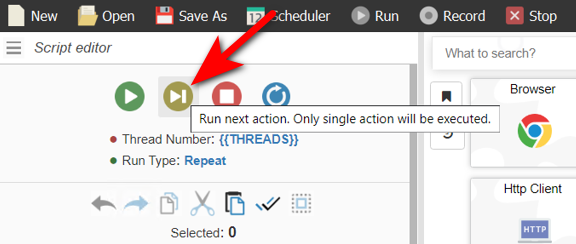


this would be living life changer
Slow Mode for Play Button
-
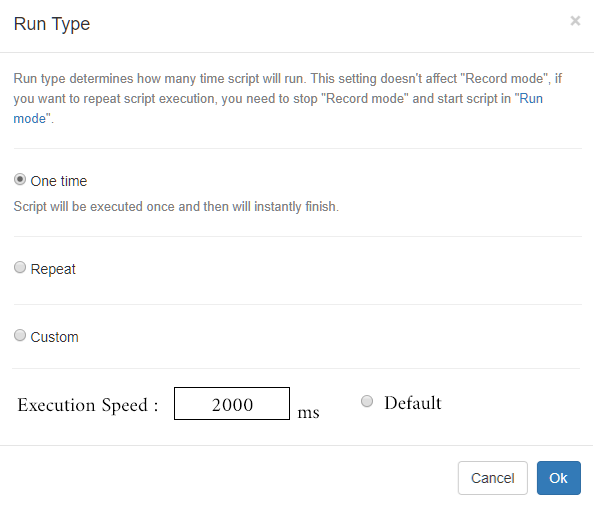
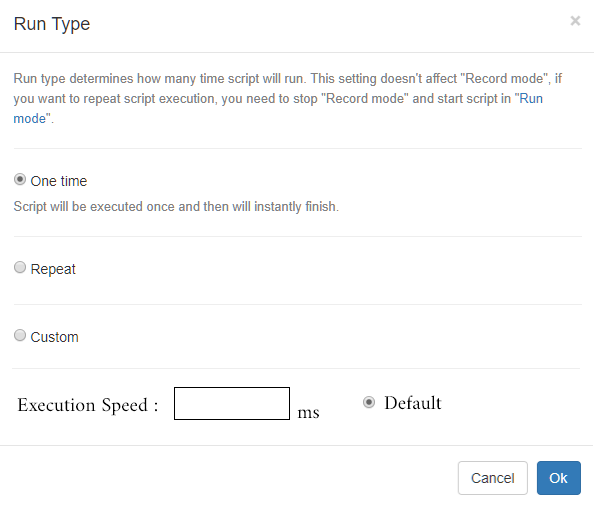
It would be nice if the execution speed of each code block could be adjusted manually when the Play button is pressed.
In this way, the flow is prevented from being too fast, especially when debugging, and a more comfortable error checking process is created.
Like this :
-
Sounds interesting.
-
Similar feature is available in automation frameworks like Playwright or Webdriver. It's quite useful in many situations.
-
@morpheus93 said in Slow Mode for Play Button:
Similar feature is available in automation frameworks like Playwright or Webdriver. It's quite useful in many situations.
In this case, give links to these functions in Playwright and Webdriver. Also describe how exactly the automatic pause after each action in BAS will be useful?
-
@Fox The point is not to pause after each action. Currently, when the play button is pressed, the code screen flows in a complicated way. The process is difficult to follow.
In some cases, it will be useful to be able to follow this entire process step by step and examine it carefully. For this reason, adding a waiting period that the user voluntarily determines between each transaction may make his/her work easier.
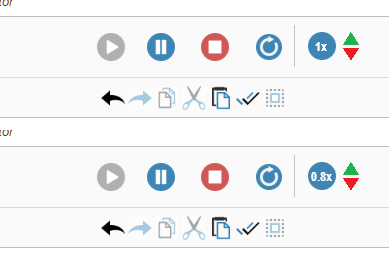
or there may be an option to change the execution speed simultaneously in the execution process. In this way, we can make it easier to follow the process by momentarily slowing down the speed, especially at the points we want to control. We pass the other parts quickly.
-
@fr0121 said in Slow Mode for Play Button:
@Fox The point is not to pause after each action. Currently, when the play button is pressed, the code screen flows in a complicated way. The process is difficult to follow.
In some cases, it will be useful to be able to follow this entire process step by step and examine it carefully. For this reason, adding a waiting period that the user voluntarily determines between each transaction may make his/her work easier.
or there may be an option to change the execution speed simultaneously in the execution process. In this way, we can make it easier to follow the process by momentarily slowing down the speed, especially at the points we want to control. We pass the other parts quickly.
I still don't see the point in this idea, it's better to replace the current buttons with "step in, step out, step over". But if you really need it, it's quite easy to implement this, the interface is written in html, you just need to add a button and call the desired function after a certain period of time.
@morpheus93 said in Slow Mode for Play Button:
@fr0121 Thank you, I couldn't explain it any better. :)
I actually drew attention to this topic only because of your message that similar functions exist and are very popular in Playwright and Webdriver. But you still haven't attached links to them.
-
@Fox In Playwright "await chromium.launch({ headless: false, slowMo: 100 });" should do the job:
https://playwright.dev/docs/debug#headed-mode (at the bottom of the page)
and https://playwright.dev/docs/api/class-browsertype#browser-type-connect-option-slow-mo achieves the same.
In WebdriverIO there is or was a "speed" setting in the wdio.conf.js file but I'm not sure if it was removed as I haven't found any current info about it in the docs.
-
@Fox Here's what you're wrong about.
You are an advanced expert. Of course, it may not mean anything to you, but it can be a nice tool, especially for beginners, intermediate and a little later.
If you examine the reactions to the topic, you can see that there are people with similar thoughts. That's all, I offer suggestions to make the software more functional, useful and simple. I don't write to argue.
-
@fr0121 said in Slow Mode for Play Button:
@Fox Here's what you're wrong about.
You are an advanced expert. Of course, it may not mean anything to you, but it can be a nice tool, especially for beginners, intermediate and a little later.
If you examine the reactions to the topic, you can see that there are people with similar thoughts. That's all, I offer suggestions to make the software more functional, useful and simple. I don't write to argue.
Anyway, I don't have time to do this. I just expressed my opinion on this matter, nothing more.