@bizzymd The project can be found at:
C:\Users\UserName\AppData\Local\TaskScheduler\1.6.0\app\appslocal\...(etc)....\SID...(etc)....\engine\project.xmlHere you can find all projects that were created by scheduler.
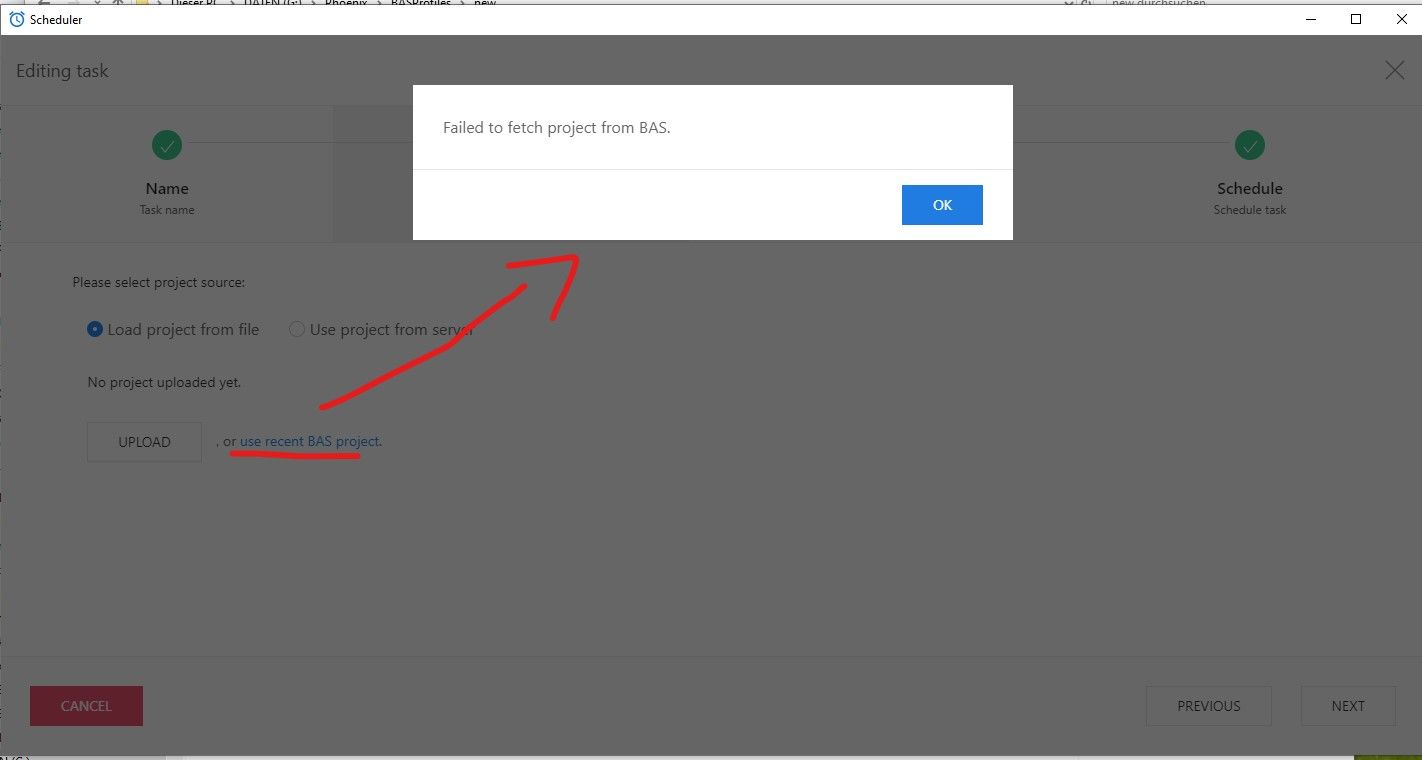
The function "Use recent BAS project" does not seem to work in BAS scheduler. It produces the error "Failed to fetch project from BAS"
See attaced screenshot.
I can't reproduce your problem. Please describe in more detail how this can be repeated intentionally?
@m4zuper Strange, as this is broken at least since 26.8.0 or something related to this. Hence I thought it's generally not working an concerns every user...
Currently using 27.6.2 on Windows 10, 64BG RAM, Ryzen 7 5800X. BAS is installed at the standard location on C drive. And it happens with every project I try to add this way. Okay, it's not that issue but it's convient to add a project with just one click.