
Exciting
Custom DNS support
-
In order to detect proxy usage Cloudflare checks which DNS implementation browser use. In 28.6.0 we have added possibility to use Chrome's custom DNS implementation, which is default option. Here is some explanation how it works and configuration examples:
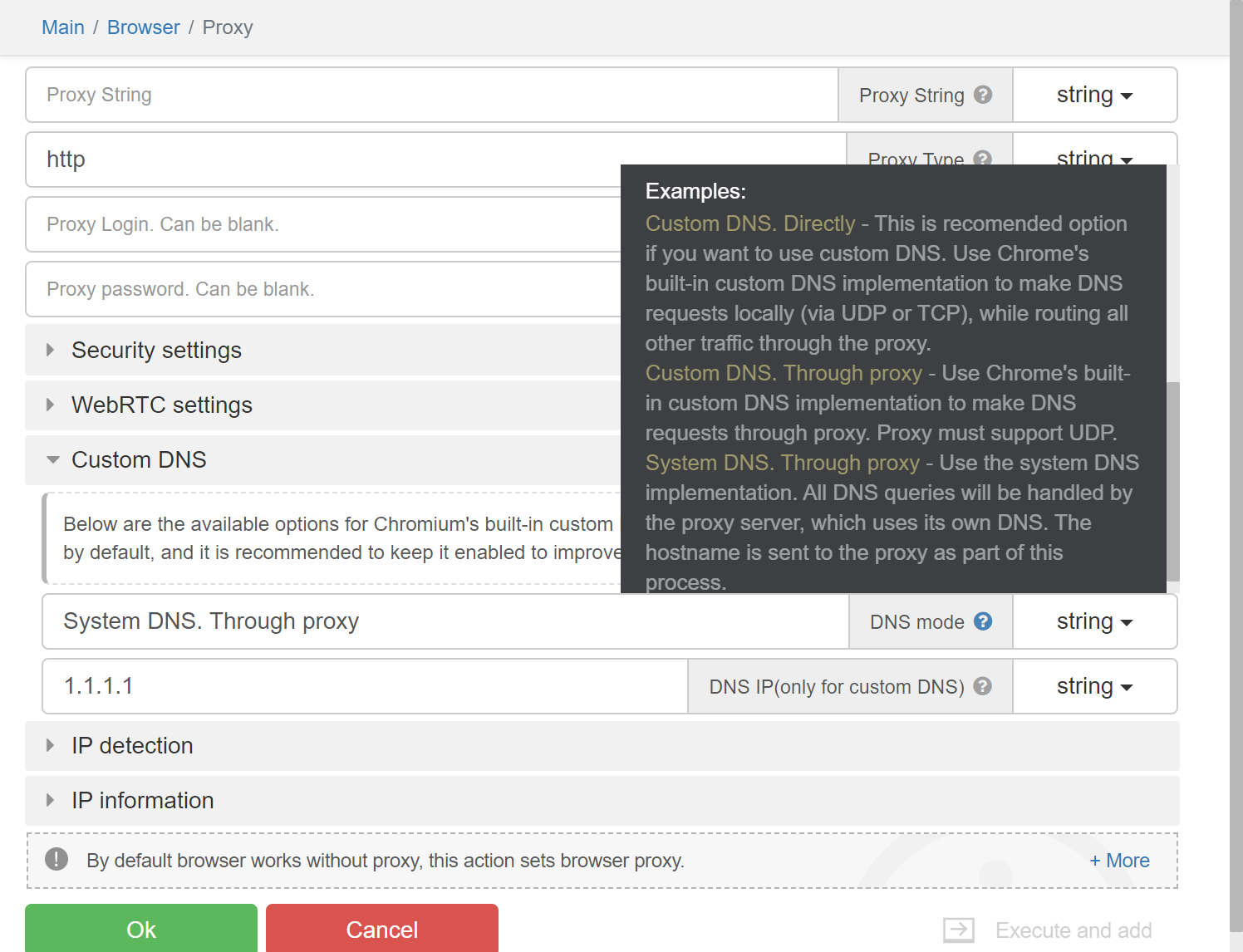
In Chrome custom DNS resolver is implemented. It doesn't rely on winapi functions like getaddrinfo or DnsQueryEx.
It is implemented on top of low level apis like functions which utilizes tcp or udp.
It allows to execute advanced DNS queries, which may not be available through windows api.Proxy will execute only A and AAAA queries just to get IP of server.
Real browser will execute another queries and get data.
Missing data can be detected by server.
There may be more distinctions, so it is preferable to use Chrome custom DNS resolver.This patch allows to enable or disable custom DNS.
It also allows to route DNS UDP traffic through proxy if proxy supports UDP.
Alternative option is to route all traffic directly without using proxy.Here is the patch configuration:
DNSSorting param.
If host system has ipv6 and proxy doesn't support ipv6 and domain has AAAA record, then Chromium may try to connect through ipv6 which will be blocked. By settings this param, it is possible to filter ips based by type from DNS query result.
Usage:
_settings({"Fingerprints.DNSSorting": "Native"})!Possible values:
Native(default) - Use native filtering through WinAPI methods. May be faulty if running PC and proxy IPv6 support doesn't match.
OnlyIPv4 - Leave only IPv4 support, filter all IPv6. Used when proxies doesn't support IPv6.
Copy - Leave both IPv4 and IPv6. Used when proxies supports IPv6.
DNSIP param.
Using custom Chrome implementation requires to set DNS ip. Unlike default method where hostname is sent to
proxy and DNS query is performed there, we need resolve ip locally and therefore require DNS ip.Usage:
_settings({"Fingerprints.DNSIP": "1.1.1.1"})!
DNSMode param.
This switch allows to set domain resolution method.
Usage:
_settings({"Fingerprints.DNSMode": "SendDomainThroughProxy"})!Possible values:
SendDomainThroughProxy(default) - Pass domain through proxy, allow to resolve domain by proxy.
RouteThroughProxy - Resolve domain locally, but send all DNS UDP traffic to specified proxy.
RouteWithoutProxy - Resolve domain locally, make DNS queries directly.
DNSCache param.
Allow to enable or disable DNS cache.
Usage:
_settings({"Fingerprints.DNSCache": "Disable"})!Possible values:
Disable(default) - Disable DNS cache.
Enable - Allow DNS cache
DNSCache param.
When setting custom DNS server, Chrome may automatically find DoH server attached to specified DNS server. There is no default mechanism to find DoH server, so browser hardcodes known DoH servers in net/dns/public/doh_provider_entry.cc file. By default, when using DNS server from local provider, DoH won't be used, so it can be useful do disable it.
Usage:
_settings({"Fingerprints.DNSOverHTTPS": "Disable"})!Possible values:
Disable(default) - Disable DoH.
Enable - Allow DoH
Here is a solid configuration to support custom DNS. It will resolve all DNS queries locally:
_settings({
    "Fingerprints.DNSSorting": "OnlyIPv4",
    "Fingerprints.DNSIP": "1.1.1.1",
    "Fingerprints.DNSMode": "RouteWithoutProxy",
    "Fingerprints.DNSCache": "Disable",
    "Fingerprints.DNSOverHTTPS": "Disable",
})!