

Только что обратил внимание на профили в HTTP cool, а конструктор из логики убрали...
What came out of using the AI module in practice
-
Prefer to watch? It's all in my YouTube video, it's available in English, Hindi and Turkish: the Steam profile from 2:08:56, and the AI Room project from 2:17:36
All the materials for the video are on my Telegram channel, come join: t.me/mustangbas
Plan
- Steam profile with a chat request
- The AI Room project
- Conclusion
Steam profile with a chat request
As a base I took the Steam login project the agent had built earlier: it logged in to the account and set the avatar. I decided to extend it and asked the agent to make the bot also:
- fill in the whole profile, with the country set to the USA
- generate the profile name, real name and description through a chat request from the AI module
So before, the bot basically touched only the avatar in the profile. Now it had to fill in the Steam profile completely, with every field
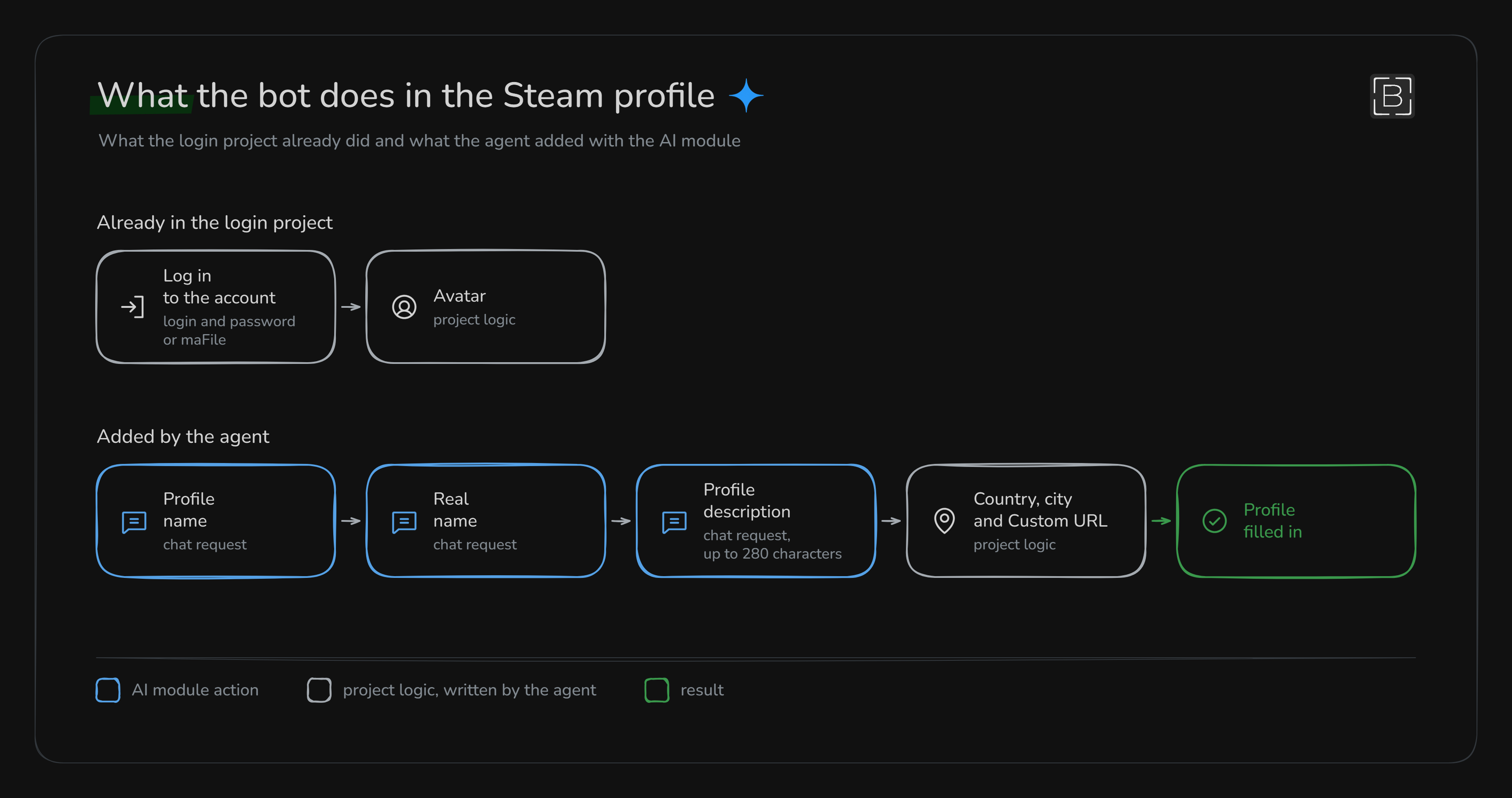
In short, the agent moved all of this into a separate function,
FillSteamProfile. Inside it three chat requests run one after another:- Profile name, meaning the nickname other people see
- Real name
- Profile description
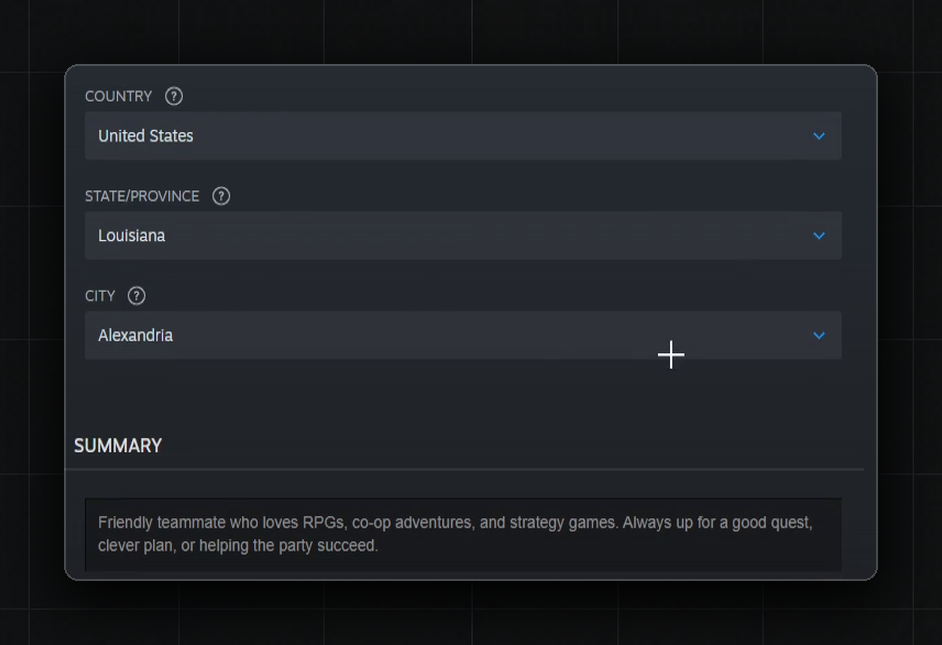
The bot puts every model answer straight into the right field. The country, region and city it sets with normal actions, without the model
By the way, the agent wrote the prompts for these requests by itself too. For the description, for example, it asked for a short text in English of 2 or 3 sentences, up to 280 characters, no emoji or hashtags, and only the description itself with no intros
When the agent finished everything, I ran the project, and the profile really got filled in completely. So it did the task, in my view, at a full 100%
The region, city and Custom URL the agent, by the way, threw in on its own, I only asked for the country
The AI Room project
Here I wanted to use all of the module's actions in one system. There's a site with chat rooms, and the bot has two modes:
- Create a room and write a couple of messages there, plus a voice message on the same topic
- Join a room by a saved link, reply to the messages by meaning, and add a fitting reaction
I set up the module's actions by hand first and only then gave the logic to the agent. If it's never been set up by hand even once, it's unclear what the limits even are here and how to write the agent a decent prompt later
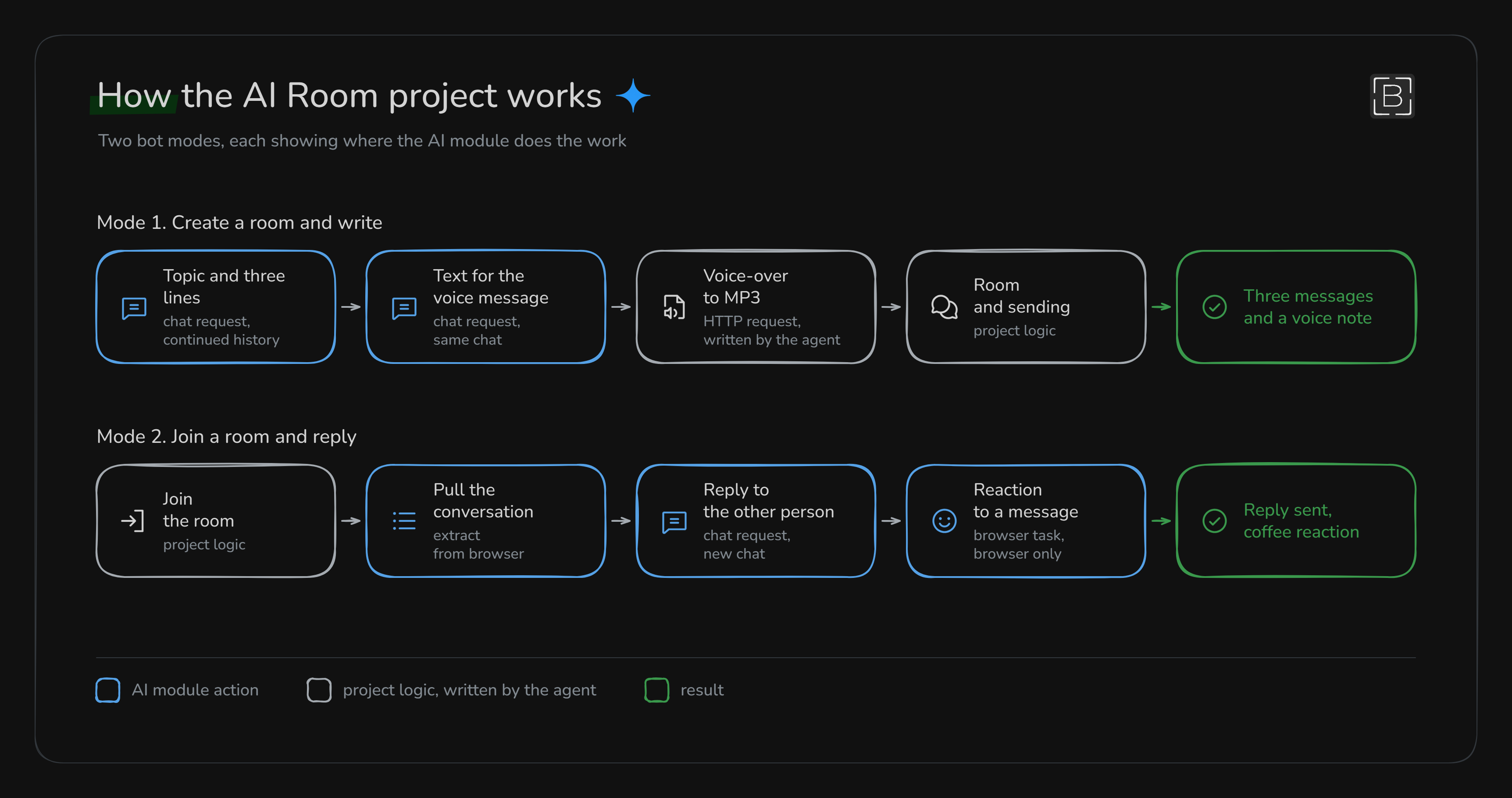
The first mode works as a chain, by design:
- A chat request in
Continue chatmode comes up with some everyday topic and writes three messages on it - A second request in the same chat basically writes the text for the voice message on the same topic
- A speech model turns that text into a voice message
- The bot creates a room and sends the messages and the voice message there
Two models were needed here: a text one and a speech model, which I found on OpenRouter under the Speech tag
Here I messed up: both requests wrote their answer to the same variable, and the voice text overwrote the messages. I renamed the variable, and everything worked
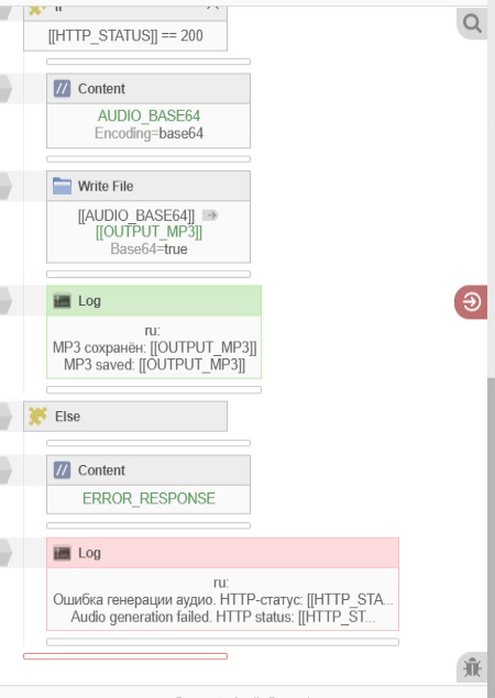
Voice through the module didn't work out, the answer came back empty. The model expects the request in a different form and returns audio through a different API, and the module doesn't pass the needed parameters in the request. So I gave this part to the agent, and in about 10 minutes it made a separate HTTP request, after which an MP3 showed up in the folder
For the second mode the conversation has to be pulled first, and that's exactly data extraction from the browser. What came back was basically an array of objects, each message with an author, text, time and direction. The voice message was skipped, as I asked
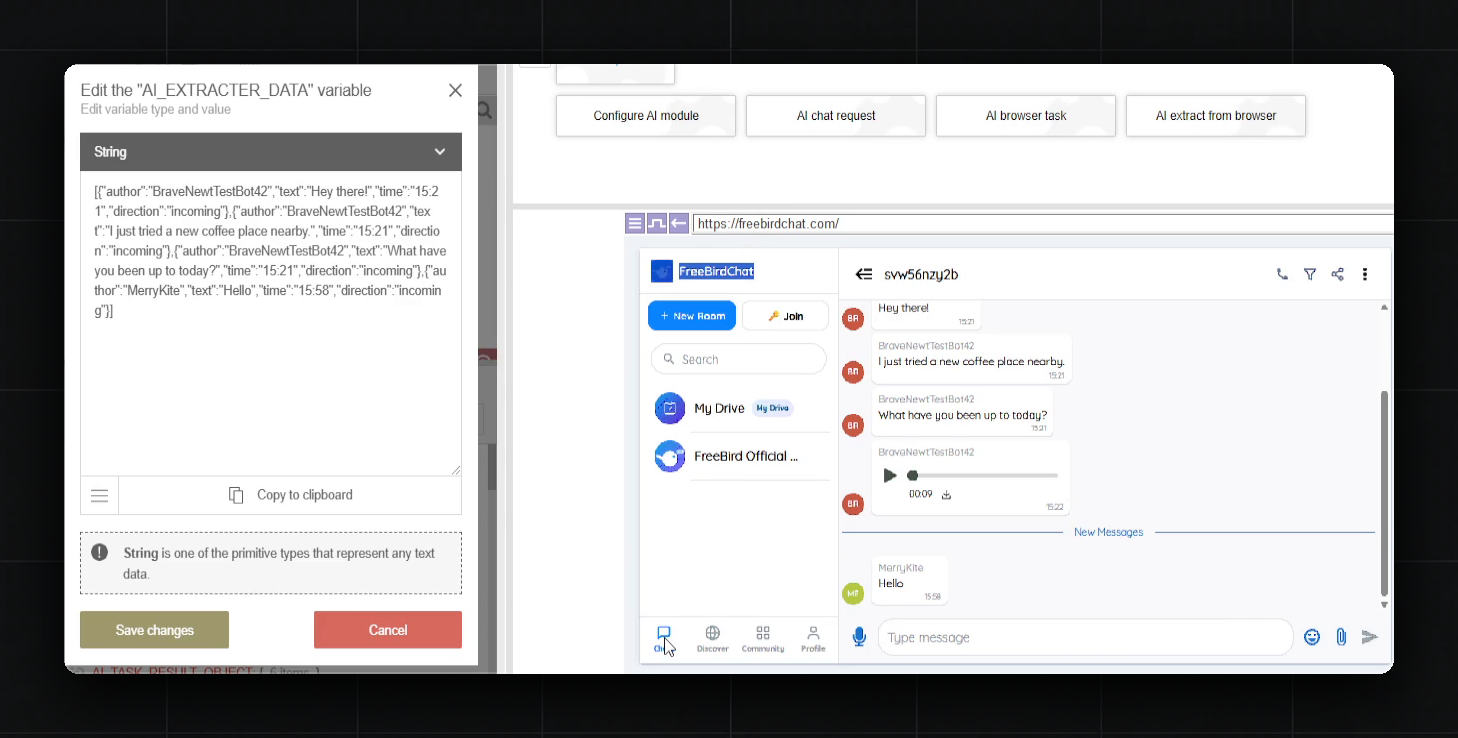
I set the type to
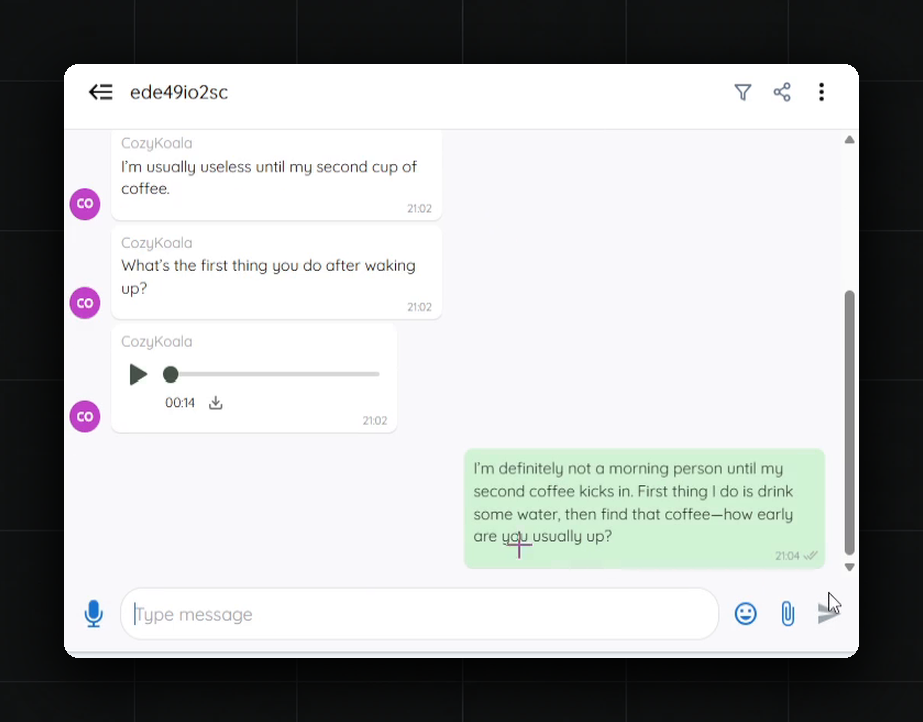
string_listback then. By the code it won't let an array of objects through anymore, so a conversation like this needsobject_listNext the conversation goes into a chat request, and the model replies to the person by meaning. At first I put the wrong variable into the prompt, and the model asked to be sent the history. With the right variable the answer made sense: the person wrote about coffee at a new place, and the model asked how they liked that coffee
The usual way, a hundred dialogs would have to be prepared in advance. Here it's in fact two actions, and all of it for free
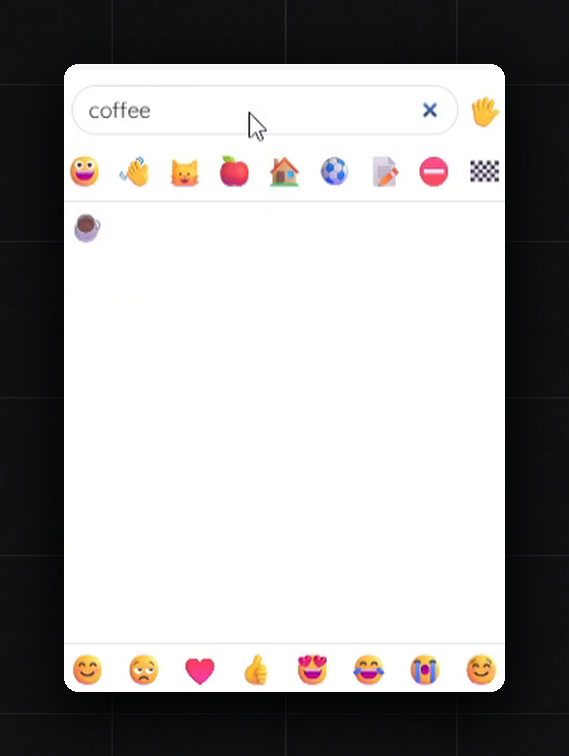
The reaction is set by a browser task, and the click logic around it, by the way, was written by the agent. It passes one random message from the other person into the task, and the model picks an emoji for it
On the first full run the site logged the bot out of the account, and the thread crashed. The agent fixed this for about an hour and a half, and on the second try everything worked: a room with three messages and a 14-second voice message, plus a reply from the second mode
As the last step the browser task found a reaction by the word coffee, which really fits the topic of the conversation
Conclusion
Overall I honestly liked the module. In AI Room I used all of its actions and two models, one for text and the other for voice, and all of it for free. It came out as a really lively dialog. If someone sent me a link to a room like this, I honestly couldn't tell whether a neural network wrote it or a real person
There was basically one thing I missed: audio can't be gotten through the module, it had to be generated with a separate HTTP request. Either way, I think the module has a future
It's good for narrow tasks where everything is dynamic and an algorithm can't just be written out. From what I did with it, for example:
- replies to clients and people in chats who can write anything
- unique texts for every account: names, profile descriptions, messages
- lively conversations between bots in chats and rooms, basically with the topic carried on
- choosing by meaning right on the page, like a reaction to a message, where it's unclear in advance what to click
- pulling data from a page straight in the needed shape, if sites have different layouts
Those are the places where automation on the AI module can be built