
Now I'm getting this error when starting CanvasInspector too
How to gray out an instruction of the script
-
Re: How to add comments/notes to my script
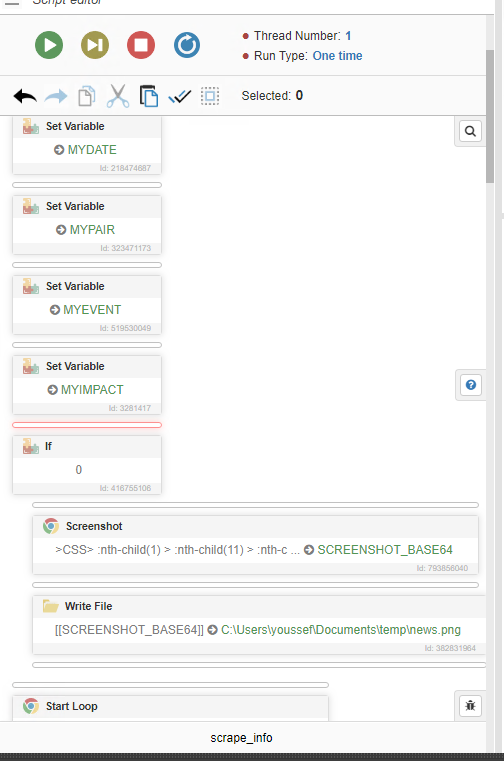
Hello I would like to know if it is possible to keep some instructions in my script which will not be executed.
I have some element I will surely need in the future, but do not want them to be executed now -
@HNB said in How to gray out an instruction of the script:
Re: How to add comments/notes to my script
Hello I would like to know if it is possible to keep some instructions in my script which will not be executed.
I have some element I will surely need in the future, but do not want them to be executed nowUse the "If" action with the code
0 -
