


@robojon77 Please wait for the page to finish loading, then you can use other functions.
This error occurs when the page has not finished loading, it can cause the browser to freeze, and error occurs.
The "Wait While Element Exists" action can be used after the page loads to make sure the page is loaded, then you can perform other functions.
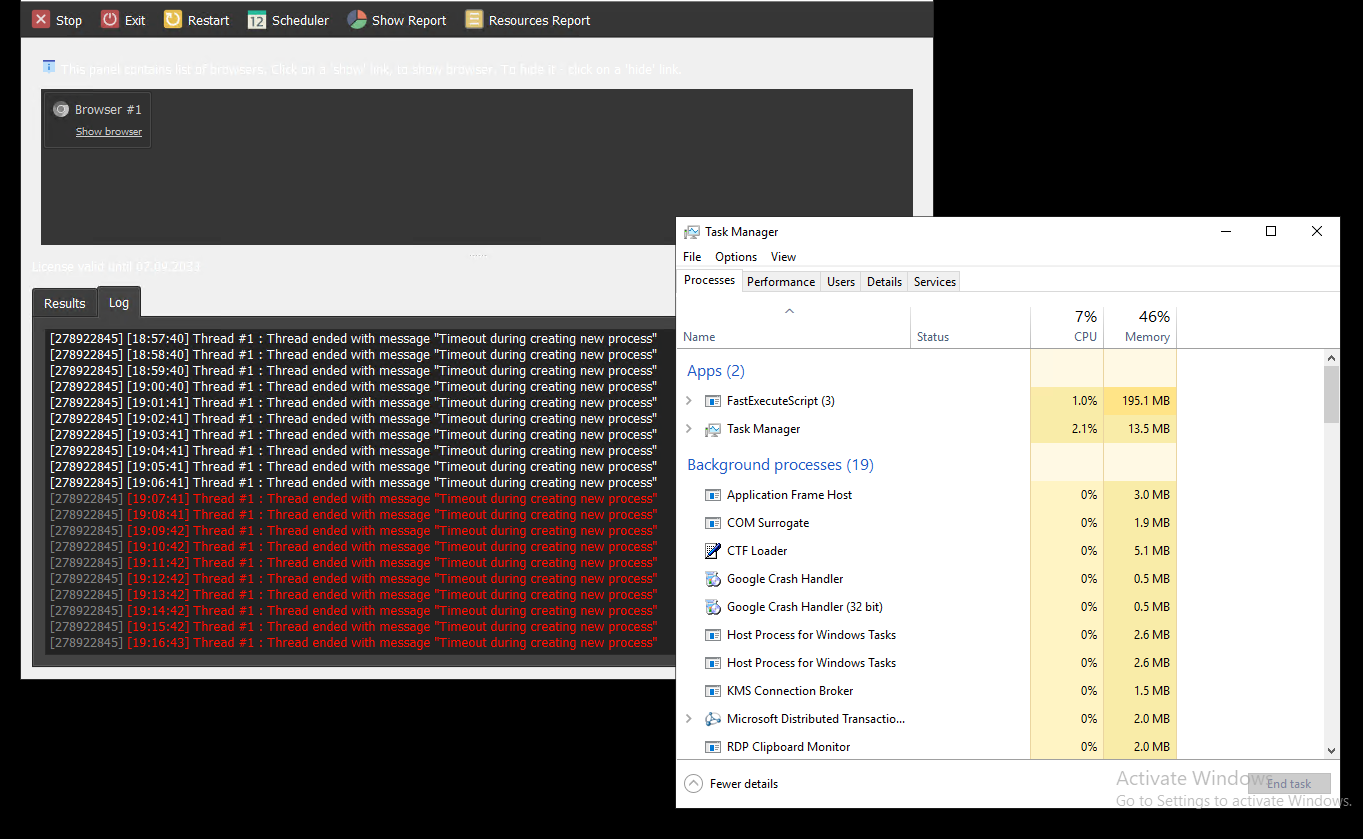
Getting error - Timeout during creating new process
-
Yes, same problem here with 26.5.1
No idea why this happens. Will investigate it further.
-
@morpheus93 @rasputin
Does this happen with all projects?
If I create a new project with one "Log" action, will the same error appear?
Have you tried reinstalling BAS?
Can I know the specifications of the PC on which the problem occurs?
Please attach a test project. -
@m4zuper Thanks for looking into this issue.
No, haven't tried to re-install BAS. Just updated to the lastest version (26.5.1)
The computer is s Ryzen 7 5800X with 64GB RAM and a RTX 3060.
I will check the other things and let you know.
-
@morpheus93 said in Getting error - Timeout during creating new process:
No idea why this happens. Will investigate it further.
You might want to investigate why it happened by using the tools available at https://learn.microsoft.com/en-us/sysinternals/downloads/procmon.
This will help you understand what occurred and identify any relevant information.
