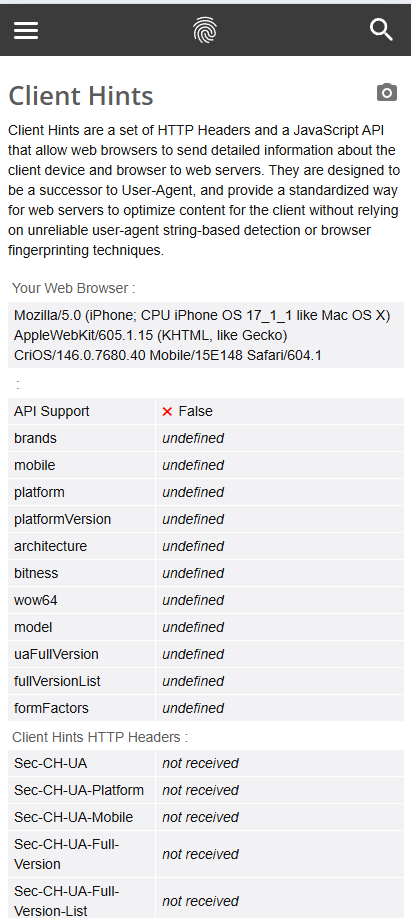
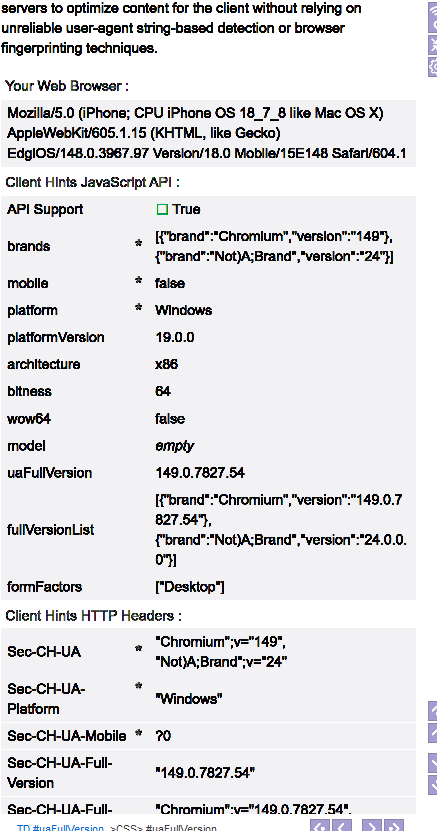
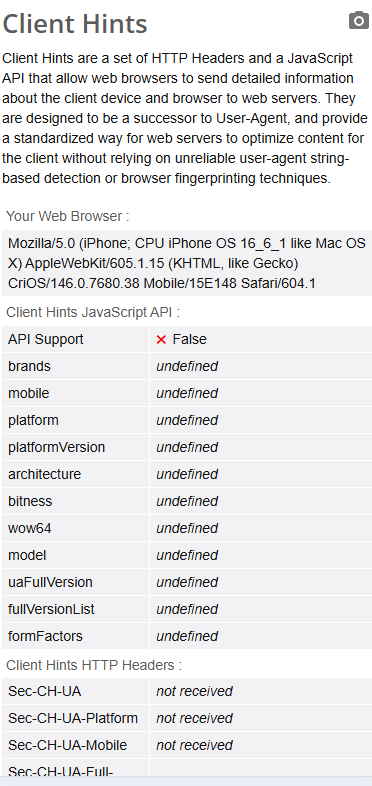
@genericname1 I understand that iPhone fingerprints may no longer be fully supported, but the main issue is not only the User-Agent string.
When I use an iPhone / iOS fingerprint in BAS, the User-Agent looks like iPhone Safari / iOS, but the Client Hints JavaScript API is still available:
navigator.userAgentData exists.
As a result, BrowserLeaks shows API Support: True, and sometimes it still exposes Chromium/Windows-related values such as mobile=false, platform=Windows, architecture=x86, bitness=64, or the real Chromium full version.
For a real iPhone Safari fingerprint, the expected result should be closer to:
navigator.userAgentData === undefined
or:
"userAgentData" in navigator === false
and the Client Hints HTTP headers should be not received.
Setting useragentdata to an empty object or empty string only makes the values empty, but it does not disable the API itself.
Is there any BAS setting, browser parameter, or fingerprint option that can completely disable navigator.userAgentData for iPhone fingerprints?
If iPhone fingerprints are no longer supported, should we only use Android Chrome fingerprints instead?