




I Can't find that url nodemail.store it doesnt open
AndroidManager - module for managing android emulators
-
@spa3212 said in AndroidManager - module for managing android emulators:
java.lang.SecurityException: Shell does not have permission to access user 999
I think, this error can occur as a result of the shell command execution. Shell is available on the rooted devices only.
-
This post is deleted!
-
This post is deleted!
-
@mohthepro2 said in AndroidManager - module for managing android emulators:
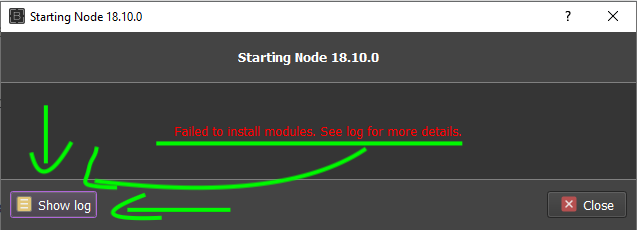
.... if someone could help me I would greatly appreciate it.
-
This post is deleted!
-
This post is deleted!
-
This post is deleted!
-
how to avoid run connect device every time thread restart in multi thread
and how to get pid to taskkill errorconnrefused error @thepappo -
after few hours of running script give error 1 - unknown error: An unknown server-side error occurred while processing the command. Original error: Could not proxy. Proxy error: Could not proxy command to the remote server. Original error: connect ECONNREFUSED 127.0.0.1:8222
can anyone have found how to solve it and why it appear -
-
Thread #1 : DeviceIsNotRunningError: Device RWUGHMXCMV not found or offline
I Am Connecting A Real Device In Bas Through Android Module,I Have Set-up All The Necessary Thing,My Device Is Connected Through Adb And adb rebot Is Also working , device showing in android studio but then also I am facing this issue anyone can help who has already done this stuff can message me it's too urgent. My Telegram:- @nova_noob
-
@novadaddy said in AndroidManager - module for managing android emulators:
I Am Connecting A Real Device In Bas Through Android Module,I Have Set-up All The Necessary Thing,My Device Is Connected Through Adb And adb rebot Is Also working , device showing in android studio but then also I am facing this issue anyone can help who has already done this stuff can message me it's too urgent. My Telegram:- @nova_noob
Check the connection using this command:
adb devicesIf
offlinewill appear, you have to send this one before BAS actions:
adb connect DEVICE_NAME -
This post is deleted!
-
This post is deleted!
-
@mohthepro2 said in AndroidManager - module for managing android emulators:
@thepappo could you tell me what could be wrong with this? Every time I try to use this module the DEVICES_LIST variable always has 0. It won't get the device number even though I have manually started the emulator.
You can debug with command:
adb devicesOutput should look like:
List of devices attached 127.0.0.1:21503 device -
Hello, I am getting the following error, but when I checked, it was added to the system path. How can I solve it?
WARN AppiumDoctor ✖ ANDROID_HOME environment variable is NOT set!

