@jupel Можете скриншот дать?
"Но в моей бесплатной версии нет этого. В платной есть?"
Модули везде одинаковые что в премиум BAS что без, для Iframe нужно писать селектор, если это то про что я думаю, опять же нужен скрин
Several changes have been made to simplify browser configuration.
In the Browser Settings action, a new section called Profile has been added. It duplicates the "Create or switch to regular profile" action.
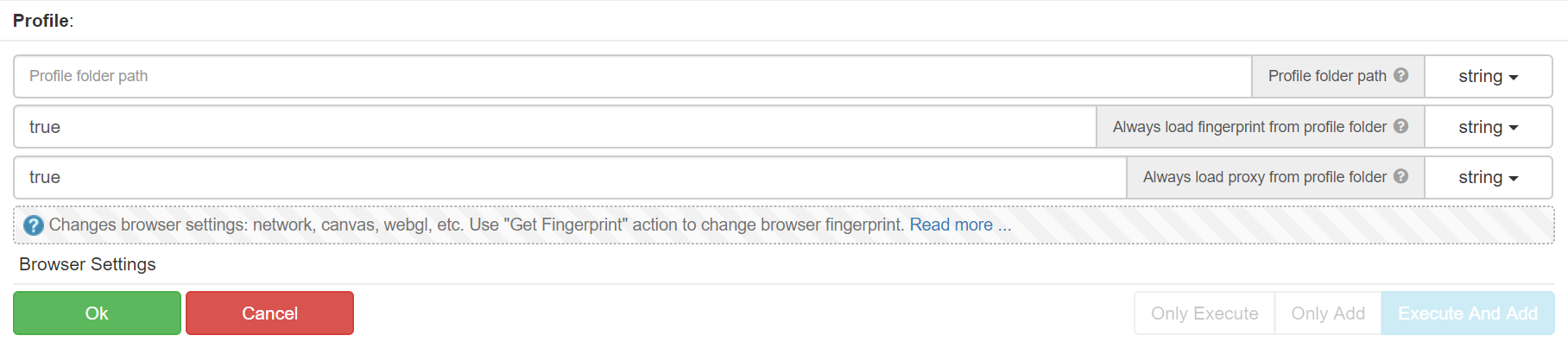
In the "Profile folder" parameter, you can now specify the keyword "temporary" to create a new temporary profile. This means that the "Browser Settings" action also duplicates the functionality of "Switch to temporary profile".
The actions "Create or switch to regular profile" and "Switch to temporary profile" are now deprecated. They will continue to work, but their names include the suffix "(deprecated)", and the interactive documentation mentions which actions should be used instead.
A hint has been added: "Restarting the browser. All settings, such as fingerprints or proxies, will be overwritten." This hint is displayed in the record mode only when the user erases certain settings with browser restart.
For example, if you apply a fingerprint first and then use the "Browser Settings" action, a message will appear.
Any settings that reload the browser can be applied at the beginning of the thread using a single action. Other settings should be used only after the "Browser Settings" action. If you make a mistake, a message will appear indicating which action erased the settings.
A replacement of hardware parameters returned by WebGPU API has been added.
This fingerprint factor has low entropy, which means that the same values can often be obtained on different machines. However, different parameters can still occur.
Currently, around 3k fingerprints with WebGPU have been collected, and there are 41 different variations of WebGPU data.
The following values are modified: preferredCanvasFormat, GPUAdapterInfo, GPUSupportedLimits, GPUSupportedFeatures.
For WebGPU, there are multiple ways to detect inconsistencies. For example, you can obtain limits from an error message during requesting device and compare them with the values from GPUSupportedLimits.
BAS can bypass such techniques except for the case of adding values to GPUSupportedFeatures.
For instance, if the "texture-compression-astc" feature is enabled but not supported by the device, the browser still won't be able to create a texture of type "astc-4x4-unorm".
You can examine the returned values here: https://data.bablosoft.com/webgpudata/
At the moment (version 114), it is not possible to use WebGPU on servers and mobile devices.
Unlike WebGL, where the browser uses SwiftShader in the absence of a GPU, WebGPU won't work without a video card.
So, if you run BAS on a server and use mobile fingerprints, no changes are required. However, if you need to use Windows fingerprints on a server, additional configuration is needed.
The browser command-line parameter --disable-dawn-features=adapter_blocklist allows you to use a fallback adapter, which means working with the CPU.
--use-vulkan=swiftshader makes the fallback adapter default.
On the server, you need to enable these two parameters, then apply the fingerprint. BAS will replace the original values with the fingerprint values and remove the fallback adapter automatically.
PerfectCanvas for WebGPU will be implemented in one of the upcoming versions.
The authenticity of the browser with enabled Recaptcha, FunCaptcha, and HCaptcha modules has been significantly improved.
Although the presence of these modules can still be detected, it is now much more challenging to do so.
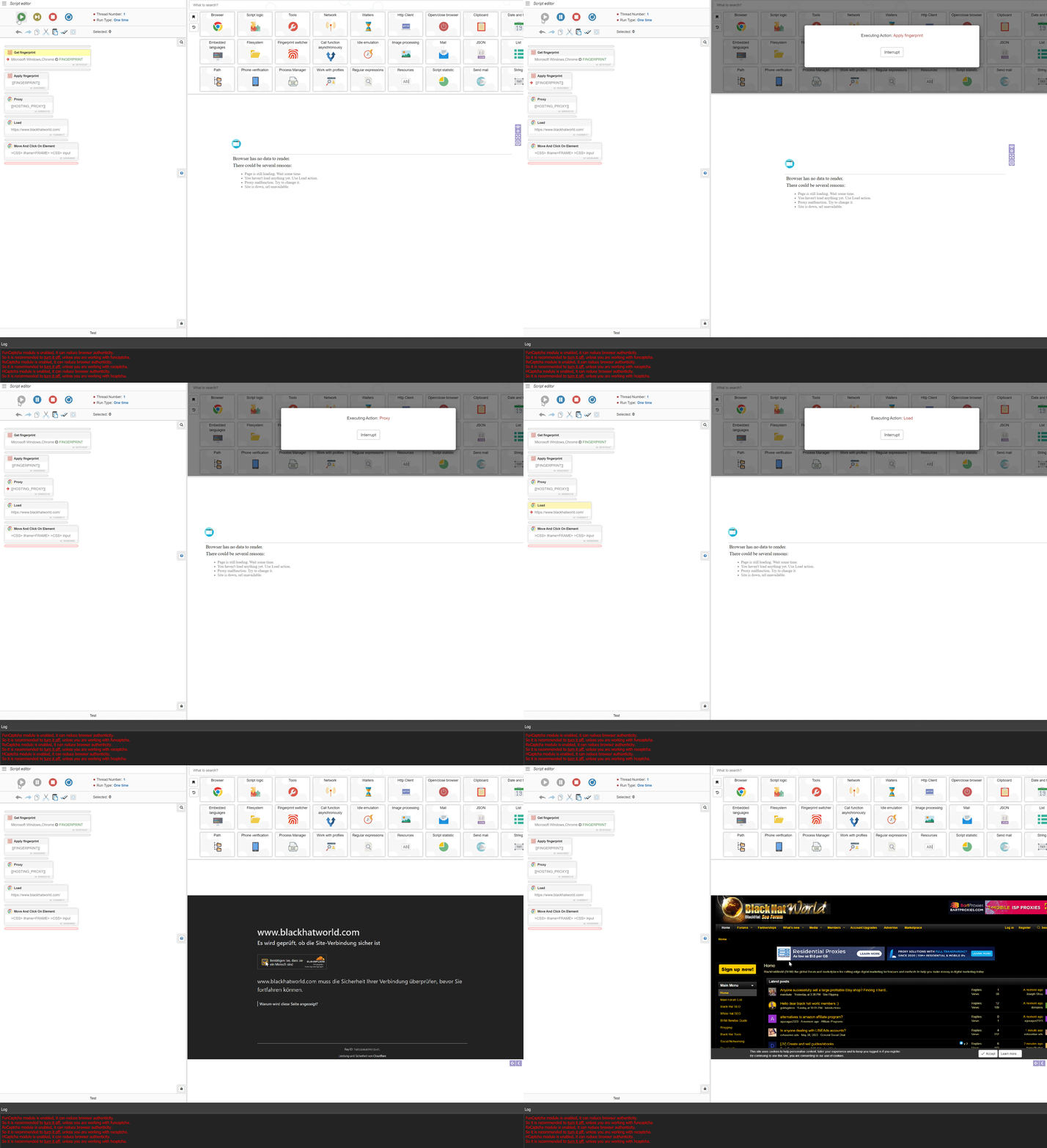
Here is a video showing Cloudflare:
If anyone encounters issues with the enabled modules, please report them at:
https://community.bablosoft.com/topic/12199/
Alternatively, you can use another excellent module available at:
https://community.bablosoft.com/topic/21843/
25.9.1