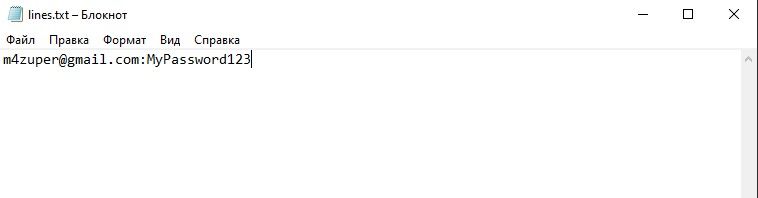
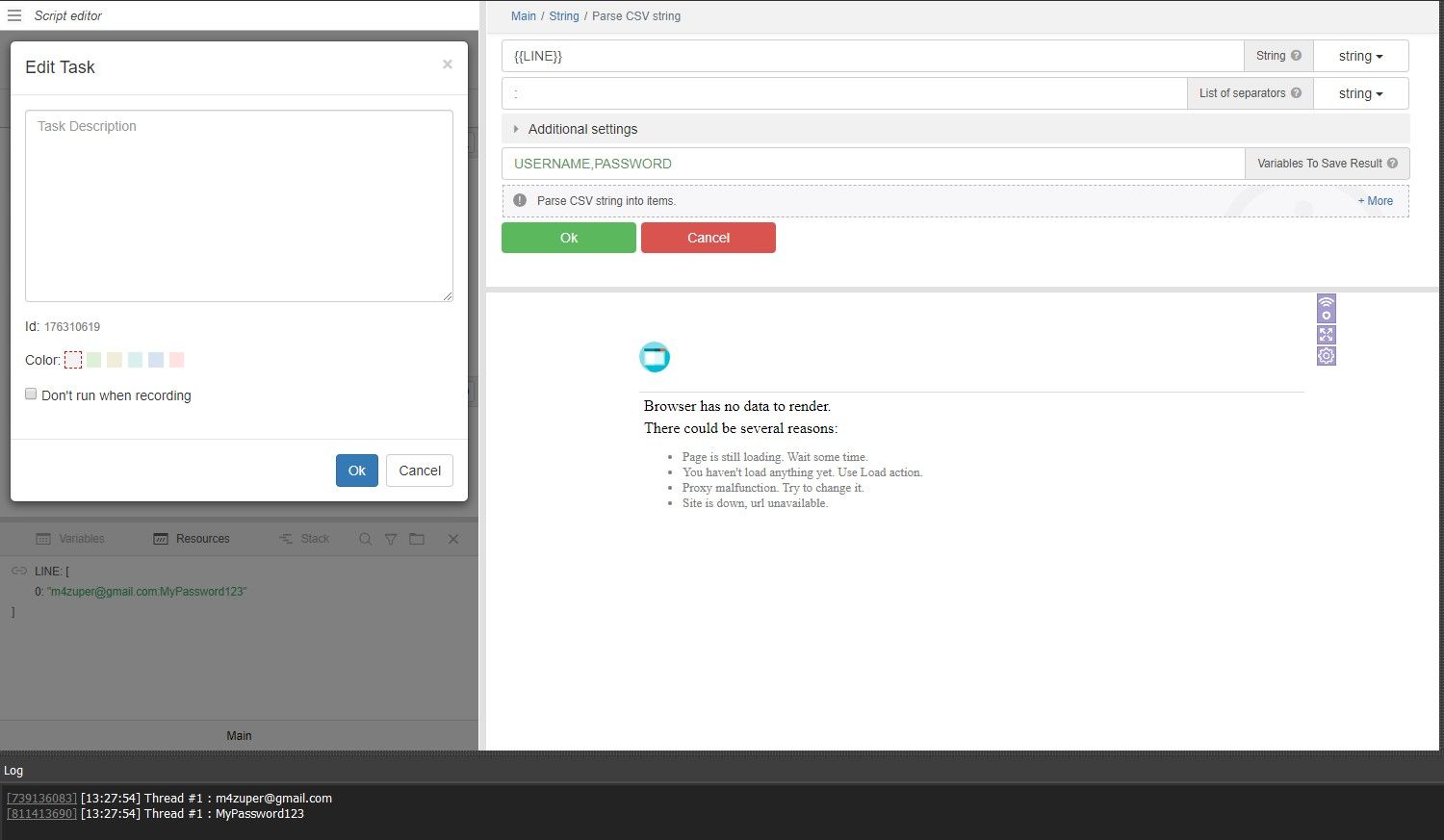
@romit
I can't repeat it either. Maybe you could attach a project with such a problem?
Parse Line Doesn't Work
-
I input a txt file here I saved Gmail and password. My txt file saved like "someone21@gmail.com:Rabbi@12"
Then I set Gmail,password variable in parse line.
Then I setup a typing command my Gmail in mail login page and type password in password section But I see ""Couldn't Find Your Gmail Resources"" That Error.
Please help me -
@Rabbi5533 said in Parse Line Doesn't Work:
I input a txt file here I saved Gmail and password. My txt file saved like "someone21@gmail.com:Rabbi@12"
Then I set Gmail,password variable in parse line.
Then I setup a typing command my Gmail in mail login page and type password in password section But I see ""Couldn't Find Your Gmail Resources"" That Error.
Please help meattach a screenshot of the action
-
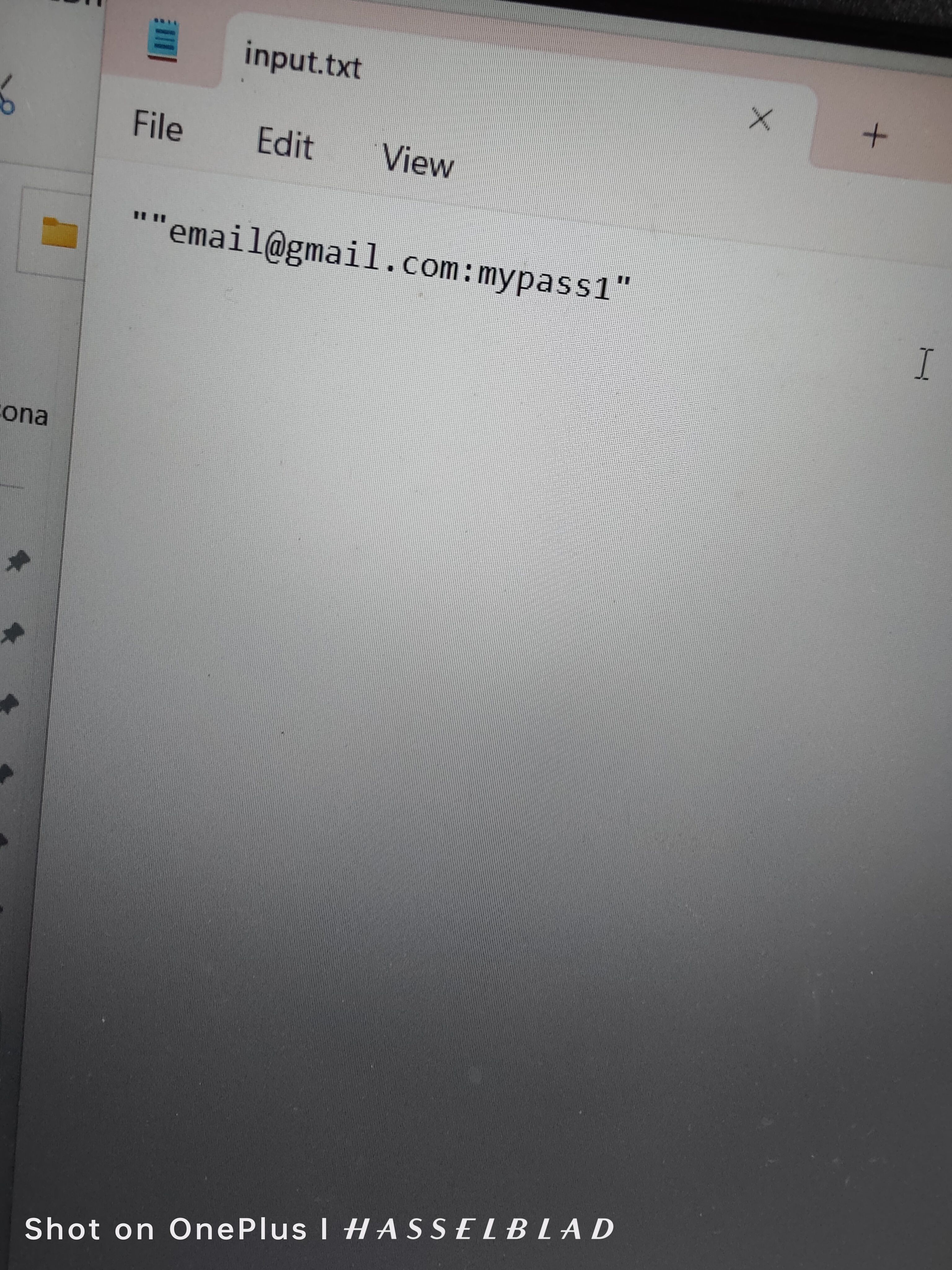
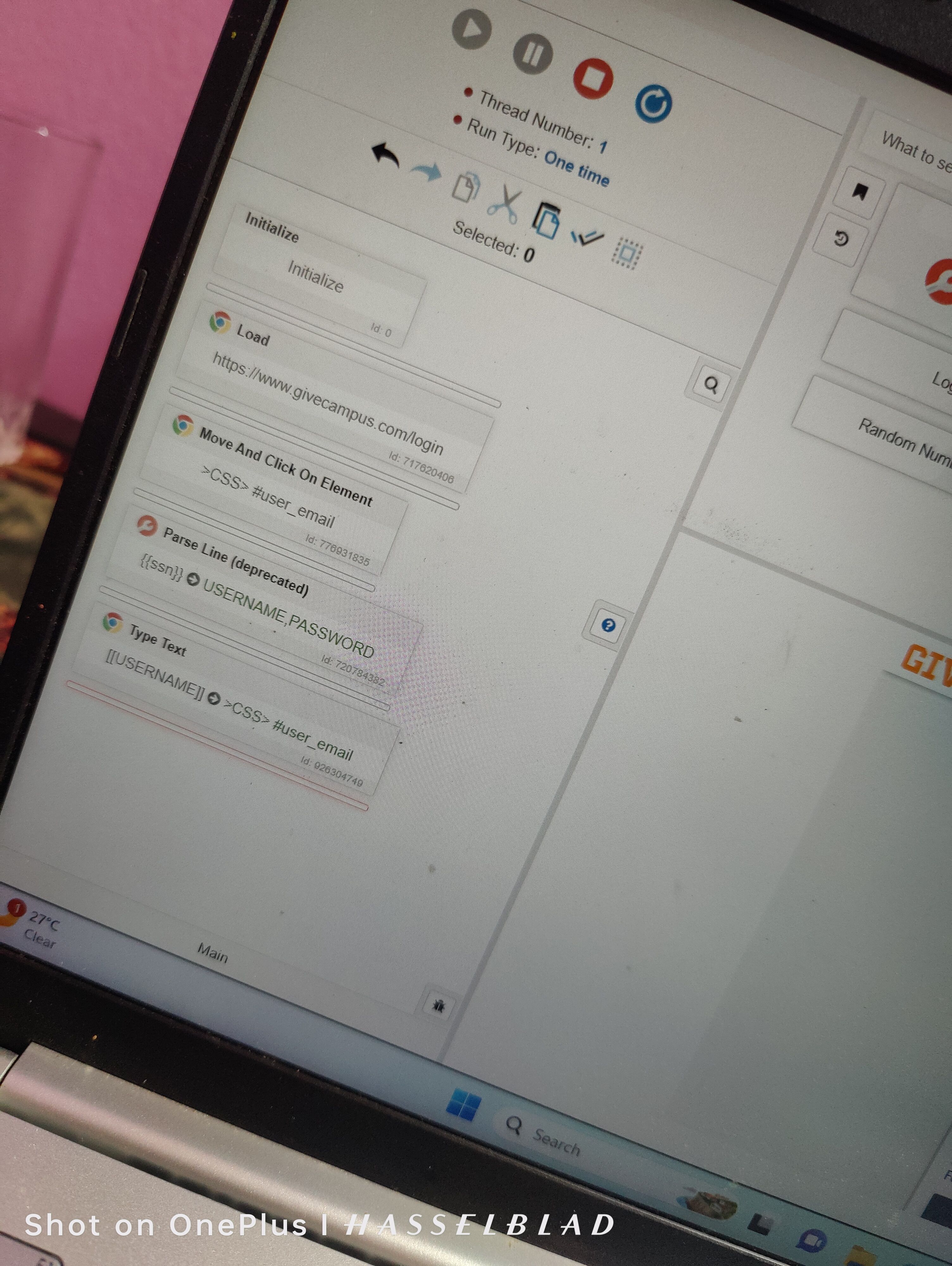
I tried "someone@gmail.com:Password"
Also tried ""someone@gmail.com:Password"
But doesn't work.
I see in log Can't Find Variable: VAR_USERNAME this error.
Please make a short video for for setup "parse line deprecated".
That would be very helpful for me 🙂 -
@Rabbi5533 said in Parse Line Doesn't Work:
I tried "someone@gmail.com:Password"
Also tried ""someone@gmail.com:Password"Why do you use quotation marks at all?
-
@Rabbi5533
Quotes are not needed in the resource. I also recommend using the “Parse CSV string” action from the “String” module.