


For emails best option is to use "Template".
Try it, it is meant for such situations.
Browser not working
-
Hello there,
I updated from version 28.1.1 to 28.7.2 and since then the browser doesn't work anymore.
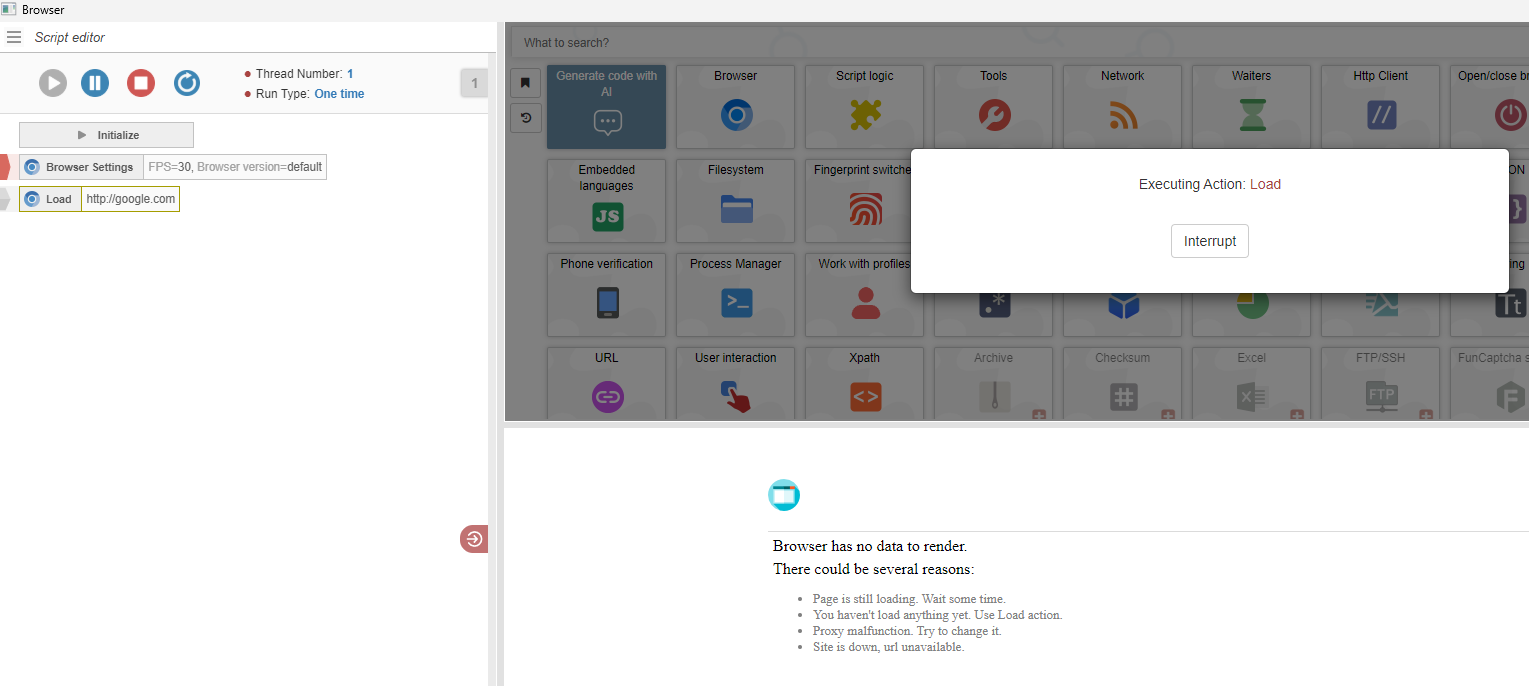
It's also stuck on executing that action and times out after a while.
Manual mode I can enter a URL but after pressing "enter" nothing happens. It doesn't load any website.I also get only a white screen and nothing happens when I compile and run it.
Before I updated everything worked. Also when starting the old version in "apps" folder, It has the same problem now.
I run everything on stock settings and It worked until today...
What can I do?
-
-
@m4zuper
I completely uninstalled with the uninstall.exe in the main folder, redownloaded latest .exe from the website and installed to a different folder instead of the default (appdata?) folder.Still the same problem.
Also if this problem exists since 28.2.0 and we are now on 28.7.2, this should already be fixed? oO
Can someone link me an earlier download version than 28.2.0 so I can try if the older version works?@xASZx
I tried clicking it multiple times, nothing happens. Developer Tools don't open, no checkmark in settings or anything. (Never used that in BAS, so IDK what should happen)

