

@fanspro said in BrowserAutomationStudio 26.9.0 has been released:
Hallo, Plase share Modul Logger
Modul Logger? And what does support have to do with it?

Testing.
Automatic testing helps when you need to change your project but are afraid of breaking something. Running tests after a change can help detect problems, and passing all tests can reduce the risk of regressions.
In the new version, BAS lets you attach tests to your project in JSON format. You can write tests yourself, but the recommended approach is to use Agent.
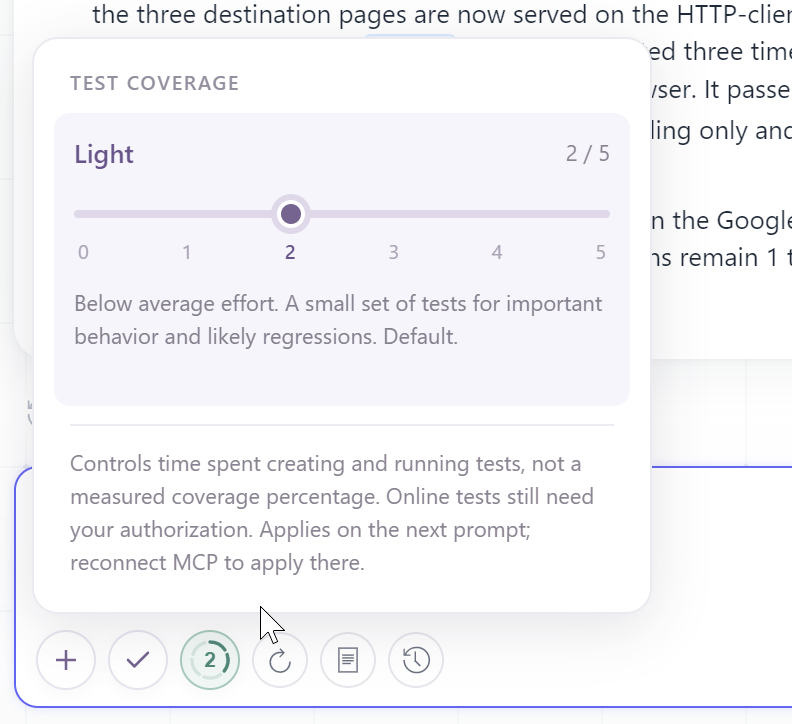
In fact, you don't need to ask Agent to create tests - it is configured to write and run them automatically while writing code. You can adjust this behavior or disable it completely using the following slider:
There are two types of tests: offline and online.
Agent is configured to run offline tests without asking for permission. Online tests require your approval.
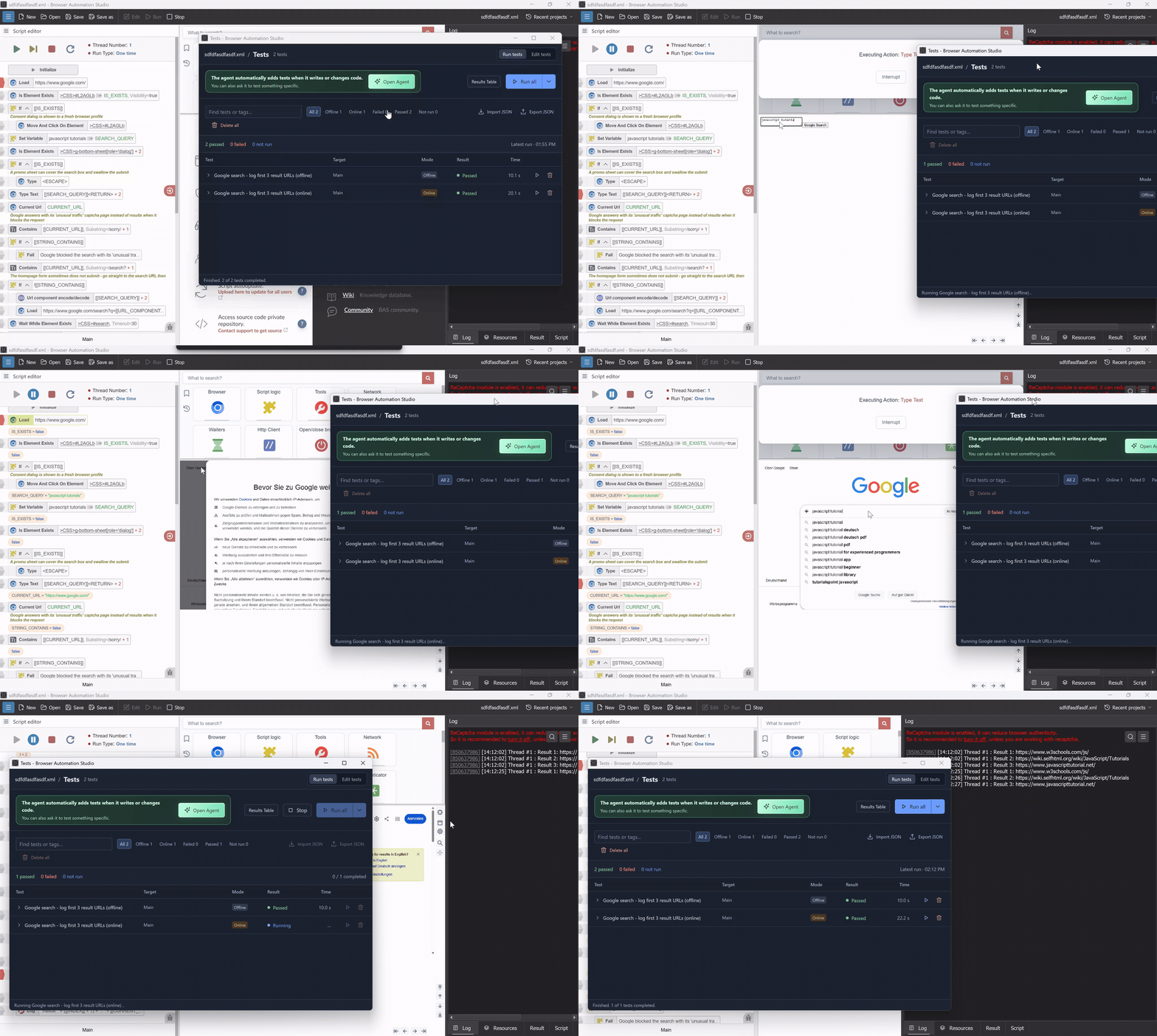
Does your project have thousands of actions in the Main function? That's not a problem - tests can run on a sequence of actions as well as on individual functions.
New development workflow
We've improved the admin panel to make it much easier to create and maintain your projects.
The new workflow looks like this:
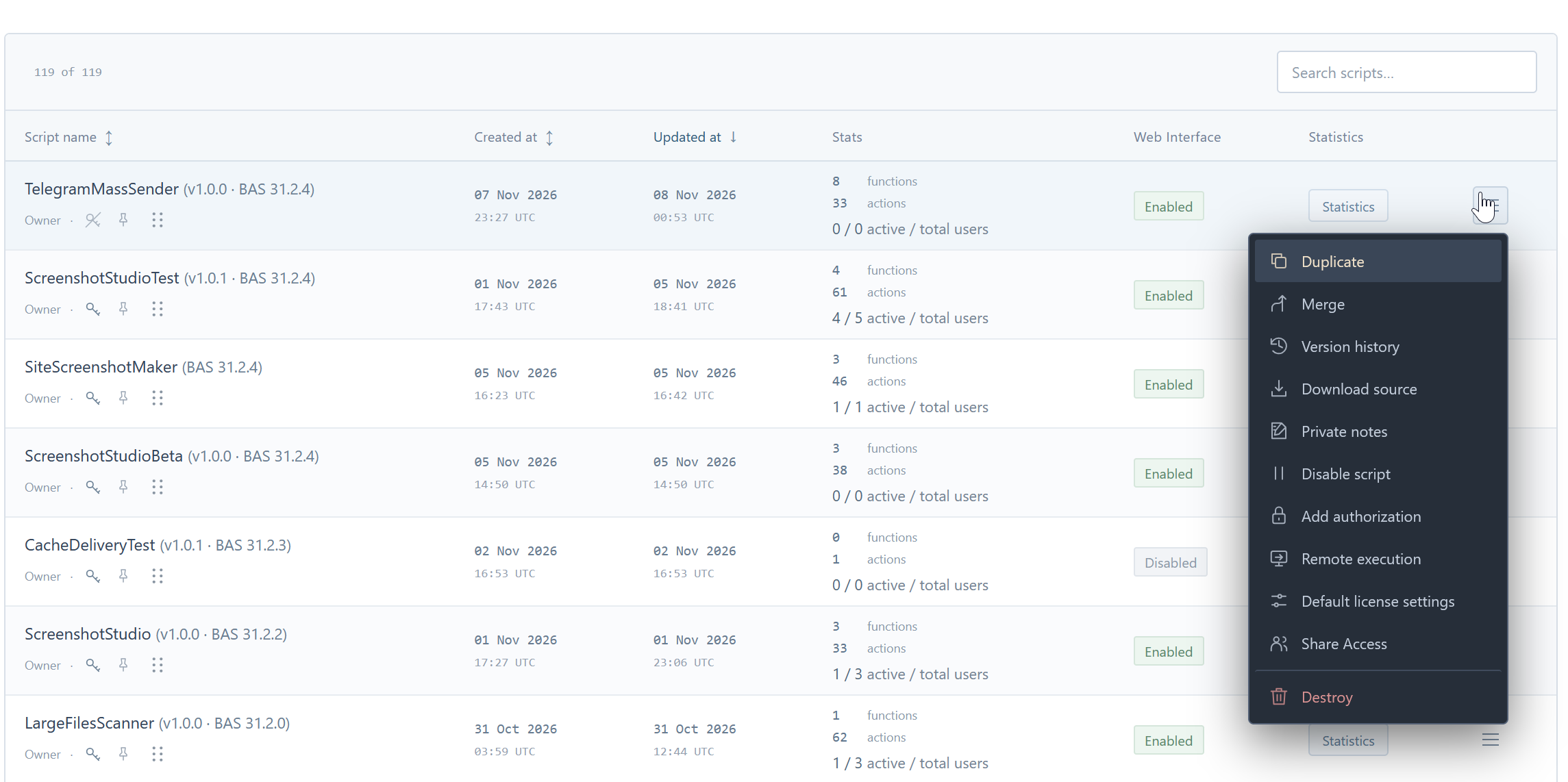
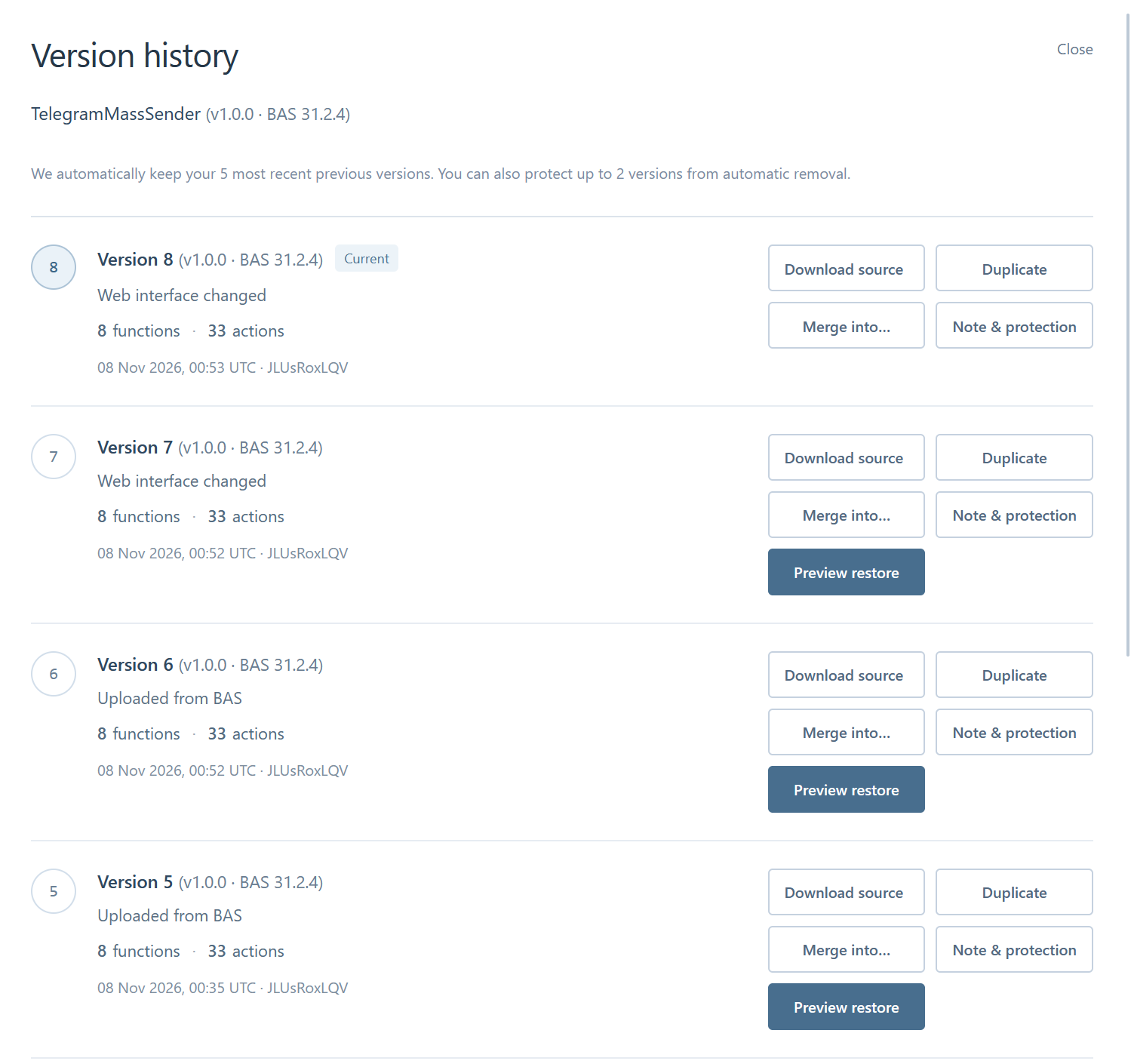
Have a team? Invite other developers to work on your project. We recommend giving them access to the testing version. This way, they can contribute changes while you stay in control of when to release them.
API for your scripts and licenses.
You can manage your Premium account through the API - https://bablosoft.com/bas/api.
This is especially useful when you use a payment gateway and want to automatically grant users a license after a purchase.
Agent also uses this API to manage your scripts and licenses. Simply ask it to "merge the testing script into the release version" or "create several test users for this script".
Starting compiled scripts
With the traditional method, developers need to compile a script and send users an archive. Running multiple scripts on one PC also takes up considerable disk space because each script includes its own copy of the browser.
The old method remains available, but Magic Links address these issues.
During compilation, you receive a link to an executable file. You can share the link directly with users or download the executable and send it to them.
The executable is under 1 MB. It looks for the required BAS version on the user's PC and downloads it only if it isn't already installed.
Large files are shared using hard links, avoiding duplicate copies and saving disk space when running multiple scripts.
You can keep these launchers anywhere, including on your desktop.
Try this example:
https://downloads.bablosoft.com/magic/TelegramMassSender
We have also improved scripts protection.
Compiled script startup speed.
We have significantly improved the startup speed of scripts.
Have a huge script with thousands of actions? It will be compressed and optimised.
Have a module with a huge binary? It will be cached on the user's PC and downloaded only when it changes.
Heavy web interface? It will be cached too.
For scripts with a web interface, it is also impossible to start them with the normal interface.
And most importantly, we improved our servers, so loading errors are no longer an issue. Even during peak bursts, such as at 00:00, the site will still process requests.
We made a lot of smaller improvements to reduce loading time.
Look at how fast the script starts now.
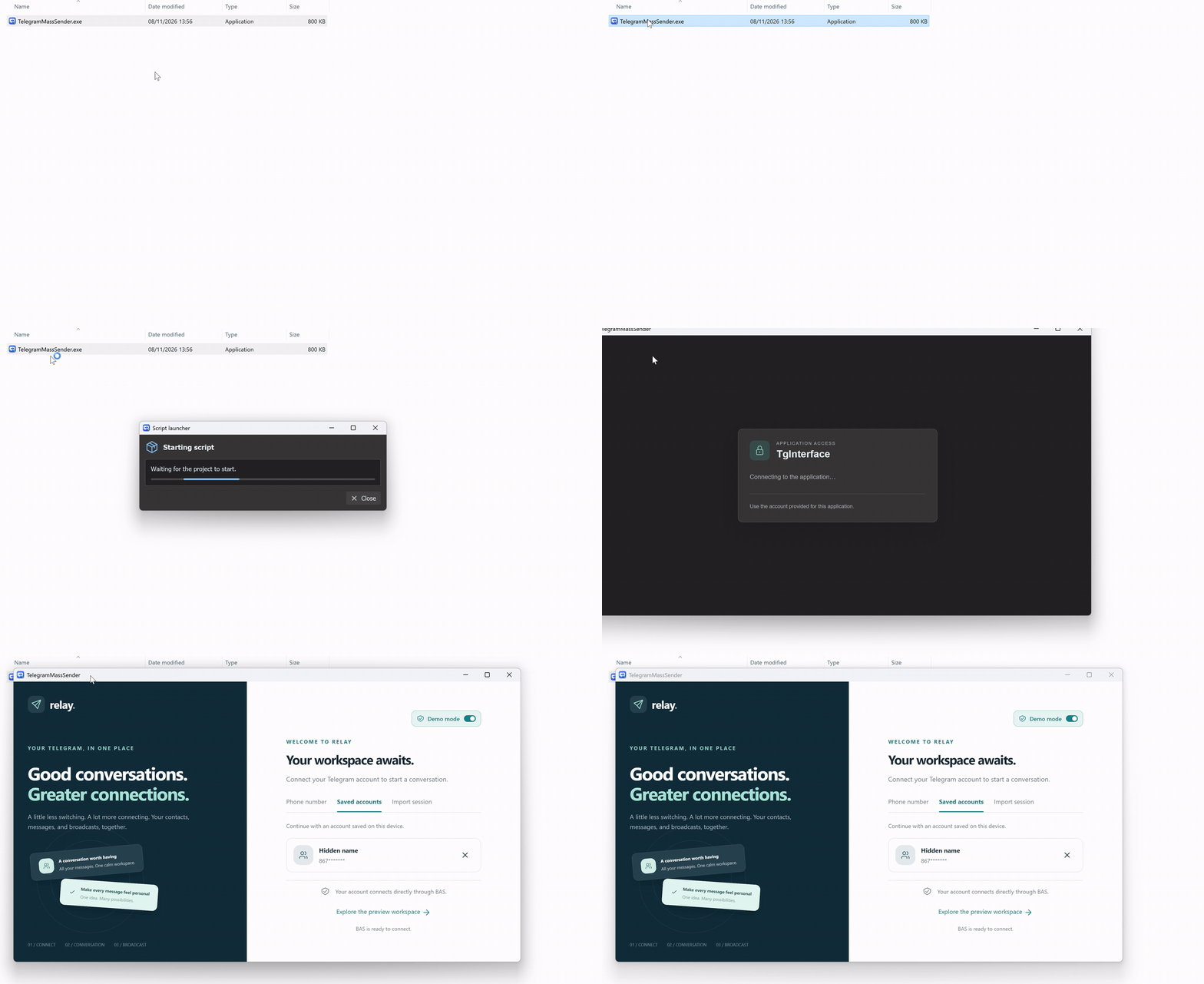
This actually involves starting Node.js and the web interface.
Web interface.
The web interface has been rebuilt from the ground up.
You can now edit and preview it in a dedicated window.
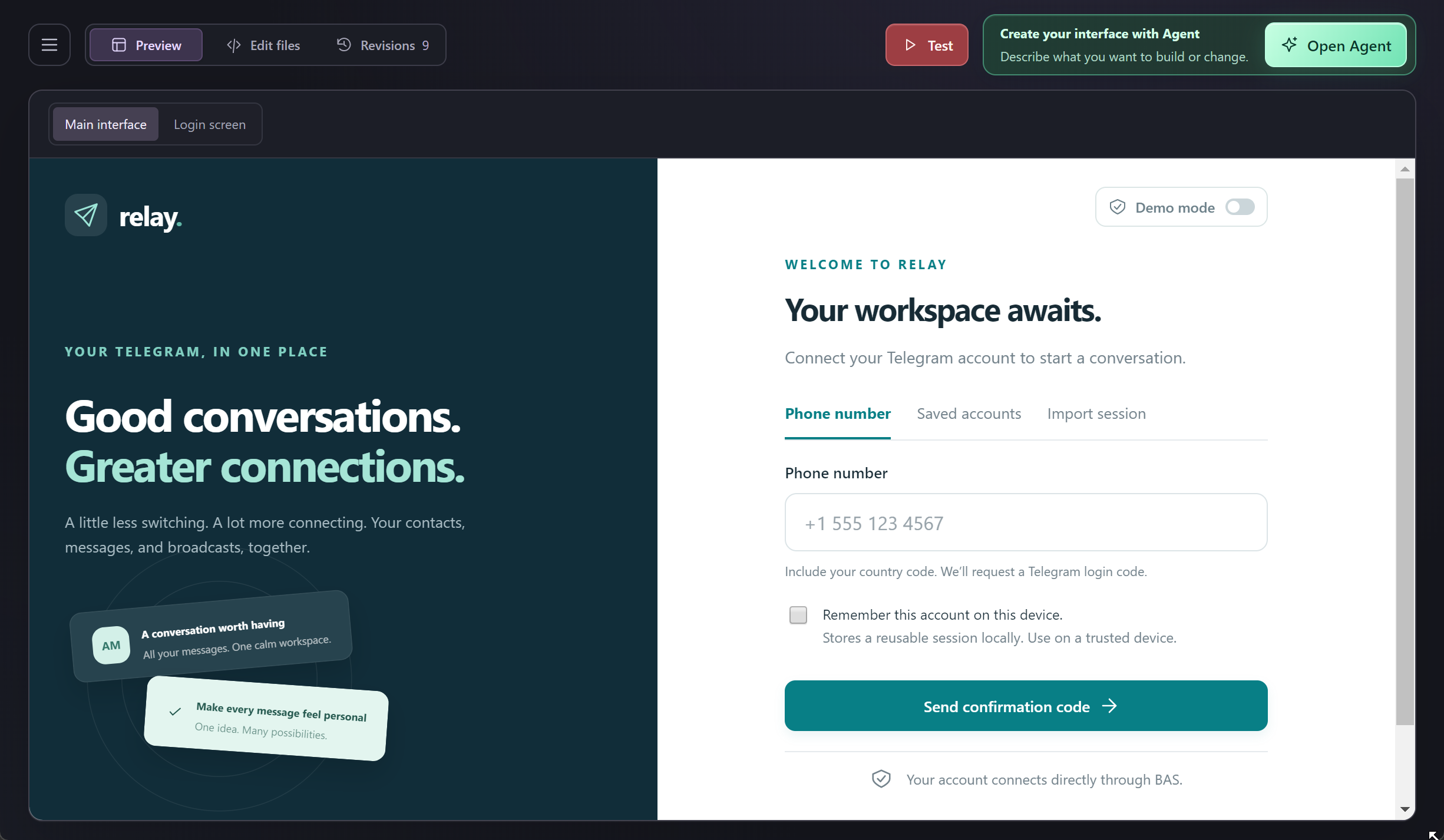
Your interface is stored locally, with the option to upload it to the server.
It includes revision history and support for npm packages. Users don't need to install those packages on their PCs.
The biggest addition is the ability to create and improve your interface with Agent.
Simply ask it to "create a polished interface" or "make an interface that matches this picture".
Agent goes beyond generating static HTML. It also checks how the interface connects to your BAS functions, so the design works together with your script.
It can debug the interface, interact with it in the browser, and take screenshots to check the result.
This gives you more than a better-looking application. It lets you completely rethink your script's workflow.
Launch BAS functions when a user clicks a button, when a timer fires, or even when an external event occurs.
This is a major step forward.
Agent can work on multiple projects.
You can ask Agent to implement a feature in another project or copy functions, actions, and databases from one project to another.
Agent can create modules.
You can ask Agent to create even complex BAS modules with a single prompt.
Agent will create a separate project, build and test the module, write automated tests and documentation, create its interface and do an updates later.
Here is an example of a module created from a Node.js library with a single prompt, no manual editing:
Other updates.
Fixed several important antidetect issues. Please update to the latest version.
Chrome update to 157.0.8103.39.
Added support for Node.js 24.
Many other bug fixes.
Download