
Your browser does not seem to support JavaScript. As a result, your viewing experience will be diminished, and you have been placed in read-only mode.
Please download a browser that supports JavaScript, or enable it if it's disabled (i.e. NoScript).
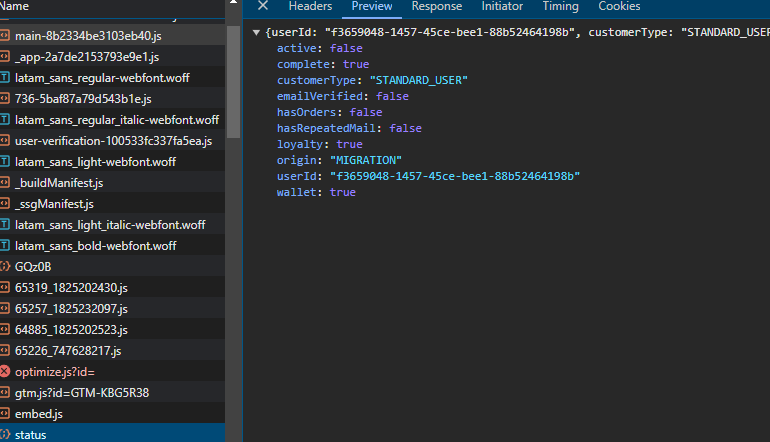
Is there a way to capture the response from a script.js on a webpage using page.response in Browser Automation Studio without using Node.js, as multithreading wouldn’t work
or some other way to get the response from script.js
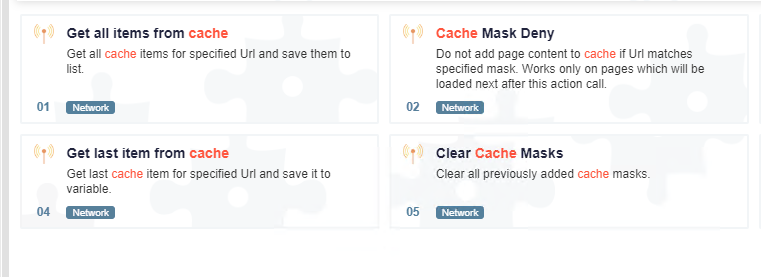
try "cache mask allow" and put the link you want to get respone, then view the cached items by "get all items from cache"
@hamhuhhg thanks brother
@Mister-0 how you parsing response data
@Pranab143 said in RESPONSE PAGE:
https://community.bablosoft.com/topic/10374/получить-значение-параметра-из-действия-получить-все-элементы-кэша
@resep said in Idle Emulation Keep Scroll page even without idle type 1:
@Fox can you help me ?
no
@jobriwterr said in load page only text / block element:
mr @Fox
Why did you tag me in your message?
@rootX said in HCaptcha on Cloudflare challenge page do not display:
@Fox Having the same issue with site coinhunt.cc Did enable canvas No AjaxCaptcha2 module Please help!
@Fox Having the same issue with site coinhunt.cc Did enable canvas No AjaxCaptcha2 module
Please help!
Describe your error in more detail
@peellpeell
if you know what time is it, why dont set a timer?
run 2 threads, one for waiting 14 minutes (or whatever), second doing your job.
tell first one to set variable to false or true when 14minutes passed, and when that variable is false/true dont load any page in other thread
(PS u might want to use global variables)
