
Your browser does not seem to support JavaScript. As a result, your viewing experience will be diminished, and you have been placed in read-only mode.
Please download a browser that supports JavaScript, or enable it if it's disabled (i.e. NoScript).
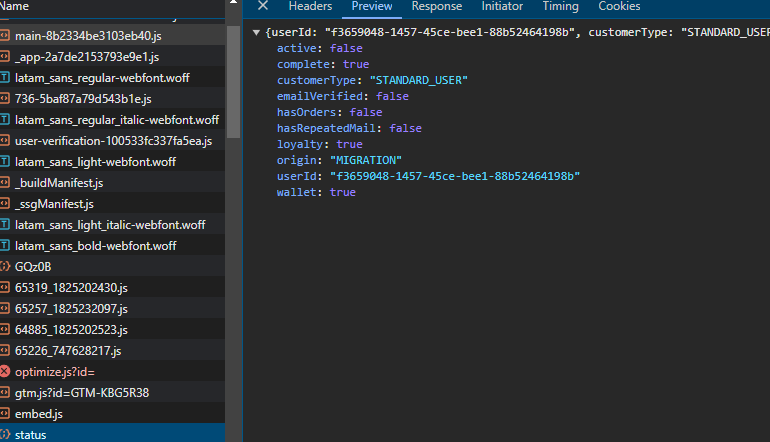
Is there a way to capture the response from a script.js on a webpage using page.response in Browser Automation Studio without using Node.js, as multithreading wouldn’t work
or some other way to get the response from script.js
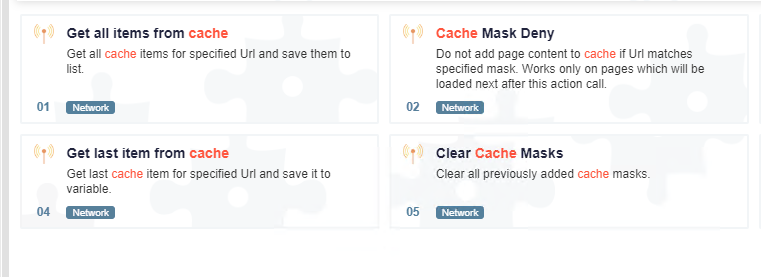
try "cache mask allow" and put the link you want to get respone, then view the cached items by "get all items from cache"
@hamhuhhg thanks brother
@Mister-0 how you parsing response data
@Pranab143 said in RESPONSE PAGE:
https://community.bablosoft.com/topic/10374/получить-значение-параметра-из-действия-получить-все-элементы-кэша
@cparonny
I have tried also xpath without success. It can not select it!
2022-02-18_07h18_02.png
Thanks!
That was it. I had to add a page wait afterwards to get it to work properly, but it now does the business.
What is the Tools/Execute Code for then?
@genadijs34 Can also use alternative css selectors https://www.youtube.com/watch?v=5ktCtp6jsI0