@hellomembersha by default the new version is installed without deleting the old one. You can't worry, the previous version will not go anywhere and will not change.
BrowserAutomationStudio 26.0.0 has been released
-
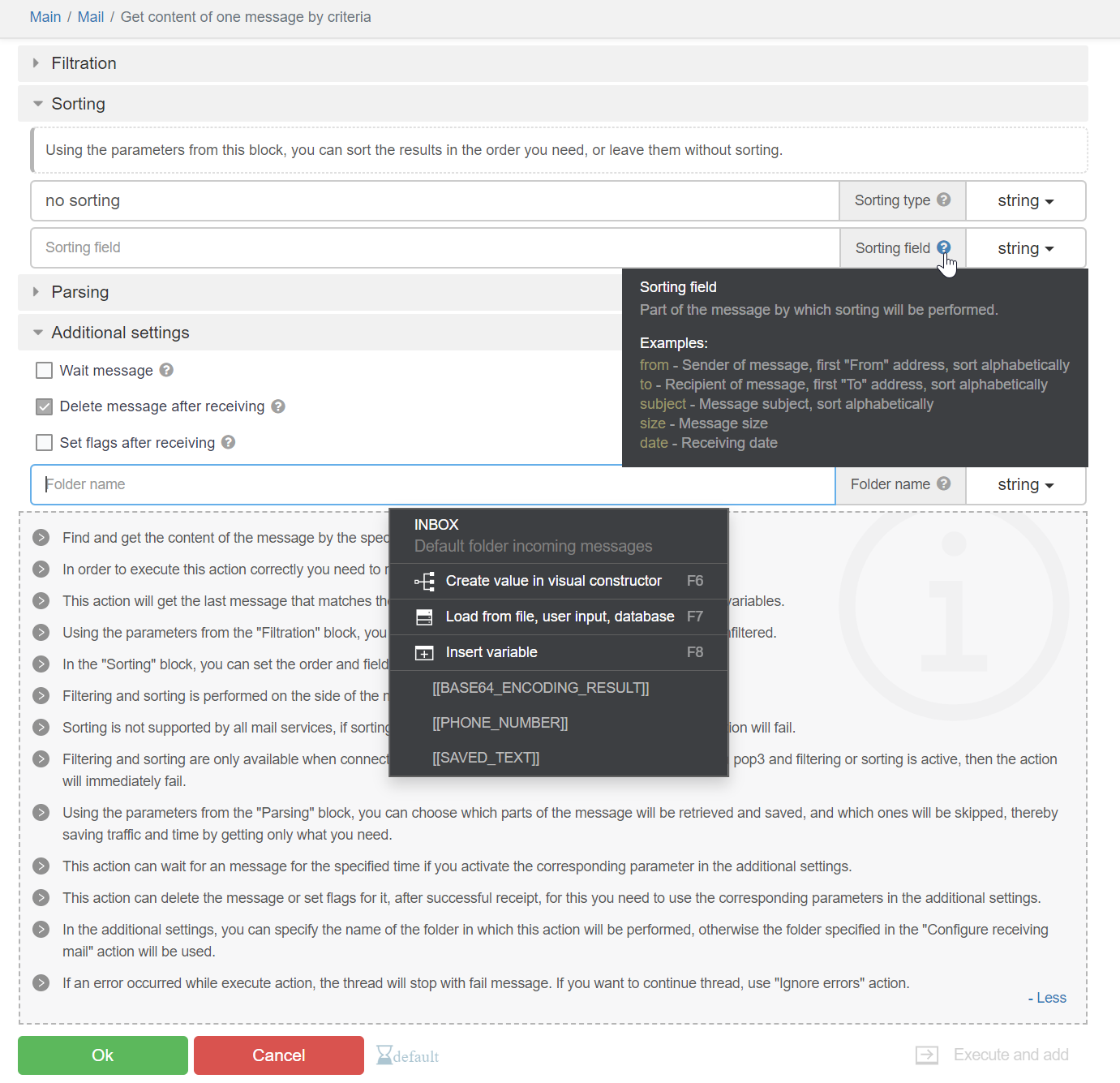
Improved usability of the action panel. The design of certain interface elements has also been updated. The update is based on changes by @Oyasumi-Punpun .
Introduced changes will be used to better display modules with complex interfaces in the future.
Here's how it looks now:

List of changes:
- The interactive documentation panel can be collapsed.
- Gray stripes no longer interfere with reading the interactive documentation.
- The "Execute and add/Only add/Only execute" block is now presented as a dropdown list, taking up less space.
- Tooltips for fields can be pinned with a click, allowing you to copy text from them.
- Instead of checkboxes on collapsible blocks, there are icons for "collapsed"/"expanded" states. So it is clear that collapsible blocks are just an interface element that does not affect the functionality.
- Collapsible blocks now have an indentation inside to indicate which specific setting belongs to which block.
- A new interface element with information allows embedding descriptions into actions and collapsible blocks.
- Ability to search within dropdown list options. This greatly facilitates working with large dropdown lists, for example, in the PhoneVerification module.
- New interface elements for checkboxes, radio buttons, select boxes, and horizontal dividers.
- The action name is now located on the top panel.
- The top panel also contains a link to the page with the list of modules and a link to the module itself. This allows quickly understanding which module the action belongs to.
- Validation errors are displayed in a dropdown window.
- Improved hierarchy of settings for actions that deal with elements.
- The width of dropdown menus cannot exceed the width of the toolbar.
- Fixed issues with flickering page when clicking the cancel button.
- Improved design of many elements.
26.0.1Added Chrome version 115.0.5790.99.
26.0.2Minor UI improvements.
-
Update 26.0.2 has a problem, I don't know if people notice or not.
It will be difficult to bypass "cloudflare" when using Windows fingerprint.
Still good on version 26.0.0. -
@BAS-Viet-Nam Fixed.
-
@BAS-Viet-Nam Chưa kịp test
-
Is it only me that is finding it really difficult to work with new 'Only Add, Only Execute, Add and Execute' Button Dropdown?
I feel it was good the way before the update with three separate buttons.
I constantly kept using three buttons parallely to test automations. But now, I have to click on button and select from a dropdown. It is cumbersome and also the buttons are small and dim making it even harder.
Earlier their were three buttons with colored combinations and it was so easy to operate with that.
I request you guys to please get the old buttons.
Please don't take me in wrong manner. I like all the other subtle ui changes made in this update but not this one

-
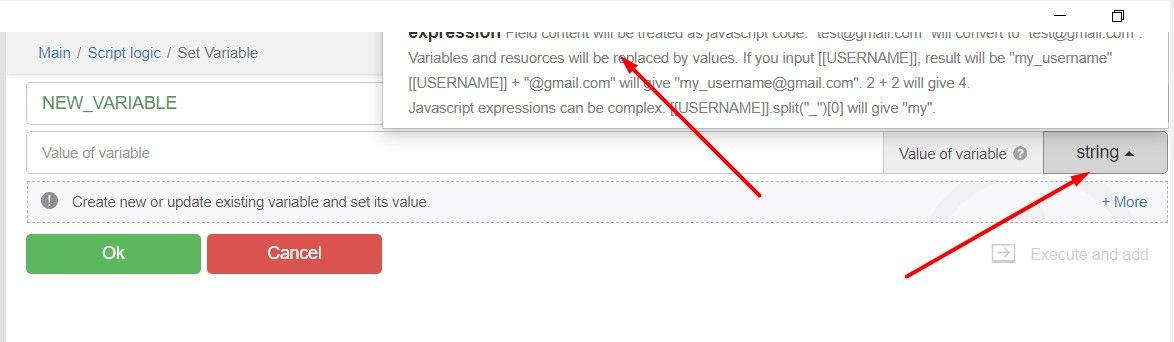
In the new update, while creating variables, I am not able to select Variable type due to UI Issues.

Their is no way I can scroll to select the options too. Please fix this soon
-
For me, it doesn't even show the checkbox to click on cloudflare page.
I have translated your below message. Does it mean the error is because of chrome_command_line functions?
I removed all of them to test but it still doesn't works.
How did you fix this issue?