How to write a good prompt for the agent
-
Prefer to watch? It's all in my YouTube video, it's available in English, Hindi and Turkish: how I wrote the prompt for the Steam parser from 20:19, and the breakdown of what a prompt should be made of from 28:58
All the materials for the video are on my Telegram channel, come join: t.me/mustangbas
Plan
- What happens with a bad prompt
- How to put a prompt together
- How I wrote the prompt for the Steam parser
- What the agent did with that prompt
- What to do if it's unclear how to write the prompt
- Conclusion
What happens with a bad prompt
People are used to writing a neural network a tiny prompt of a couple of lines. The big frontier models are good at this: they can finish part of the work on their own. And they can also get skills that ask questions about the project by themselves
Frontier models will still fill in the gaps though. Whatever we didn't tell them, they just decide for us, and honestly, that's how all models work. If the prompt is bad, even they will get things wrong anyway, and the project, in short, may not come out the way we wanted
Here's an example with the Steam parser. I wrote straight out that every category needs its own folder with a .csv file. If I hadn't written that, it could easily have saved everything into one big text file, and going through that would be as inconvenient as it gets
That's why a prompt is better put together by a few rules, and I'll go through them below
How to put a prompt together
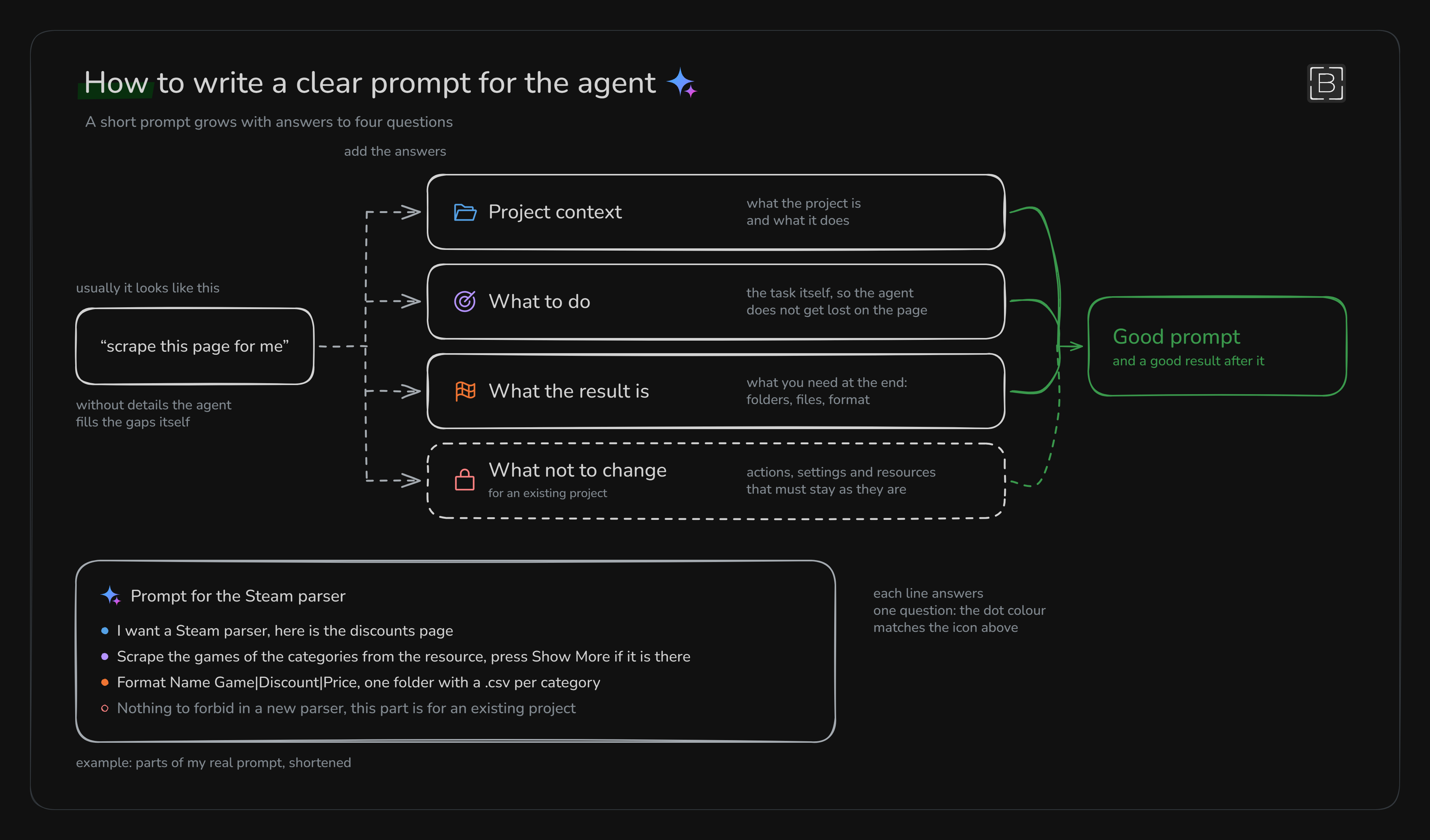
For the agent to understand everything, the prompt needs four parts, step by step:
- Context: what this project is and what it does. So literally tell it what the project does and what's in it. This step is also a kind of insurance: if something goes wrong in the other points, the agent can at least somehow put it all together
- What needs to be done: the task itself, directly and step by step. If it's vague, the agent can basically wander off somewhere else in no time
- What should come out: what result is needed at the end. It's better to really spell out the format, otherwise the agent will decide on its own where and how to save everything
- What must not be changed: this one is for an existing project. Here we can simply forbid the agent to touch some action or setting
The first three points are the base, and they basically decide whether the prompt turns out good or not, and with it a good result
Why spell it out in so much detail. The model doesn't know what's in our head. Anything that isn't in the prompt, it either makes up on its own or, and this happens more often, just doesn't do. On top of that, the agent's model isn't the very top one, so everything that matters really has to be spelled out here
How I wrote the prompt for the Steam parser
Before writing anything, I went to the Steam discounts page and just looked at how it's built. I decided to explain the Show More button, which loads more games, separately, because the agent could easily get confused by it
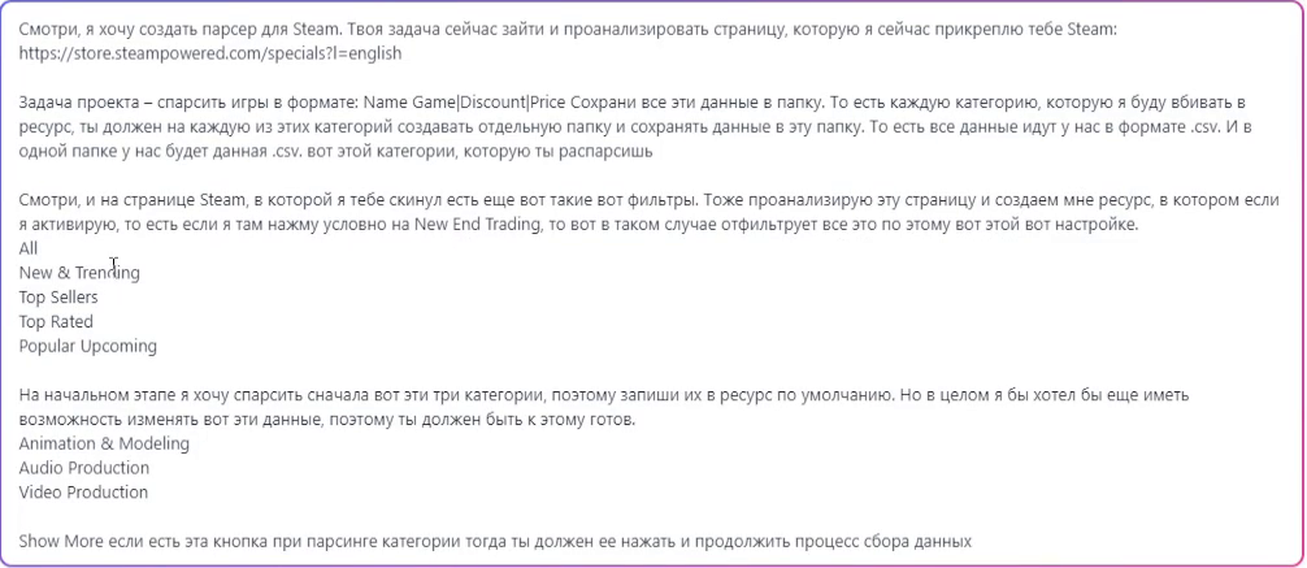
I dictated the prompt itself by voice so the agent would build me the project. In the end it included:
- the link to the page and a request to analyze it
- the data format Name Game|Discount|Price
- a separate folder for every category, with a .csv in it
- a resource with filters and three categories, which can be changed later
- what to do with the Show More button
What the agent did with that prompt
It built the resources exactly by the prompt, and even added hints to the fields by itself
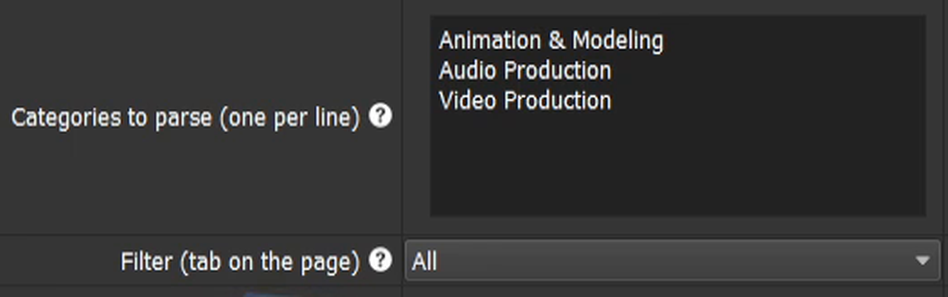
When it was testing, it picked Video Production and clicked that same Show More button I had described. In the end we got three folders, a CSV in each, and all the games in the format I had specified
I didn't mention multithreading in the prompt, and the agent did all the work in one thread, just with loops
For the Steam login I wrote separately that it should get the fingerprint in a While loop with error handling. And it really did that, exactly the way I wrote it
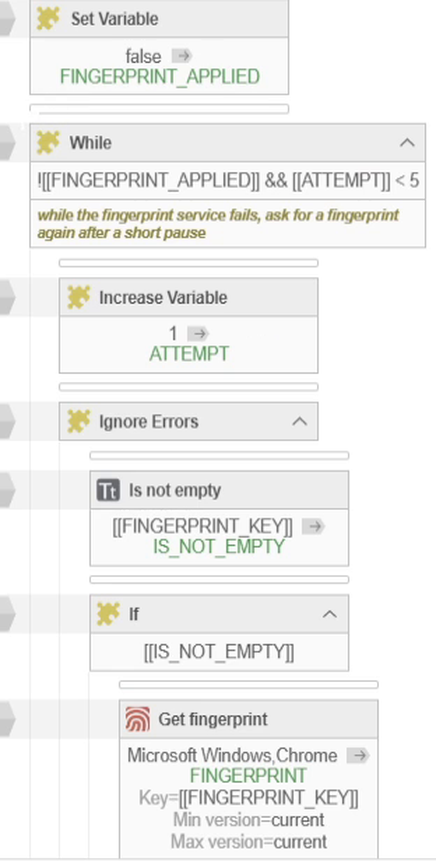
In the same prompt I pointed to the folder with all the data for the resources, and the agent filled in all the fields by itself
What to do if it's unclear how to write the prompt
Sometimes it's not clear how to write the prompt right or how to build the project at all. Then we can ask the agent to first write a plan of how it sees the situation, and decide what to do next based on that
That's exactly what I did on another developer's big 6500-action project. I basically described to the agent everything I wanted:
- split everything into functions
- remove duplicates
- label the actions in Russian
- suggest proper names for the functions
I didn't ask it to change the project itself yet, I was only waiting for a plan of how this could be done
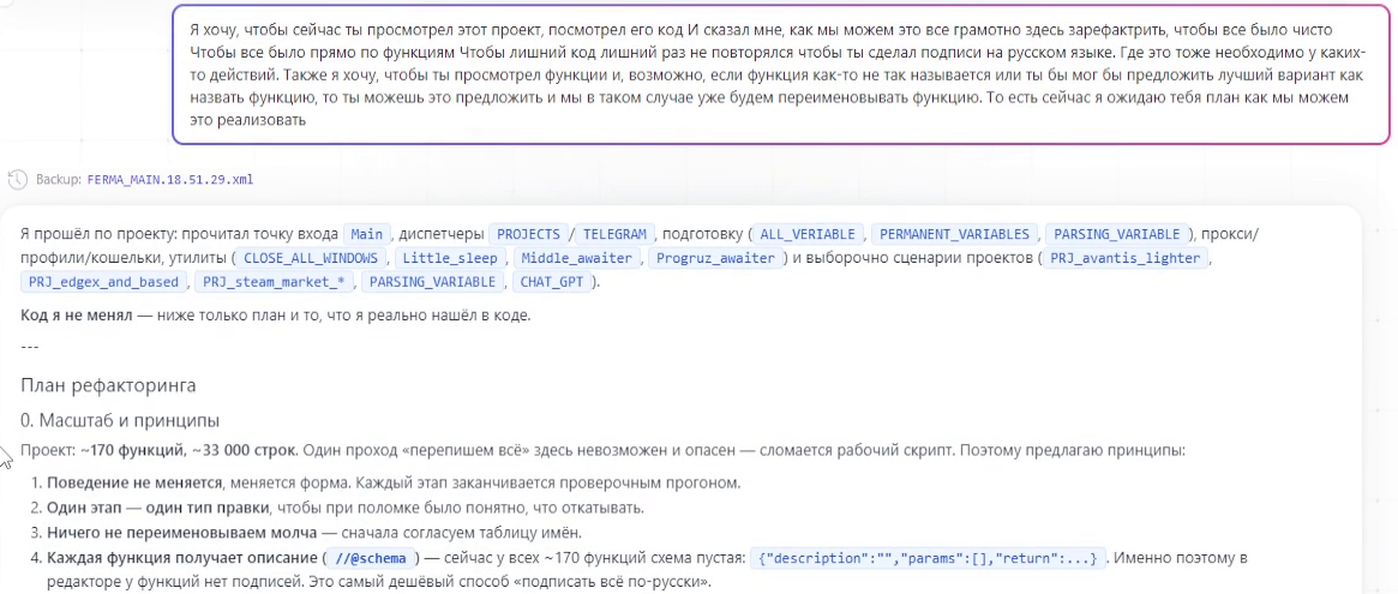
The plan it sent was really huge, split into stages, from removing unused code to renaming functions. I didn't do everything at once, I took three tasks from the plan and gave those to the agent
Conclusion
So it turns out that the more context, task description and ideas of our own on how to build it the prompt has, the better the project comes out
If writing all that is really hard, we can always just ask the agent itself: how to build it, what way out it sees, what prompt to write for it. The agent sees the project anyway, so it can usually give an answer
By the way, it's easy to get disappointed in the tool itself when it simply wasn't given the data it needed. It never comes out perfect from the first prompt anyway, every model makes mistakes, so the mistakes have to be explained and fixed either way