
@stevenjpotter57
Make sure your problem is not caused by your antivirus, Windows Defender, etc.
If the problem remains relevant, please attach a test project.
In the task scheduler, two of the tasks can run automatically, and the other two will always show Downloading.
-
In the task scheduler, two of the tasks can run automatically, and the other two will always show Downloading.
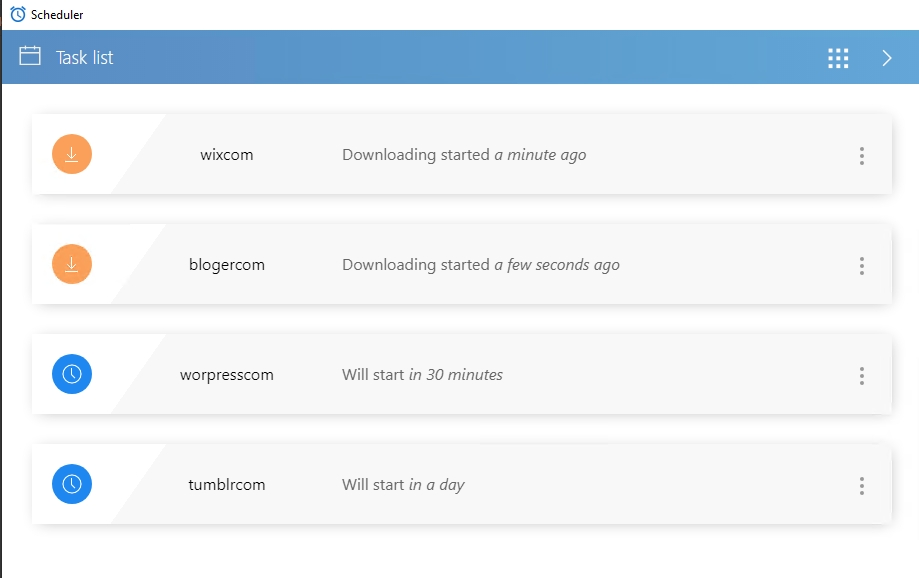
I have tried deleting the task and re-uploading the script, but it still says "downloading"
The script works normally in record mode
MY BrowserAutomationStudio version 28.9.3 (premium).
Please help me, thanks
-
@m4zuper
Thanks for your replyI found the problem. Because there is not enough free space on the C drive.
I downloaded TaskScheduler and installed it to D:\TaskScheduler.
Do I need to uninstall the program in the original folder C:\Users\AdministratorAppData\Local\TaskScheduler\1.6.0?Should I start D:\TaskScheduler directly or start TaskScheduler through the main program of BAS?
-
@ybwh003 said in In the task scheduler, two of the tasks can run automatically, and the other two will always show Downloading.:
Do I need to uninstall the program in the original folder
This is not necessary
@ybwh003 said in In the task scheduler, two of the tasks can run automatically, and the other two will always show Downloading.:
Should I start D:\TaskScheduler directly or start TaskScheduler through the main program of BAS?
If you want to run a separately downloaded scheduler, you need to run it from its own directory
